Projector maintenance: keeping a fleet alive 300 days a year
A projector is not a one-time purchase. It is a technical asset with a running cost that spreads over years, and that cost usually dwarfs the sticker price. Maintenance is where you decide whether your fleet lasts five years or fails in the middle of a show.
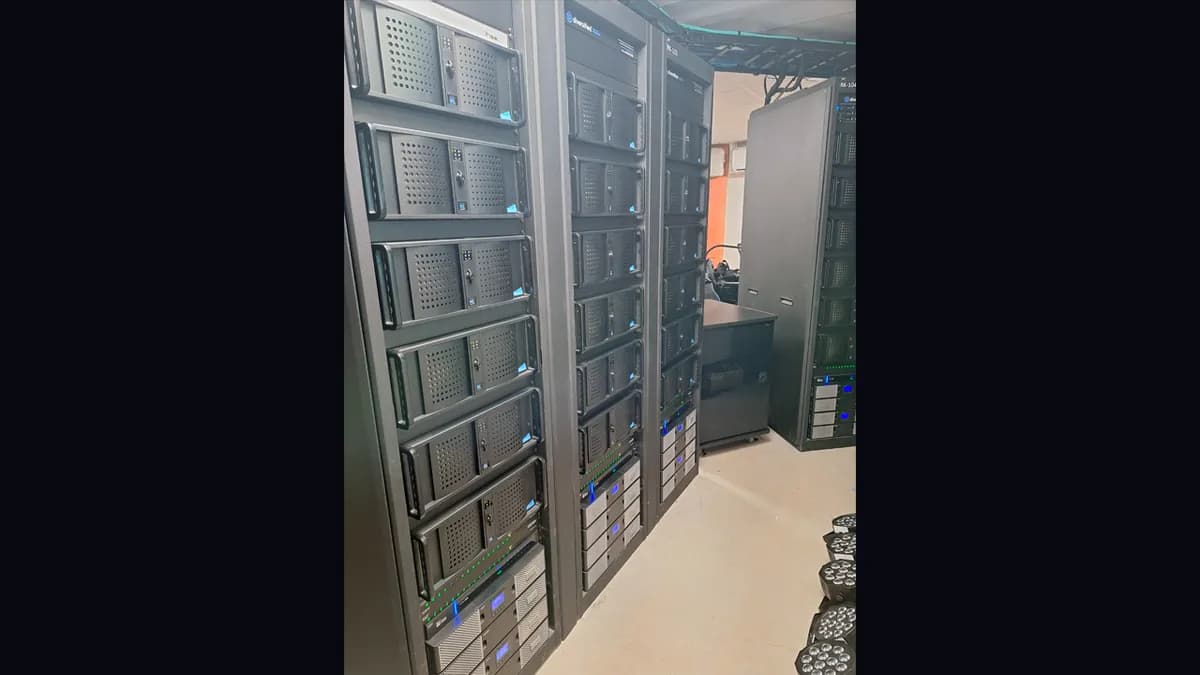
I have run permanent installs that operate 300 days a year: the Museum of Art and Light in Kansas (108 projectors in daily operation) and the Culturespaces venues (60 to 150 projectors per site). I have watched lamps blow mid-show, forgotten filters cook a unit from the inside, and a single color drift wreck a blend that was calibrated perfectly in January. This page is the maintenance plan I actually follow, with the numbers that matter.
If you own one projector for a living room or a meeting room, most of this is overkill. Skip to the cleaning section, do that, and get on with your life. The rest of the page is for people running a fleet that has to be dark-perfect every single night.
The light source decides your maintenance calendar. Everything else follows from it.
Lamp projectors (UHP/UHE). Typical source life: 2,000 to 3,000 hours at full power, 3,000 to 5,000 hours in eco mode. That sounds like a lot until you do the shift math. A permanent install running 10 hours a day, 300 days a year, burns through a 2,500-hour lamp in under 10 months. Twenty projectors means twenty lamps a year, minimum. And a lamp does not die cleanly: it fades. At half-life it has already lost 20 to 30% of its brightness. At 80% of rated life the loss often reaches 40 to 50%. The image still shows. It is just noticeably darker, and your eye adapts so slowly that you rarely notice until you measure.
Laser projectors (phosphor or RGB). Typical source life: 20,000 to 30,000 hours, up to 40,000 in eco on some models, degrading to 50% brightness. In permanent operation at 10 hours a day, that is 5 to 8 years without touching the source. Even under intensive use, 4 to 6 years. The degradation curve is far flatter too: roughly 15 to 20% loss at half-life instead of a lamp's 30%.
| Criterion | Lamp (UHP) | Laser phosphor | Laser RGB |
|---|---|---|---|
| Source life | 2,000-5,000 h | 20,000-30,000 h | 20,000-30,000 h |
| Source replacement | Yes (lamp) | No (sealed) | No (sealed) |
| Startup time | 30-90 s | Instant | Instant |
| Brightness loss at half-life | 20-30% | 10-15% | 10-15% |
| 5-year running cost | High (lamps) | Low | Very low |
| Free orientation | Limited | Yes | Yes |
The practical takeaway: on any install past 1,500 hours a year, laser almost always wins on total cost even though it costs 30 to 50% more to buy. Below 500 hours a year, the gap is marginal and a lamp projector is a legitimate choice, especially on a tight capital budget or off the secondhand market where lamp models depreciate hard.
Catching wear early means planning an intervention instead of surviving a failure.
Preventive maintenance is the highest-return money on a projector fleet. It is cheap, it extends the hardware, and above all it keeps units from failing mid-show.
Monthly (about 30 min per projector). Air filters: inspect, vacuum the dust out with a soft brush on low power. Do not blast a compressed-air can into the intake, you drive dust deeper into the sealed engine. Replace a saturated filter. In dusty environments (a building site, an old stone venue, outdoor), go biweekly. Optics: blow the front lens with residue-free air, and only if a mark remains, wipe with a microfiber and a dedicated optical fluid, dry-first, no household product or strong alcohol, ever. Airflow: confirm no cable, box or drape is blocking the vents.
Quarterly (1 to 2 h per projector). Brightness: project a full white field, measure lux at a fixed reference distance, compare to the commissioning value, log it. Color: project red, green, blue, white and 50% gray fields, check by eye or with a probe. A test pattern generator exports these fields at your exact output resolution. Mechanical: check mounts, clamps and connectors (HDMI, HDBaseT, fiber) for play or oxidation, and confirm the projector has not shifted. Firmware: check for vendor updates, apply when relevant, log the version.
Annual (half a day per projector). Internal clean by a qualified tech: open the unit, clean the internal optical path, fans and heatsinks, renew thermal paste if needed. Deep inspection of the wear parts (color wheel, polarizers, light guides), hours-meter reading, full port test. Then a complete recalibration: color with a probe, warping re-check if any mechanical drift is found, and a full signal-path test. This last step is where maintenance rejoins the broader projector calibration workflow: a fleet that matched in January drifts apart by June, and the annual pass is where you pull it back together.
| Frequency | Operations | Per projector | Skill |
|---|---|---|---|
| Monthly | Filters, optics, airflow | 30 min | AV tech |
| Quarterly | Brightness, color, firmware, mounts | 1-2 h | AV tech |
| Annual | Internal clean, inspection, recalibration | 4 h | Specialist |
| As worn | Lamp, filter, color wheel replacement | Variable | Specialist |
Guessing does not work: the eye adapts too well. At commissioning, project a full white field, measure lux at a fixed distance, write the number down. Re-measure every three months at the same distance. When you have lost 30%, plan the intervention (lamp swap or system recalibration) before the audience ever sees a dull image. This is the single habit that separates a maintained fleet from a fleet that surprises you. Straight lines and grids do the same job for geometry drift.
Prices move too fast to quote, and they vary hard by brand, model and supply channel. The parts to budget for:
On critical permanent installs, hold spares: at least one lamp per model, a set of filters, a spare cable per link type. On large fleets, keep a full spare projector.
Total cost of ownership folds in everything: purchase, install, power, maintenance labor, parts. On a lamp projector running 10 hours a day, 300 days a year, the recurring costs stack: a lamp every 8 to 12 months, frequent filters, a color wheel once or twice over 5 years, and the tech time every replacement eats. Laser removes the source swap entirely, cuts filter frequency (some models are sealed), drops the color wheel, and often draws less power for the same output.
So laser costs more up front and less to own. On a fleet like MoAL, 108 projectors in daily operation, the TCO gap between a lamp fleet and a laser fleet is the reason laser is not really optional on a large permanent venue. Run the surface and count math first in the multi-projector calculator, then apply the running cost per unit: the fleet size multiplies whatever difference you found on one projector.
Heat is enemy number one. Every degree above the recommended ambient shortens component life.
Replace when: repair cost tops 40% of an equivalent new unit; the projector is past 7 years and parts are getting scarce; the model is no longer vendor-supported; your needs changed (4K, more brightness, new connectivity); or you have had several failures inside 12 months.
Repair when: the unit is under 4 years and the fault is isolated; parts are available and the repair costs under 30% of new; or the projector belongs to a homogeneous fleet where a different replacement model would break color and brightness coherence.
That last point is the permanent-install trap. On a Culturespaces-style venue you do not swap one projector in a wall of 60 identical units, because a newer model drifts in color and brightness against its neighbors and the mismatch shows in every overlap. You plan renewal by zone, a wall or a room at a time, to keep the fleet coherent. Getting this wrong is one of the classics in the 12 calibration mistakes that ruin a mapping project.
Being honest about scope saves everyone money:
For the full chain around maintenance, geometry, blending and color, start from the projector calibration guide, and once the fleet is clean and matched, the multi-projector setup guide covers keeping many units coherent at scale.
Two references worth reading on the consumer-hardware side: XGIMI's maintenance and longevity guide for the cleaning fundamentals, and Epson's official projector maintenance page for the vendor procedure on filters and optics.
A maintained projector is one nobody thinks about. It just runs, night after night. That is the whole point, and it is cheaper than the alternative. If you want a second opinion on a fleet's maintenance plan, write to me.
Cookies and privacy Learn more
This site uses cookies to measure audience and improve your experience. You can accept, reject or customize your preferences at any time. Learn more