The video mapping software that fits in a Chrome tab.
The technical pack for your next install: projectors, lenses, lumens, LED walls. In a browser tab. 2 hours, not 3 days.
No charge during trial. Cancel in one click.
Built for 3 kinds of profiles
Project manager in technical bureau
50 VPs feasibility before quote. 3h on Excel, 30 min in Lumeo.
Freelance TD or studio operator
Draft a light/medium/gold RFP study without rebuilding the scene 3×. Client share by link.
Permanent AV integrator
The client wants to picture the scene before signing. A PDF is dead. A 3D in their browser convinces.
What is Lumeo?
A browser-based 3D simulator for video mapping and projection design. Pick your projectors and lenses from a database of 293 models, validate your lumen output on a real-time 3D scene, share your technical study by link. 2 hours instead of 3 days on Excel + 3DS Max.
Lumeo in 1 minute
293
Projectors in database
763
Chip-aware lenses
256
Projectors in one scene
8 chip-aware brands. 60 fps in 4K on a dense scene. The most complete AV mapping database on the web.
Forged by 15 years of fieldwork.
- Museum of Art and Light Kansas
- Atelier des Lumières
- Bassins des Lumières
- Arc de Triomphe
- Eiffel Tower
15 years of field installations gave me a personal tool. Today I'm opening it up to TDs, design offices, and integrators who want to stop juggling Excel, 3DS Max, and manufacturer PDFs.
Everything you need to simulate a mapping
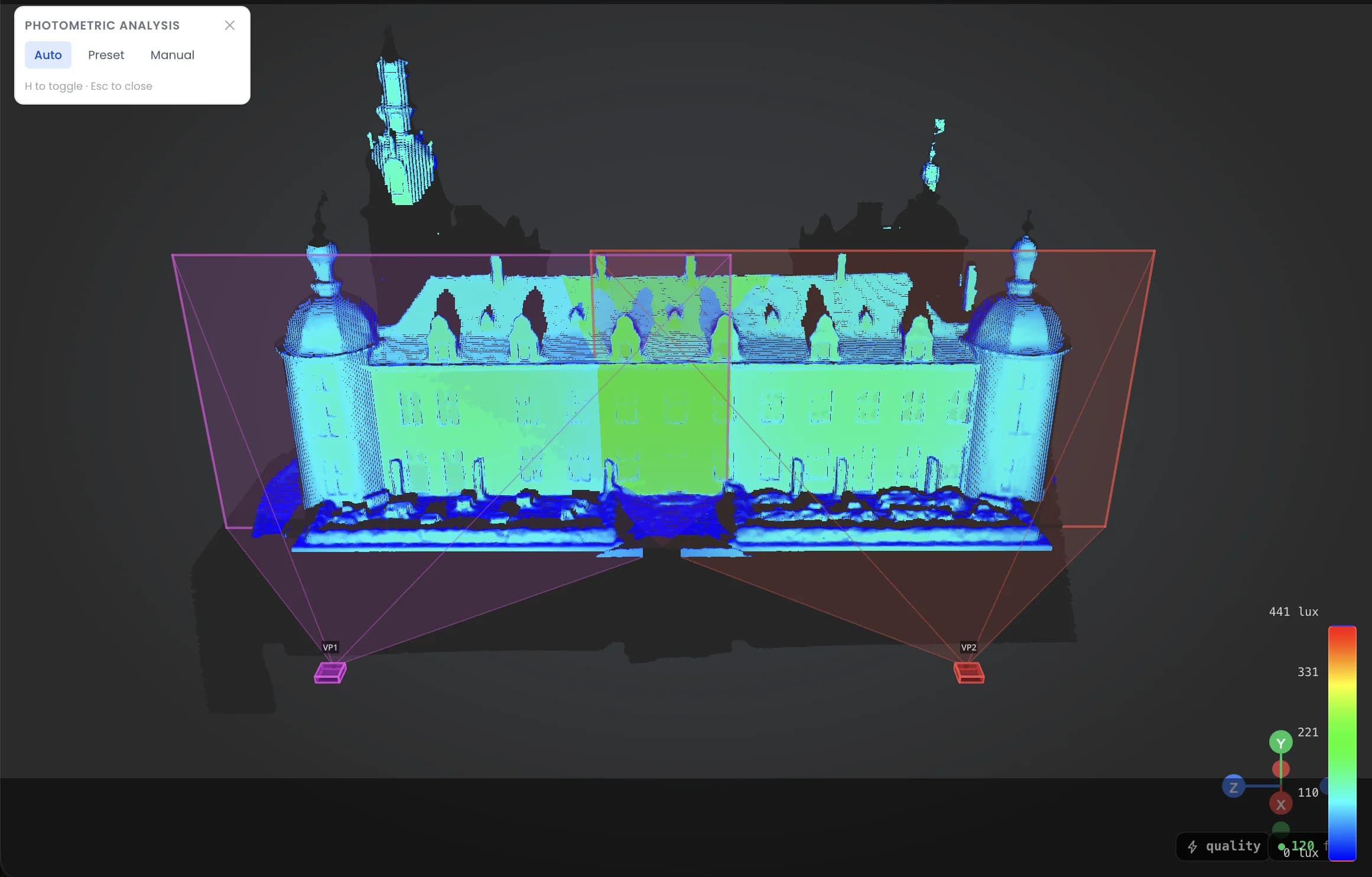
See every lux and pixel pitch, in real time
- Lux heatmap on every surface as you move a projector.
- Pixel pitch displayed per VP.
- Auto-scale, presets (indoor mapping, signage), or manual scale.
You validate photometric compliance and image sharpness before install, not after.
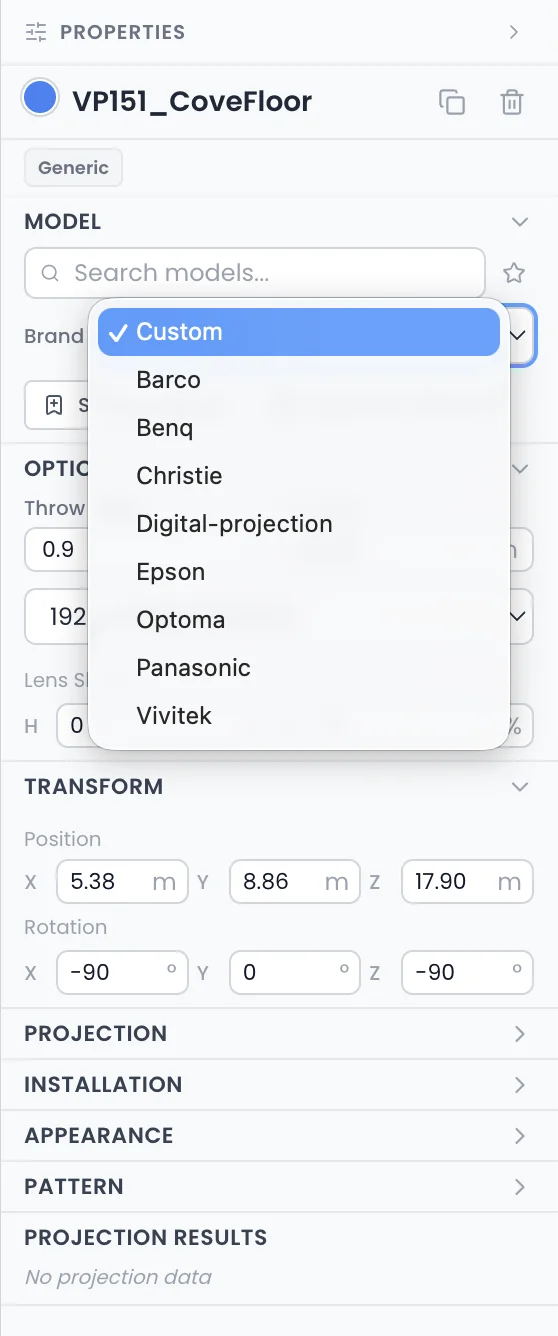
293 projectors, 763 chip-aware lenses
- 8 brands covered: Epson, Barco, Christie, Panasonic, Optoma, Digital Projection, Vivitek, BenQ.
- Pick a model and lens, resolution and throw ratio auto-align.
- Image sizes and lens shift consistent with the manufacturer spec sheet.
No more spec sheet juggling. The right lens on the first try.
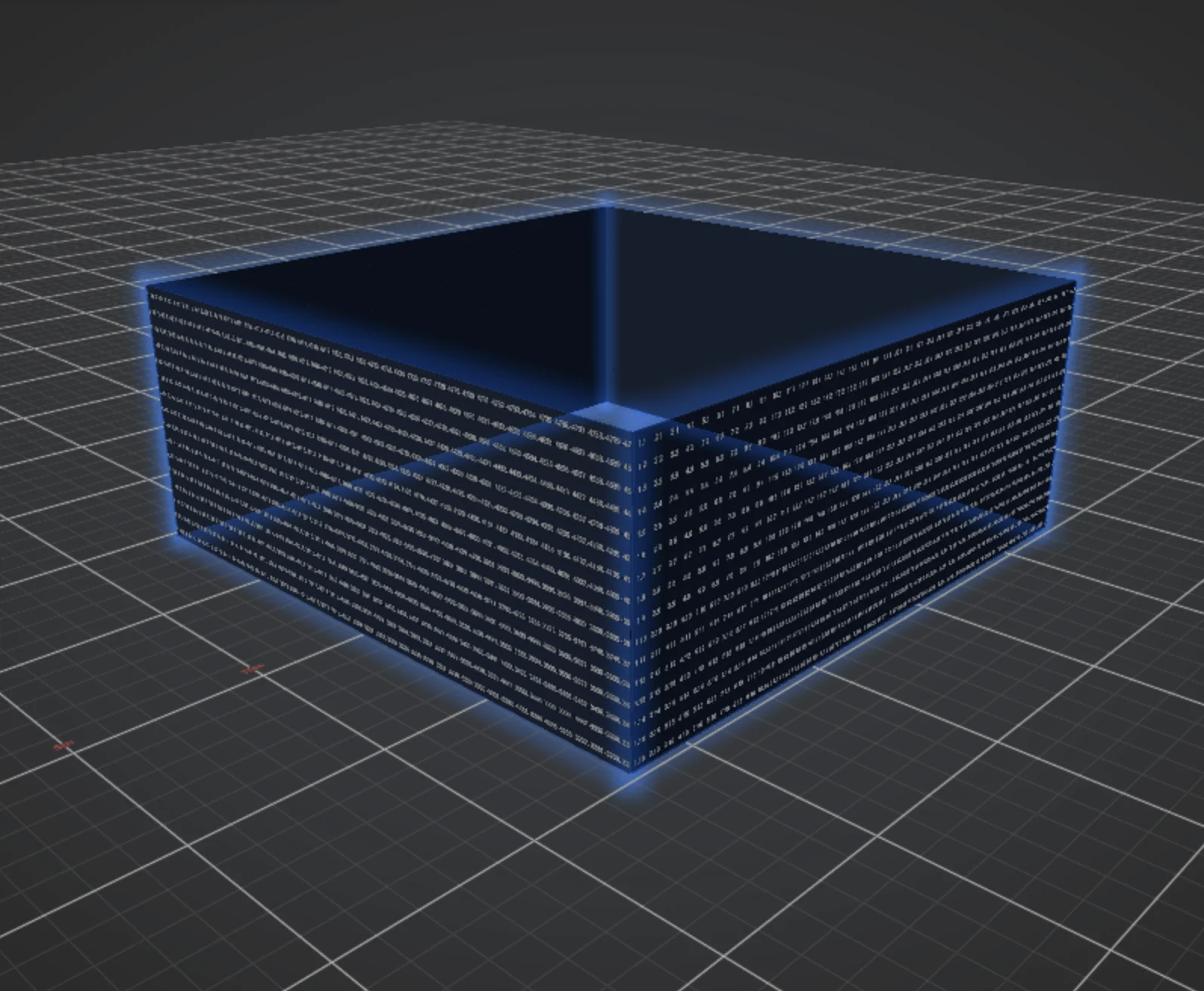
LED walls in the same scene
- LED panel library, 12 brands covered (Absen, ROE Visual, Unilumin, Sony Crystal, Daktronics, Barco…). Pitch, brightness, weight, power straight from the spec.
- Flat, curved arc or LED room cube. Panel-by-panel layout with a numbered test pattern built in.
- Live totals: surface area, total resolution, weight, max and average power draw.
- Excel BOM export face by face, ready for the engineering studio.
Video projection and LED walls in the same 3D scene. No separate tool needed.
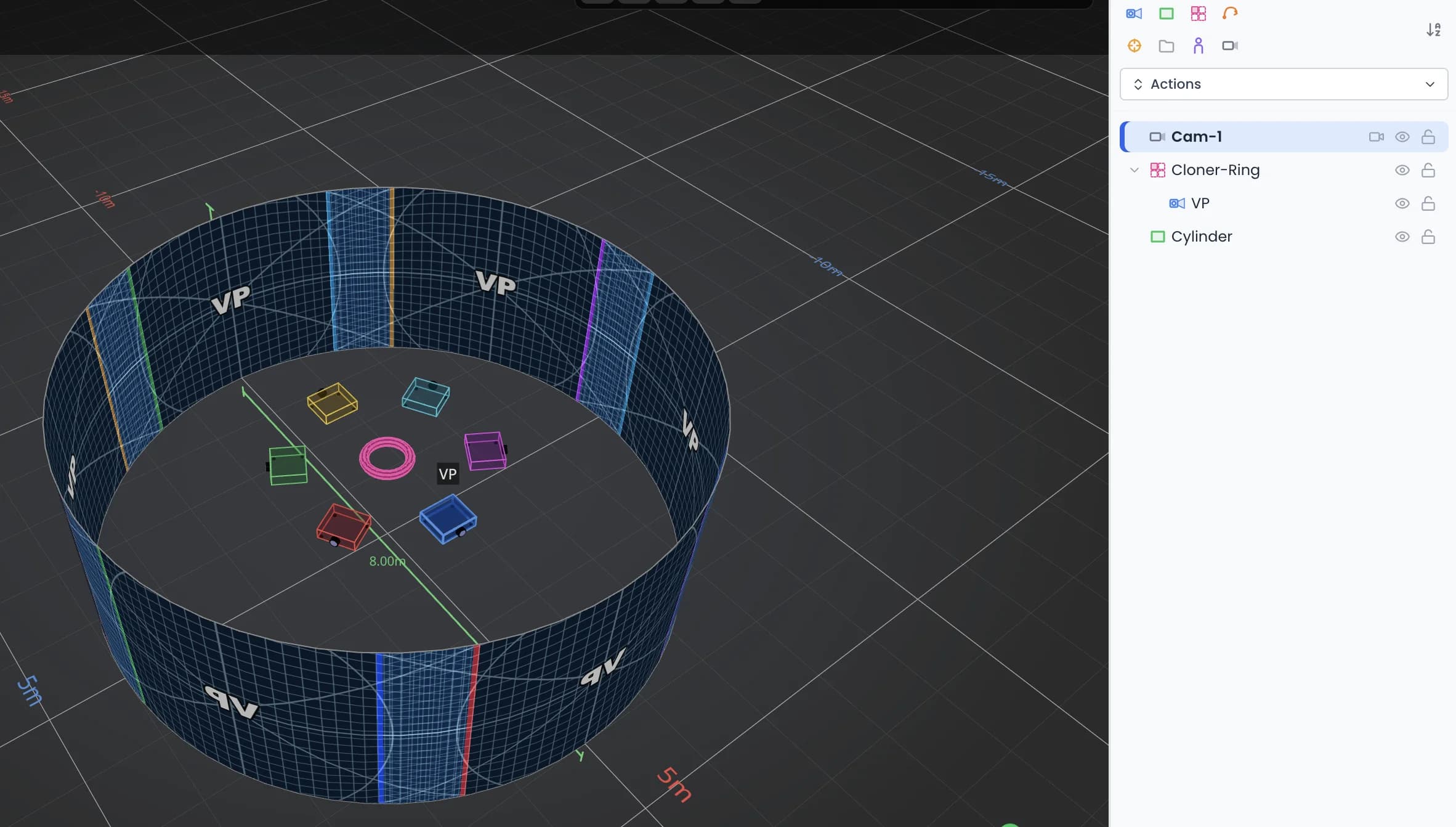
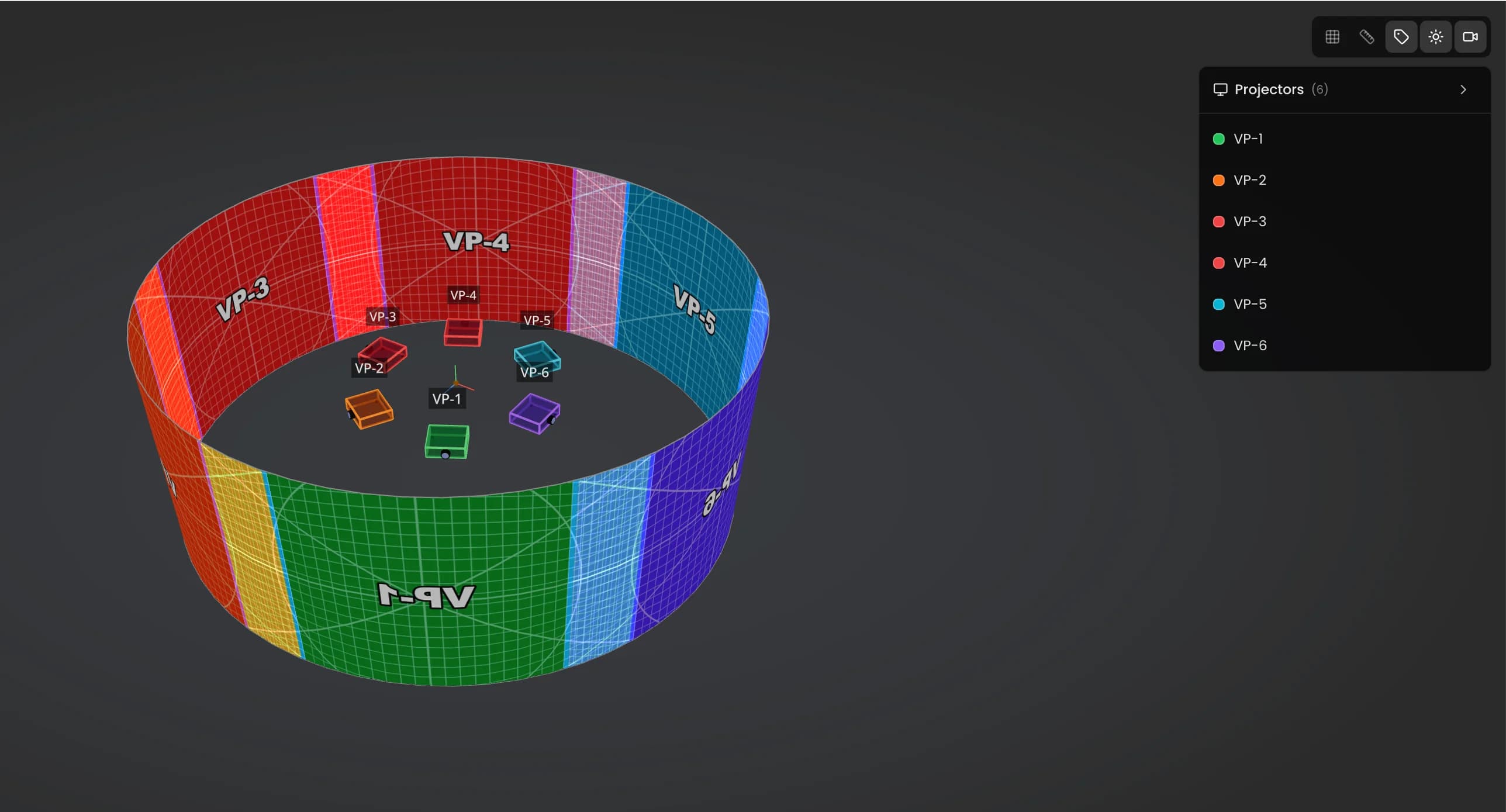
A 6-projector ring in 3 clicks
- Cloner ring, grid, or planar symmetry.
- Splines to align on arcs or lines, with individual offset per VP.
- Move the source projector, all clones follow automatically.
Complex geometry built in seconds, not hours.
Deliver the file
- Your client explores the 3D scene from their browser via a single link, no account or install needed.
- PDF with global plan, per-VP sheets, BOM, power draw. All auto in 1 click.
No more PDF stale at every revision. The design office gets a ready-to-send file.
Current stack vs Lumeo
What Lumeo bundles into a single tool.
| Task | Current stack | Lumeo |
|---|---|---|
| Projection + LED + truss study | Projection simulator + separate LED calculator, 2h/day juggling between them | Projection, LED walls and truss in the same 3D scene |
| Lux calculation per surface | Excel + manufacturer photometric PDF | Auto real-time heatmap on every surface |
| Multi-projector calibration | Hand-drawn schema + AutoCAD | Cloner ring / grid in 3 clicks |
| Client validation | PDF stale at every revision | Secure public link always up to date |
| Design office file | Excel BOM to recompute manually | PDF + CSV + BOM auto in 1 click |
Projection + LED + truss studyProjection, LED walls and truss in the same 3D scene
Current stack
Projection simulator + separate LED calculator, 2h/day juggling between them
Lux calculation per surfaceAuto real-time heatmap on every surface
Current stack
Excel + manufacturer photometric PDF
Multi-projector calibrationCloner ring / grid in 3 clicks
Current stack
Hand-drawn schema + AutoCAD
Client validationSecure public link always up to date
Current stack
PDF stale at every revision
Design office filePDF + CSV + BOM auto in 1 click
Current stack
Excel BOM to recompute manually
What pros say
Field feedback from project managers and operators in production.
I used to open 3DS Max just to check a projection would hold on a facade. A 2000-euro tool for a 5-minute question. Lumeo does exactly that, in a browser tab.
Ease and speed of work that didn't exist before. With all this in the same tool, we'd save a full day of work per week. I'm not joking.
50 € a month. No surprises.
30-day free trial. No charge until trial ends. Cancel in one click.
1.60 € a day. A 3DS Max license costs 200 € a month. If Lumeo saves you 1 hour per project, it pays for itself on the first client invoice.
Working as a team? Team plan at €40/user/month, from 3 seats.
See pricing detailsTrusted tools and references









Frequently asked questions
Which browsers does Lumeo support?
How much does Lumeo cost after the 30-day trial?
Lumeo vs MadMapper, HeavyM or Resolume: what's the difference?
Why not Cinema 4D or Blender for mapping pre-production?
Can I share a project with my client?
Ready to stop juggling 3 tools?
30 days free. No charge until day 31. Cancel in one click.
Try Lumeo for 30 daysCookies and privacy Learn more
Cookies and privacy
This site uses cookies to measure audience and improve your experience. You can accept, reject or customize your preferences at any time. Learn more