Essential Video Mapping Tools: Field Checklist

Essential Video Mapping Tools: Field Checklist
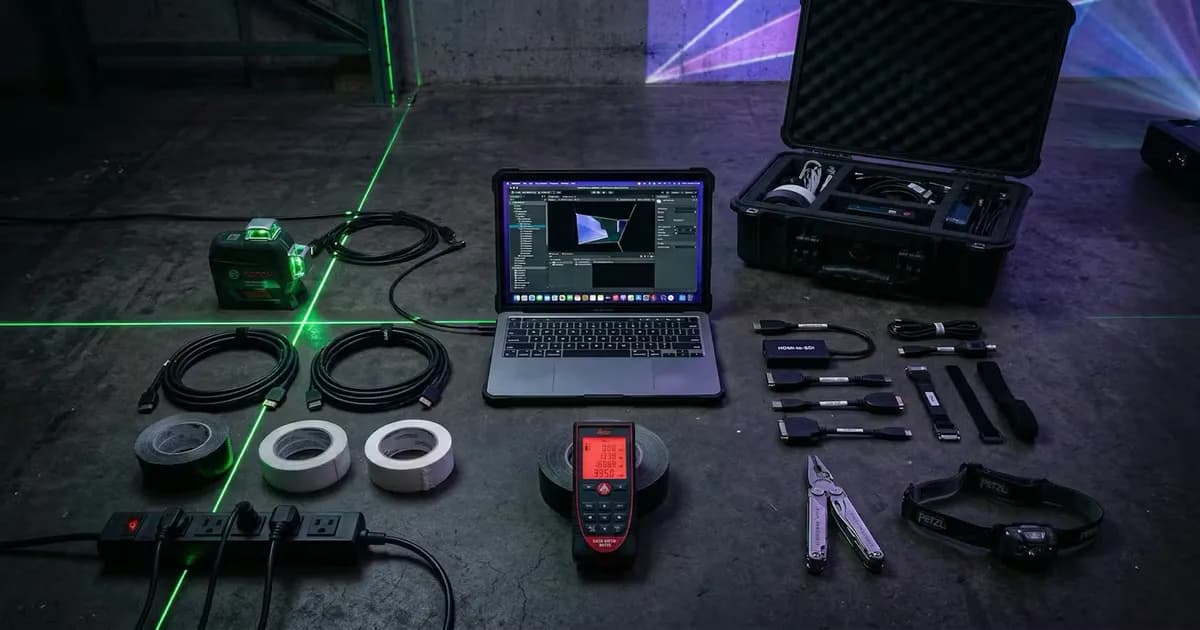
In short. An effective mapper's toolkit contains about a dozen tools complementary to projector hardware. A rugged laptop (16 to 32 GB RAM, dedicated GPU) to prepare files, patterns and network configurations before touching the server. A laser rangefinder (Leica Disto or equivalent) to measure surfaces and distances to 50 or 100 m without a lift. A self-leveling laser level to check horizontal and vertical alignments. A colorimeter or lux meter (Sekonic, X-Rite i1) to measure lux and white balance on surface. A kit of black and white gaffer tape, double-sided tape, zip ties, straps. A headlamp for setup in the dark. A multimeter for power diagnostics. A network tester (Fluke) to validate long-distance RJ45 cables. Video adapters (HDMI-DP-USB-C-SDI) to handle the unexpected. Without these tools, a simple installation can spiral into hours of wasted time.
Introduction
Video mapping is not just about projectors and media servers. It is also about a case full of small tools that make the difference between a smooth setup and a job that goes sideways.
Over 15 years of projects, I have refined my checklist. Some tools are obvious, others less so. But each one earned its place in the case after a situation where it was missing at the worst possible moment.
This article lists everything I systematically bring to a mapping job. Not the projectors or media servers (those are project-specific), but everything else: the personal toolkit that makes you self-sufficient and efficient on site.
Laptop: The Brain of the Job
Why It Is Tool Number One
Before you even power on a projector, you will spend hours on your laptop: preparing files, checking resolutions, adjusting test patterns, configuring the network, troubleshooting a signal that will not pass through.
A video mapper's laptop needs to meet three criteria: lightweight (you carry it all day), powerful enough to open heavy files, and good battery life.
What I Recommend
A solid option in 2026 is the ASUS ExpertBook with Intel Core 5 120U: 16 GB DDR5, 512 GB SSD, 15.6" FHD IPS display, WiFi 6E, and a backlit keyboard (essential when you are working in the dark on site). It runs Windows 11 Pro, which gives you remote management and BitLocker encryption to protect your project files.
What actually matters in the field:
- Reasonable weight: you will carry it in a backpack along with the rest of your gear
- Matte IPS display: readable even with ambient light, which happens often during prep
- USB-C ports: to quickly plug in an HDMI or DisplayPort adapter
- WiFi 6E: some media servers are configured over the network, fast WiFi saves you from running an Ethernet cable just for setup
- Decent battery life: on outdoor jobs, power outlets are not always nearby
What does not matter: A dedicated GPU. You are not doing 3D rendering on your field laptop. That is what the workstation or media server is for. The laptop is for preparation, configuration, and diagnostics.
The software side: MadMapper, Resolume, HeavyM
The case is useless if the laptop is empty. Three programs cover most small and mid-size mapping jobs:
- MadMapper: the go-to for aligning a projection fast. Solid warping, clean multi-surface handling, DMX control on top. The tool I see most often on simple installs.
- Resolume Arena: born as VJ software, now a staple of event mapping with live content. Layer-based compositing, real-time effects, decent edge blending.
- HeavyM: the most accessible of the three. Simple interface, built-in effect library, a good fit when custom content is not in the budget.
For the big projects (multi-machine, show control, real-time 3D), you move to a real media server. Different budget, different topic: the Modulo Pi vs WATCHOUT comparison covers it in detail.
Measurement and Alignment
Laser Rangefinder
This is the most-used tool after the laptop. You measure everything: throw distance, surface height, zone width, available setback, ceiling height.
Features to look for:
- 50 m minimum range (80 m for facades)
- Built-in area and volume measurement
- Pythagorean function (indirect measurement when you cannot aim at the point directly)
- Bluetooth to send measurements directly to the laptop (optional but handy)
The market reference is the Leica DISTO range:
- Leica DISTO D1: 40 m range, perfect for indoor and small jobs
- Leica DISTO D2: 100 m range, the most versatile, sufficient for 90% of projects
- Leica DISTO D5: 200 m range, for tall facades and long-distance measurements
For a first purchase, the D2 is the best range-to-price ratio. If you regularly work on tall facades or wide buildings, the D5 is worth it.
Field use: You arrive on site for the survey. In 30 minutes with a rangefinder, you have all the dimensions you need to calculate throw ratios, validate projector placement, and run your coverage studies.
🧮 Tool: The projection calculator takes these measurements as input and gives you the required throw ratio and lumen count directly.
Laser Level
The laser level serves two purposes: aligning projectors with each other and checking the horizontal/vertical alignment of surfaces.
Two useful types:
- Cross-line laser level: projects a cross (horizontal + vertical line). Ideal for checking the alignment of a row of projectors
- Rotary laser level: projects a 360-degree line. Useful for multi-projector installations on a large facade
For most jobs, a good cross-line level is enough. Self-leveling models are a plus: you set it down and it calibrates itself.
Two solid options:
- HUEPAR cross-line: excellent value, self-leveling, sufficient for most jobs
- Bosch GCL 2-50: the professional reference, more rugged and precise, ideal if you use it regularly
Field tip: Place the laser level at the center of your projection zone. The horizontal line gives you a reference to align all your projectors at the same height. This saves considerable time on warping later, because the base grid is already straight.
Tape Measure
Yes, a standard 5 or 8 meter tape measure. The rangefinder does not replace everything: measuring the spacing between two truss legs, the depth of a recess in a wall, the width of a passage for a flight case. A tape measure is faster and more accurate for short distances.
Connectivity and Signal
Adapter Kit
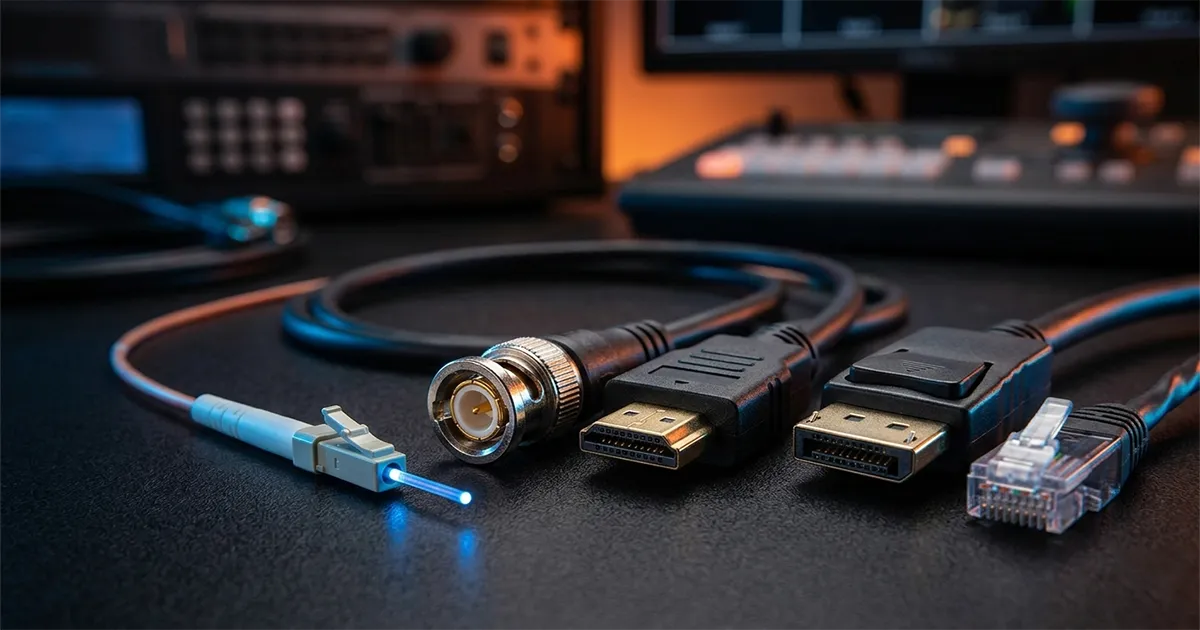
On a mapping job, the video signal passes through many different formats. You need to be able to convert anything to anything.
The minimum kit:
- HDMI to DisplayPort (and vice versa)
- USB-C to HDMI
- USB-C to DisplayPort
- Mini DisplayPort to DisplayPort
- DVI to HDMI
Invest in active adapters for DisplayPort to HDMI conversions. Passive adapters do not work in both directions and often cause resolution or refresh rate issues.
📖 Related article: Video Connectors: SDI, HDMI, NDI to understand the differences between protocols and choose the right cables.
HDMI/SDI Signal Tester
A small box that displays the resolution, refresh rate, color space, and HDCP status on a built-in screen. When a projector shows a black screen and you do not know if the problem is the cable, the source, or the projector, this tester gives you the answer in 10 seconds.
Models around 100 euros do the job. Look for one that supports 4K60 4:4:4.
Backup Cables
Always have in the case:
- 2x HDMI 2.0 (3 m and 5 m)
- 1x Ethernet Cat6 cable (10 m minimum)
- 1x USB-A to USB-B cable (for control interfaces)
- SDI extensions if you work in broadcast
Cables are what fails most often. An HDMI cable that took a hit during transport, a poorly crimped connector, a cable too long that drops the signal. Having tested and reliable backup cables is non-negotiable.
Lighting and Visibility
Headlamp
You will spend hours in the dark. Plugging in cables, tightening truss hardware, reading labels on equipment, reaching for a connector on the back of a projector mounted 4 meters up.
A headlamp frees both hands. It is incomparably more efficient than a flashlight or a phone light.
Useful features:
- Red light mode: to see without blinding the projector (white light creates a visible spot on the image during adjustments)
- 300 lumens minimum in white mode
- USB rechargeable (no scrambling for batteries)
- Adjustable angle (to light downward when working at height)
Petzl is the benchmark brand. Two options depending on budget:
- Petzl Actik Core: 600 lumens, rechargeable, lightweight, the best choice to start with
- Petzl Swift RL: 1,100 lumens, reactive lighting that adapts automatically to the environment, ideal for jobs where you alternate between dark and lit areas
Work Light
A small LED work light, freestanding or with a hook. To illuminate a fixed work area (the control desk, the rack, the cabling zone). The headlamp lights where you look. The work light illuminates the area continuously.
Fastening and Protection
Gaffer Tape
Gaffer tape is the tape of the entertainment industry. It sticks firmly, tears by hand, and leaves no residue (unlike electrical tape). You use it for:
- Temporarily securing cables to the floor
- Marking positions on the ground (projector position, restricted area)
- Holding a cable that pulls on a connector
- Improvising last-minute fixes
Always carry two rolls: one black and one white. Black for areas visible to the audience, white for marking.
Cable Ties (Zip Ties)
A bag of nylon zip ties in several sizes. For organizing cables, securing a cable to a truss, replacing a broken clip. Lightweight, inexpensive, indispensable.
Foam and Shims
Pieces of PE (polyethylene) foam to shim a projector in its mount, dampen vibrations, or protect a lens during transport. Weighs nothing and saves situations.
Power Supply
Surge-Protected Power Strip
Your own power strip, one you know and trust. Power strips found on site are often questionable, overloaded, or ungrounded.
Get a surge-protected strip with at least 6 outlets. Media servers and projectors do not handle power surges well.
Extension Cord
A 25 m extension cord with a minimum 2.5 mm cross section. On an outdoor job, the nearest outlet is rarely next to your work position.
Outlet Tester
A small wall outlet tester (around 15 euros) that checks for grounding, polarity, and circuit status. Takes 5 seconds and prevents you from plugging 50,000 euro equipment into an ungrounded outlet.
Mechanical Tools
Basic Tool Kit
- Allen key set (metric and imperial, lots of US-made equipment)
- Phillips and flat screwdrivers
- Adjustable pliers
- Utility knife
- Wire cutters (for zip ties)
- Adjustable wrench
All of this in a compact pouch. You are not building a structure, but you need to be able to work on a projector mount, tighten a bolt, or adjust a mounting plate.
Truss Wrench
If you work with aluminum truss (Prolyte, Eurotruss type), bring your own tightening wrench. Coupler clamps are tightened with a 17 mm or 19 mm wrench depending on the model. Do not depend on the rigging crew for your own adjustments.
Personal Protection
Basic PPE
Depending on the job, PPE (Personal Protective Equipment) may be mandatory:
- Safety shoes: on construction sites
- Hard hat: whenever there is overhead work above you
- High-visibility vest: outdoor jobs, especially at night
- Gloves: for handling truss or heavy equipment
This is not optional. Safety coordinators will deny you site access without proper PPE.
The Ideal Case: Summary
Here is the complete checklist, in order of priority:
Essential (bring to every job):
- Laptop (such as ASUS ExpertBook or equivalent)
- Laser rangefinder Leica DISTO
- Headlamp Petzl
- Video adapter kit
- Gaffer tape (black + white)
- Backup cables (HDMI, Ethernet)
- Surge-protected power strip
- Basic tool kit
Very useful (depending on the job type):
- Laser level
- HDMI/SDI signal tester
- 25 m extension cord
- Outlet tester
- Zip ties
- LED work light
- Tape measure
Situational:
- PPE (safety shoes, hard hat, vest)
- Truss wrench
- Foam and shims
- SDI extensions
What I No Longer Bring
Over the years, I have also removed things from the case:
- The overpowered 3 kg laptop: replaced by a lightweight ultrabook. The power is in the media server, not the prep machine
- Analog converters (VGA, composite): no project uses these formats anymore. If you encounter VGA, there is an upstream problem
- The soldering iron: I needed it twice in 15 years. Not enough to justify the weight and bulk
Organization and Transport
Choosing a Case
A Pelican or SKB case with pre-cut foam for fragile tools (rangefinder, signal tester). Everything else goes in pouches and zip bags inside.
Recommended size: Pelican 1510 (carry-on size) if you travel by air, Pelican 1650 if you have room in the truck.
The Everyday Backpack
For the day on site: laptop, charger, adapter kit, headlamp, gaffer tape, tape measure, a few cables. Everything should fit in a 25-30 liter backpack that you carry with you.
Two solid, comfortable choices:
- Patagonia Refugio 28L: padded laptop compartment, lightweight, water-resistant
- The North Face Borealis: also 28L, padded back panel, ideal if you carry weight all day
The case stays in the truck or at the control desk. The backpack goes everywhere on site with you.
Conclusion
The difference between a tech who struggles and an efficient one is not skill level. It is often just a matter of material preparation. Having the right tools, knowing them, knowing where they are in the case: that saves you time and builds credibility.
Invest in quality basics. A good rangefinder lasts 10 years. A good laptop lasts 4-5 years. Gaffer tape, on the other hand, goes fast.
Additional resources:
- Video mapping preparation workflow: the complete prep process
- Video connectors: SDI, HDMI, NDI: everything about cables and protocols
- Projection calculator: to put your field measurements to use

Video mapping consultant and trainer
Fifteen years of monumental and museum-grade installations: Arc de Triomphe (7 editions), Museum of Art and Light Kansas (108 projectors), Atelier des Lumières. Design, multi-projector calibration, audit, Modulo Kinetic training.
Need technical expertise?
Let's discuss your video projection or mapping project. Reply within 48h business hours.
Discuss your projectDid you enjoy this article?
Receive my upcoming tips, field experience and best practices straight to your inbox.
By subscribing, you agree to receive our emails. You can unsubscribe at any time.
1 email per week maximum, unsubscribe in 1 click