Depence R4: what it does well, what it costs, and when you don't need it
I prep projection installs for a living, and Depence comes up in half my conversations with lighting people. Here is an honest review of Syncronorm's visualizer, real prices with dates, and where my own tool, Lumeo, fits instead.
What Depence R4 actually is
Depence R4 is the show visualization software made by Syncronorm, a German company that started in fountain shows before conquering lighting previz. One 3D scene, one timeline, and everything a big show contains: moving lights, lasers, water, video, drones, pyro. R4 shipped in April 2025 and it is the version everyone means when they say "the Depence visualizer" today.
Let me be clear from the start: this is not a takedown. Depence is very good at what it was built for. The renders coming out of it are the reference in the lighting world, and there is a reason rental companies sell shows on Depence stills before a single truck leaves the yard.
The question I get from AV techs is different: "I prep projection and LED wall installs, should I buy Depence?" Nine times out of ten, the honest answer is no. Not because the software is bad. Because it solves a different problem than the one they have, at a different price, on hardware they do not own. That is what this page unpacks, with sources and dates.
Official Depence R4 page at SyncronormWhere the Depence visualizer earns its reputation
Credit where it is due. I have watched lighting designers work in Depence on shared productions, and three things stand out.
1. The rendering
Beam reflections with up to 8 bounces for lasers, motion blur tied to frame rate and shutter angle, volumetric haze that reads like a real venue. When a client needs to see the show before signing, a Depence render closes the deal. Nothing browser-based competes with that, mine included.
2. One timeline for the whole show
Lighting, lasers, fountains, video layers and drone swarms animated on a single sequencer, with DMX input via CITP so the visualization can follow a real console. R4 even simulates swarms of thousands of drones. For multi-discipline shows, that integration is the product.
3. It goes beyond previz
Depence is also a show control platform. Design, visualize, then run the actual show from the same environment. Fountain installations worldwide run on it. That dual nature is rare and it justifies the positioning.
The three things nobody tells you before buying
Everything below is verifiable, with the source linked and the date I checked it. If something changed since July 2026, write me and I will correct it.
1. The machine it needs
Minimum spec: Windows 10/11 64-bit, 16 GB RAM, a dedicated gaming GPU with 6 GB VRAM. Recommended: an Intel i9-13900K or Ryzen 9 7950X, 64 GB RAM and an RTX 4080 or 4090. NVIDIA cards only, integrated chipsets and AMD are not supported. No macOS build; running it on Apple Silicon through Parallels is documented as experimental. That recommended tower costs more than most freelancers' entire office.
Depence R4 system requirements (help.depence.com, checked 2026-07-07)2. The price of entry
Licensing is modular and perpetual, on a USB dongle. On July 7, 2026, a reseller listed the Stage module at 2,395€ including VAT and the Laser module at 995€. Syncronorm's own R4 upgrade prices ran from 120€ to 1,425€ per module. Build a full multi-module config and you are several thousand euros in before the workstation. Fair value for a lighting design office running it daily. Heavy for someone who needs to place 12 projectors on a facade.
Reseller listing, Depence R4 Stage (laserwebshop.com, checked 2026-07-07)3. Video projection is one guest among many
Depence grew out of fountain and lighting shows, and it shows in the best possible way: those disciplines get the deepest tools. Video is a first-class citizen of the render, but the daily grind of projection prep, picking a lens per surface, hitting a lux target in ambient light, producing a BOM your rental company can quote, is not what the software is organized around. That reading is mine, from the docs and feature set, so take it as an opinion from someone who does that grind weekly.
Depence R3 vs R4: should you care?
If you are still searching for Depence R3, know that R4 replaced it in April 2025. The headline changes: a redesigned interface for high-DPI displays, 3D cameras usable as virtual video sources inside the scene, beam reflections, motion blur, confetti particle simulations and those drone swarms.
Licensing detail worth knowing: Syncronorm gave free R4 upgrades to licenses bought after March 19, 2024. Older dongles pay the per-module upgrade, listed between 120€ and 1,425€ when I checked. So a second-hand R3 dongle is not the bargain it looks like once you price the jump.
Depence R4 vs Lumeo, attribute by attribute
Full disclosure: Lumeo is my product, so read this table knowing who wrote it. That is exactly why every line sticks to attributes you can verify yourself, with the date I checked them. The two tools barely overlap, which is the actual takeaway.
| Criterion | Depence R4 | Lumeo |
|---|---|---|
| Built for | Show visualization and control: lighting, lasers, water, drones, video | Pre-production of projection and LED wall installs |
| Runs on | Windows 10/11 with NVIDIA GPU, 64 GB RAM and RTX 4080/4090 recommended | Any desktop browser. My test machine is a mid-range laptop |
| Pricing model | Perpetual modules on USB dongle. Stage module 2,395€ incl. VAT at a reseller, July 2026 | 50€/month or 500€/year, 30-day trial, cancel in one click |
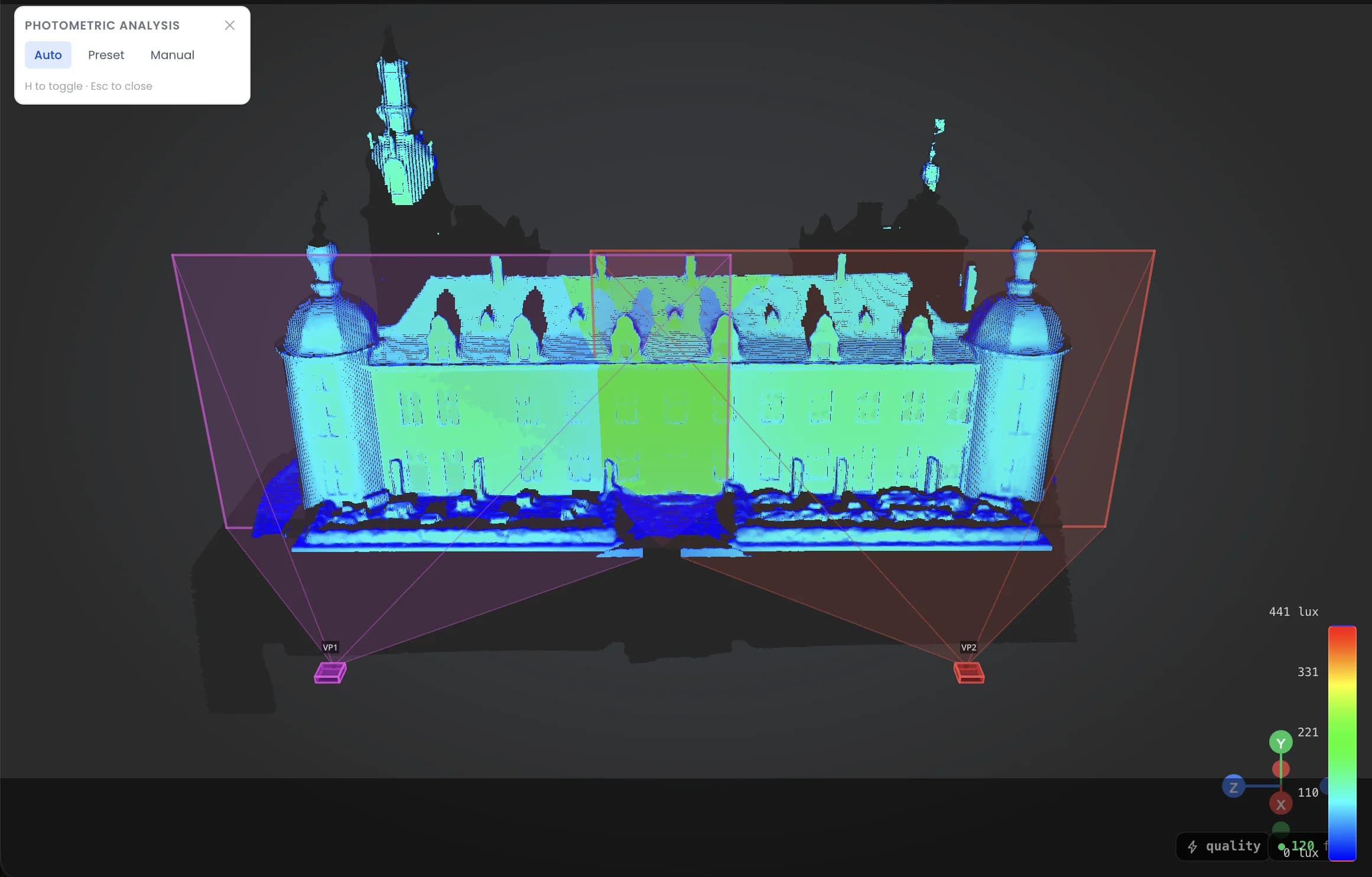
| Photometry | Render-grade light simulation across all fixture types | Real lux/lumens from a database of 293 projectors and 763 lenses |
| Deliverables | Show files, renders, lighting plots, HDR stills | PDF technical file, BOM, 3D scene shared by link, no account needed |
| Who buys it | Lighting designers, show producers, rental and staging companies | AV techs, integrators and mapping freelancers who prep installs |
Attributes checked on July 7, 2026 against Syncronorm's site, the official Depence documentation and reseller listings. Prices and specs move; verify before you buy either tool.
When to choose which
Choose Depence R4 if
- You design full shows where moving lights, lasers, water and video share one timeline, and you need to previsualize them together.
- Your clients sign on renders. Depence stills and videos are the standard the industry expects.
- You already run a Windows/NVIDIA workstation and the license amortizes across a season of shows.
- You need the visualization to follow a real lighting console over DMX.
Choose Lumeo if
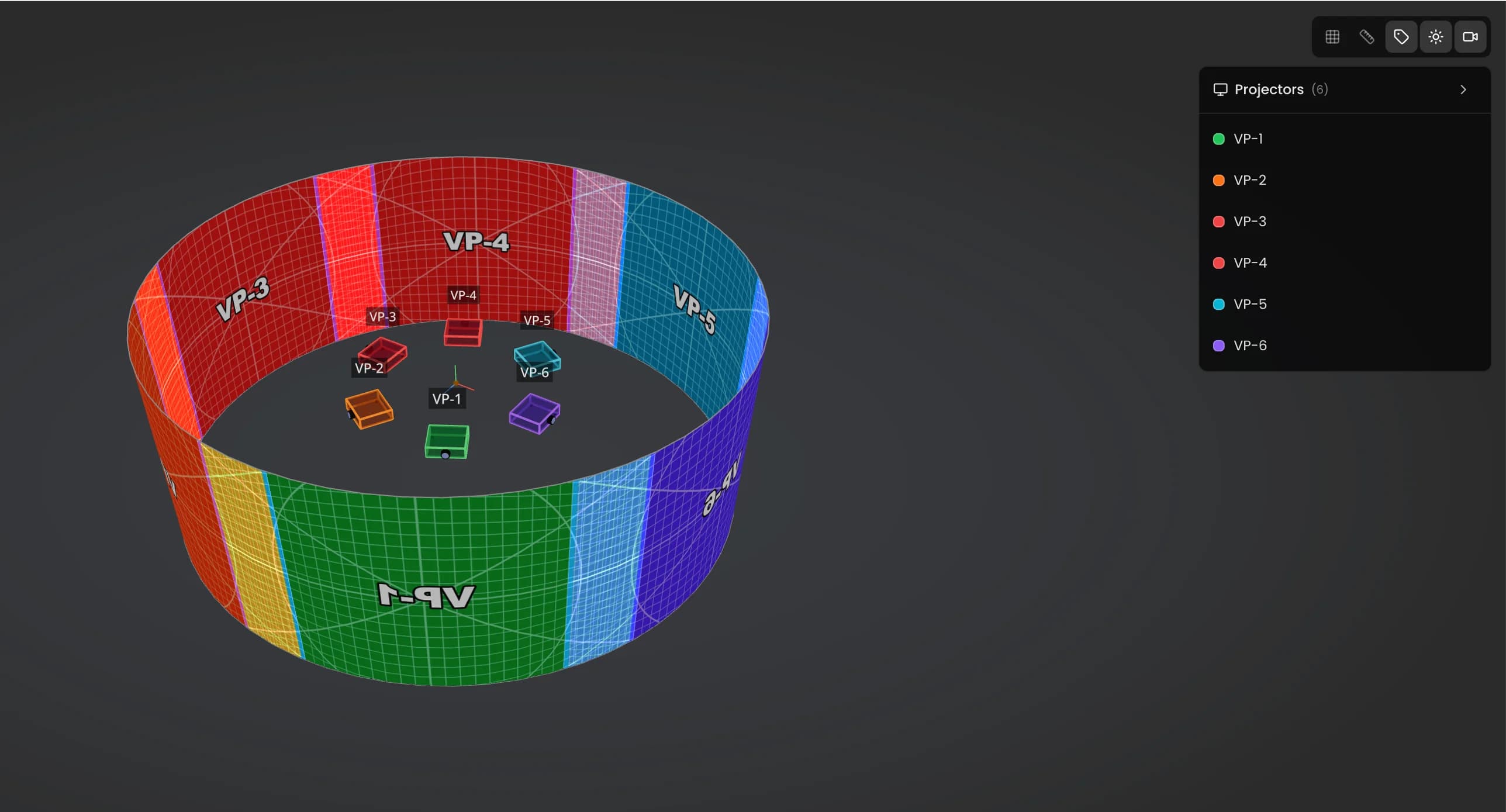
- Your deliverable is a projection or LED wall study: throw ratios, lux targets, lens plan, BOM, PDF for the client.
- You work on a laptop, sometimes on site, sometimes on the venue's machine. A browser tab is your install process.
- You want the projector database to do the math: 293 projectors, 763 lenses, manufacturer values.
- You would rather pay 50€ for the month a project runs than four figures up front.
When Lumeo is not the right tool
If you came here for lighting previz or show control, Lumeo does nothing for you. It simulates zero moving lights, zero lasers, zero fountains. That is Depence and Capture territory, and they are welcome to it.
Lumeo is not a media server either. It does no warping or blending, and it plays nothing back. On show day your content still runs through MadMapper, Resolume, a Modulo Pi or whatever your rack holds. Lumeo stops where the signal chain starts.
Two more honest limits: the app is English-only and desktop-only. If you need a French interface or a tablet workflow on site, it is not there. And if your whole year is two projectors on one facade, skip the subscription. My free calculators cover that.
Use the free projection calculatorDirect answers
What is Depence R4?
Depence R4 is show visualization and control software by Syncronorm GmbH, released in April 2025. It simulates complete shows, lighting, lasers, fountains, video and drones, in one 3D scene, and can also run the real show. It is the current version of what many people still call the Depence visualizer.
How much does Depence R4 cost?
Syncronorm sells perpetual modular licenses on a USB dongle, so the total depends on the modules you pick. As a reference point, a reseller listed the Stage module at 2,395€ including VAT and the Laser module at 995€ on July 7, 2026. Module upgrades from older versions were listed between 120€ and 1,425€.
What computer do I need to run Depence R4?
Windows 10 or 11 in 64-bit with an NVIDIA GPU; AMD and integrated graphics are not supported. The published minimum is 16 GB RAM and a 6 GB VRAM gaming card, and the recommended spec is an i9-13900K or Ryzen 9 7950X with 64 GB RAM and an RTX 4080 or 4090. There is no macOS version.
What changed between Depence R3 and R4?
R4, released April 2025, brought a redesigned high-DPI interface, 3D cameras usable as virtual video sources, beam reflections, motion blur, confetti simulation and drone swarm animation. Licenses bought after March 19, 2024 upgraded for free; older ones pay a per-module upgrade fee.
Is Depence R4 a projection mapping preparation tool?
Not primarily. It renders video beautifully inside a show simulation, but its center of gravity is multi-discipline show design and control. If your daily work is choosing projectors and lenses, validating lux on real surfaces and producing a technical file, a dedicated prep tool fits the job better.
Is Lumeo an alternative to Depence?
Only for one slice of the job. Lumeo covers projection and LED wall pre-production in the browser: photometry from real projector data, POV checks, PDF export, shareable 3D scenes, at 50€/month. For lighting previz, laser shows or show control, Depence remains the right category and Lumeo does not compete there.
Try the browser-based way to prep a projection install
30 days free, then 50€/month or 500€/year. No dongle to plug in, no render tower to buy. If it does not fit your workflow, cancel in one click and keep the PDFs.
Try Lumeo free for 30 daysDepence is a registered trademark of Syncronorm GmbH. Baptiste Jazé and Lumeo are not affiliated with, endorsed by or sponsored by Syncronorm. All product information on this page reflects publicly available sources as of July 7, 2026.
Cookies and privacy Learn more
Cookies and privacy
This site uses cookies to measure audience and improve your experience. You can accept, reject or customize your preferences at any time. Learn more