The 3D projection mapping software that simulates the show before you rent the hardware
Lumeo builds your projection study in a browser tab: real lux on real surfaces, 293 projectors with manufacturer data, a 3D scene you share by link. Before the trucks arrive, not after.
Start the 30-day trial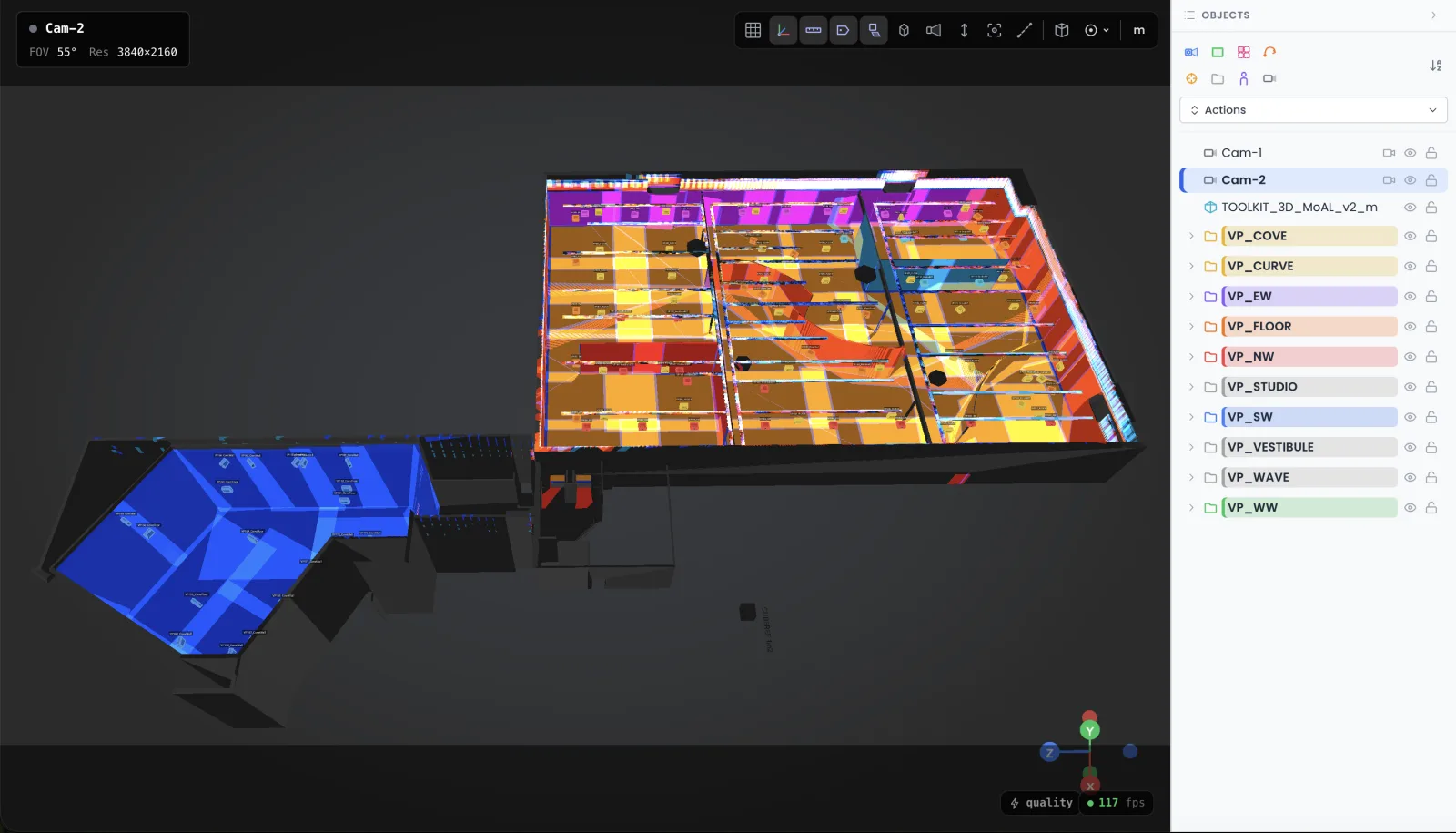
Preparation software, not playback software. The difference costs real money.
Search for 3D projection mapping software and you get MadMapper, HeavyM, Resolume. Excellent tools in their lane. My own shows run on Modulo Player and Modulo Kinetic, 250+ servers deployed over the years. But all of them answer one question: how do I warp and play content once the projector is already mounted. That is playback.
Lumeo answers the question that comes weeks earlier: which projector, which lens, from where, and will the client get 80 lux or a washed-out grey. That is preparation. Get it wrong and no playback software will save the show, because the missing photons are not in the file. They are in the rental quote you signed.
Nine installs out of ten that I am asked to rescue went wrong before anyone opened a mapping software. Throw ratio done by eye, lumens without a margin for ambient light, a projector that ends up physically inside the bar. Lumeo exists so that this part happens in a browser, where mistakes are free.
For the playback side, the classics do the job: Modulo Pi (Modulo Player and Modulo Kinetic), the directory on Projection Mapping Central.
And if your budget for playback is zero, I keep a tested list in my guide to free video mapping software.
A projection mapping simulator with real photometry
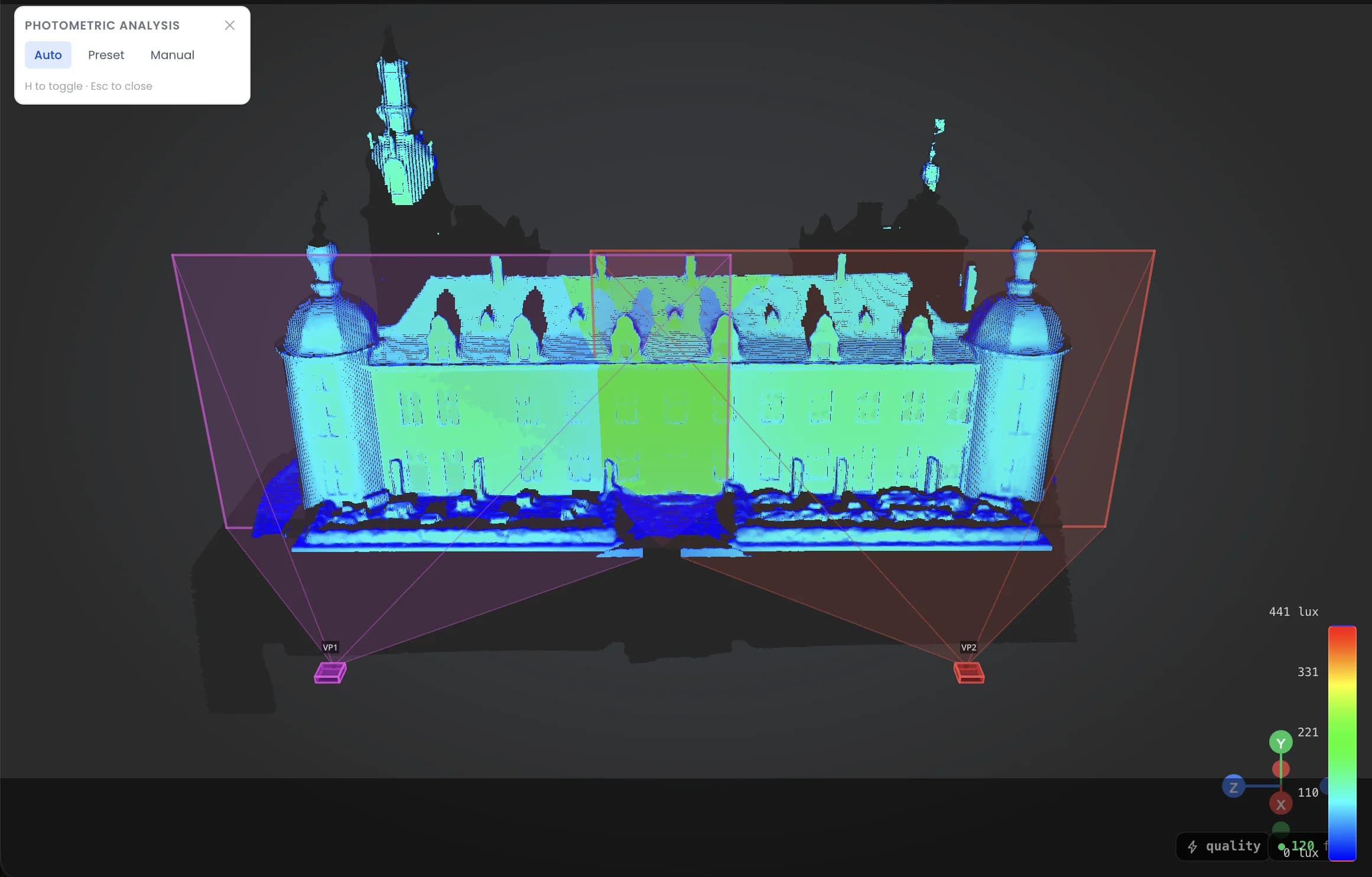
Lumeo computes lux on every surface of the scene, from the actual light output of the projector you picked and the actual geometry you placed it in. Not a marketing brochure number. A heatmap, per surface, blend zones included.
Move a projector, the map recalculates. Swap a 12K model for an 8K one to trim the budget, and you see immediately which wall drops below your target. That conversation is much cheaper to have in a browser than on site with a crane on the clock.
You also get the point of view of any projector, lens shift included. If a column blocks half the image, you find out on Tuesday in your office, not on load-in day.
Projector simulation software is only as good as its database
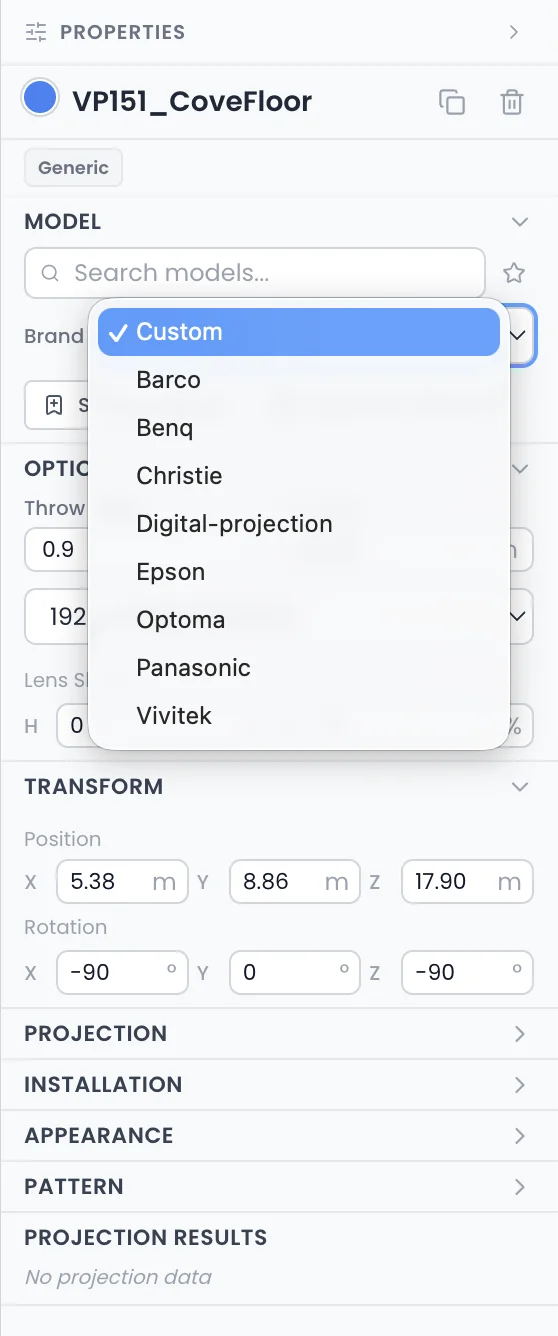
A simulator with generic projectors is a toy. Lumeo ships 293 projector models and 763 lenses with manufacturer values: light output, throw ratios, lens shift ranges. Pick a model and a lens, and the image size and position snap into place.
That database is the least glamorous part of the product and the one I defend the most. (I spent more hours cleaning manufacturer PDFs than writing the 3D engine. I would not call it fun. I would call it the reason the numbers hold up.)
When your rental company answers that the model you specified is not in stock, you swap it for the closest available one and re-validate the whole study in minutes.
3D video projection mapping software that runs in a browser tab
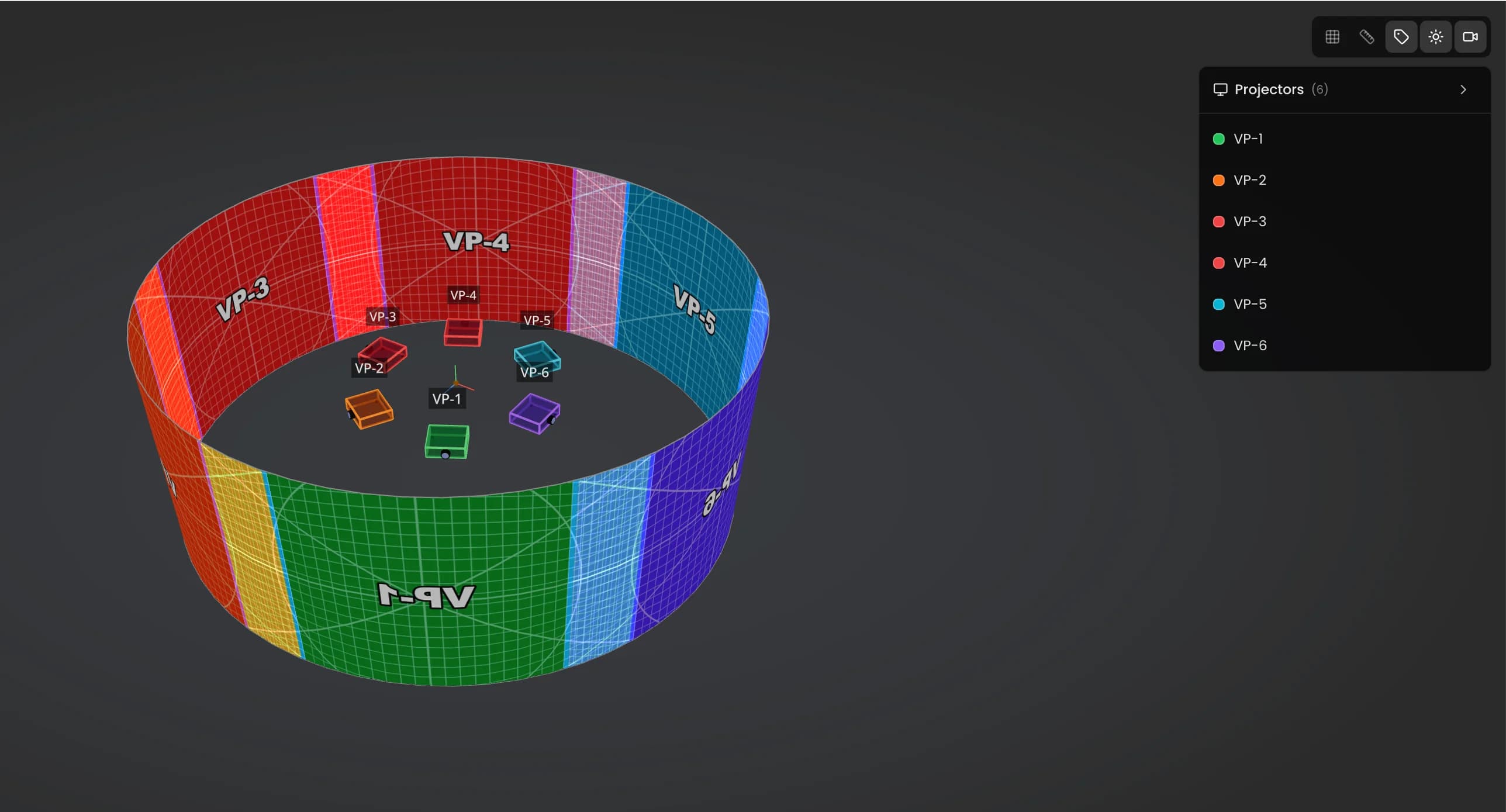
No install, no license dongle, no gamer machine. Lumeo runs in Chrome on the laptop you already own. And you do not need to know Blender: if you can place a rectangle, you can build a scene. The 3D knowledge stays my problem, not yours.
The part clients care about: you share the scene through a viewer link. They open it in their browser, no account, no software, and they navigate the 3D themselves. A producer who can orbit around the install approves faster than one squinting at screenshots.
When the study is validated, you export a PDF with the global plan and one sheet per projector: position, model, lens, image size, target distance. The document your rental company and your rigger actually need.
See it run before you believe me
There is a live demo scene you can open right now, no account needed. Move a projector, watch the lux map react. It answers the question faster than this page does.
Open the Lumeo demo108 projectors in Kansas, and a 3-day study replayed in 3 hours
I did the photometric study for the Museum of Art and Light in Manhattan, Kansas: 108 projectors, 3,400 m² of permanent projection. With Excel and 3DS Max, each revision of that study cost me about 3 full days. I rebuilt the same file in Lumeo in about 3 hours.
That project is the reason this software exists. Not a persona workshop. A spreadsheet I never wanted to rebuild again.
Read the full MoAL case studyWhat it costs, in plain numbers
50 € per month, or 500 € per year. Every feature included, no tiers, no per-project fee. The trial runs 30 days and cancelling takes one click, because a cancellation flow with a retention questionnaire is not a feature, it is a hostage situation.
For scale: my consulting day rate is 800 €, and one mis-specified projector on a mid-size install wastes more than a year of Lumeo. You do the division.
See Lumeo pricing in detailWhen Lumeo is not the right tool
If you need to output pixels to a projector tonight, Lumeo is the wrong purchase. It prepares the show, it does not play it. For a simple indoor install, MadMapper or Resolume do the job. When the show justifies a real media server, my pick is Modulo Player or Modulo Kinetic, the ones I deploy on my own projects. Come back here for the next project's study.
If you do one small indoor projection a year on a flat wall, you do not need a simulator. My free throw ratio calculator and a tape measure will get you there. Keep the 50 €.
If your work is lighting-first previz for concert rigs, moving heads and beam looks, dedicated lighting visualizers do that better than Lumeo does. My photometry is built around projection and LED walls, not fixtures.
And two honest limits: the app is in English only, and it is built for desktop. If your workflow lives on a tablet on site, wait.
Direct answers
What is the best software for projection mapping?
Depends which half of the job you mean. For playback, the software that drives the projectors during the show, MadMapper, Resolume and HeavyM cover most situations, and big shows run media servers like Modulo Player or Modulo Kinetic, my own choice after 250+ deployed servers. For preparation, simulating projectors, lux and coverage before renting anything, that category is Lumeo's, with Mapping Matter as the closest neighbour. There is no single best tool for both, whoever says otherwise is selling one.
Is there a free projection mapping software?
Yes, on the playback side. Several free or freemium tools handle warping and playback for small setups, and some run directly in the browser. For the preparation side, free options are basically manual: spreadsheets plus manufacturer PDFs. That works, I did it for years, it is just slow and fragile when the hardware list changes.
How much does 3D projection mapping cost?
The projection itself: anywhere from a few thousand euros for a small indoor setup to six or seven figures for a permanent installation, driven mostly by projector count, rental duration and content production. The simulation software: Lumeo is 50 € per month or 500 € per year. A single over-specified projector on a quote usually costs more than a year of simulation, which is the whole argument for simulating first.
Does Lumeo replace MadMapper or Resolume?
No, and it does not try to. Those tools play and warp content on projectors that are already installed. Lumeo works upstream: it tells you which projectors to install, where, and what lux you will get. On a real project you will likely use both, Lumeo for the study, a playback tool or media server for the show.
Do I need a powerful computer or 3D skills to use Lumeo?
No. Lumeo runs in a browser tab on a normal laptop, there is nothing to install. And you do not need Blender or any 3D background: you place surfaces and projectors with simple tools, and the throw ratios and image sizes come from the database, not from your math.
Is there a trial, and what happens if I cancel?
The trial runs 30 days with everything included. Cancelling takes one click in the app, no email to write, no retention call. If you cancel, your projects stay readable so you can export what you need.
Simulate the next project before you sign the rental quote
30 days to test Lumeo on a real project of yours. If it does not save you at least one bad hardware decision, cancel in one click and we part as friends.
Start the 30-day trialNot ready to sign up? Open the demo first
Cookies and privacy Learn more
Cookies and privacy
This site uses cookies to measure audience and improve your experience. You can accept, reject or customize your preferences at any time. Learn more