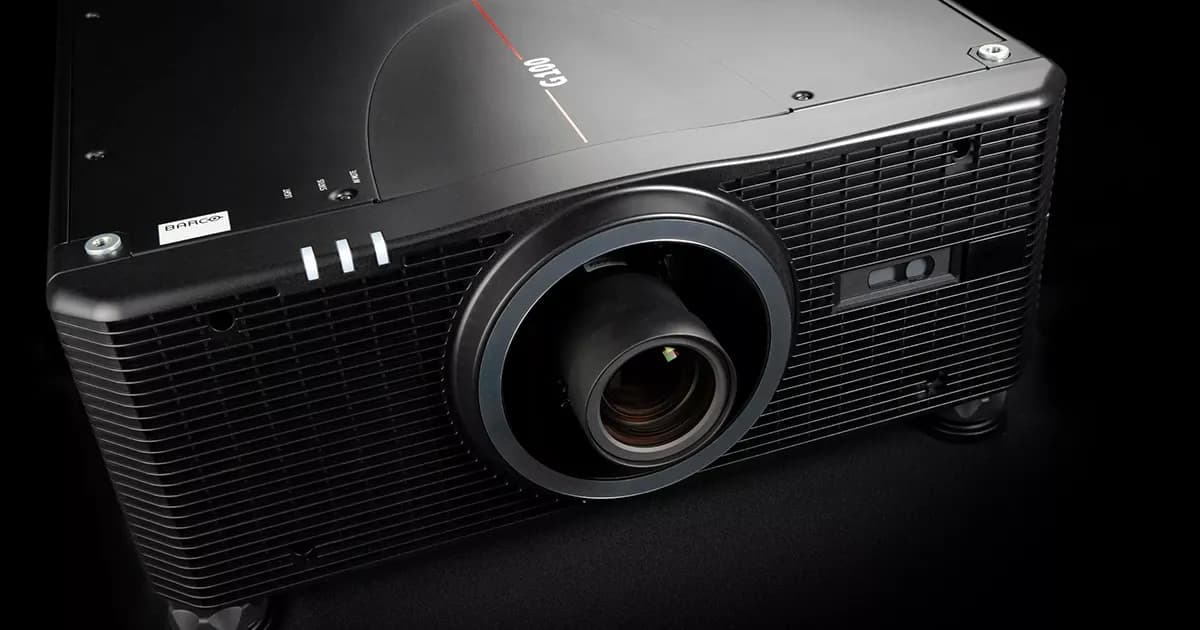
Projector Maintenance: Lifespan, Costs and TCO


Projector Maintenance: Lifespan, Costs and TCO
In short. Projector park maintenance is evaluated on the basis of 5-year TCO (Total Cost of Ownership), not purchase price. Three line items structure this cost. The light source cost: a lamp costs 200 to 800 EUR and lasts 1,500 to 3,000 hours, a laser-phosphor costs more upfront but lasts 20,000 to 30,000 hours without replacement. The preventive maintenance cost: filter cleaning every 500 to 1,000 hours, lens dusting, firmware updates, connector checks, that is 2 to 4 interventions per projector per year in continuous operation. The color drift cost: all projectors age, an annual recalibration is necessary in permanent installation to maintain clean blending. Over 5 years, the TCO of a laser projector is generally lower than a lamp model, provided more than 1,500 hours per year are run.
Introduction
A projector is not a one-time investment. It is a technical asset with a cost of ownership that extends over several years. And that cost of ownership, the TCO (Total Cost of Ownership), often far exceeds the initial purchase price.
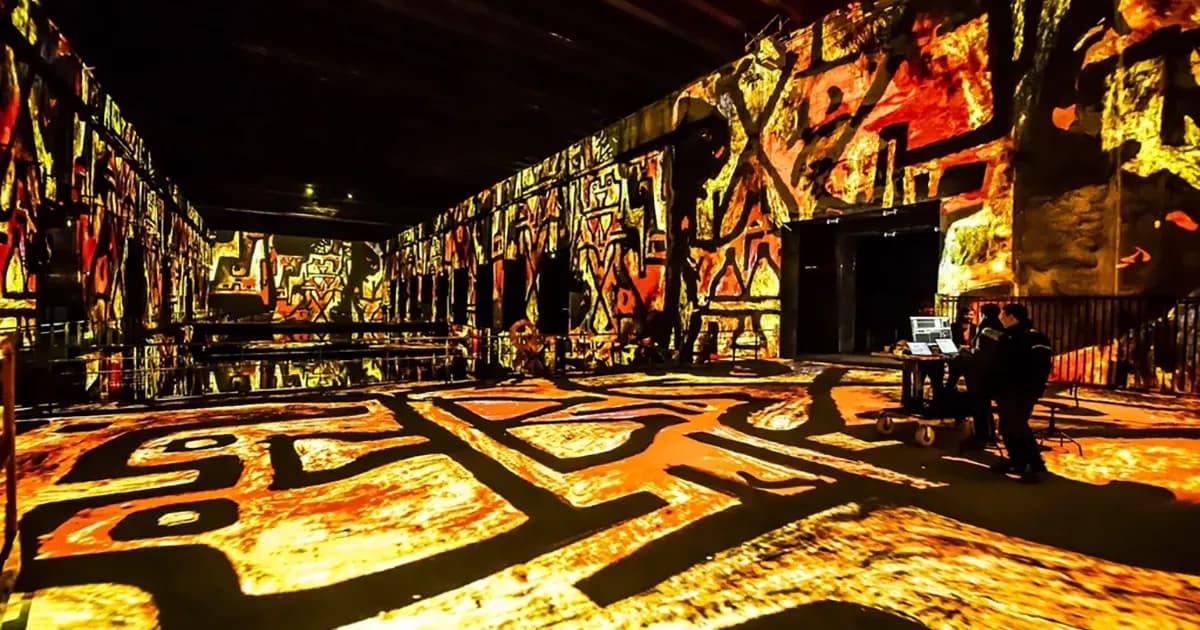
In 15 years of projects, from the Museum of Art & Light (108 projectors in daily operation) to recurring event installations on the Arc de Triomphe, I have accumulated hands-on experience with the true cost of a projector fleet: lamps blowing mid-show, neglected filters causing overheating, color drift ruining an otherwise well-calibrated blending setup.
This article provides real-world figures, maintenance best practices, and a method for calculating 5-year TCO. The goal: make informed purchasing decisions and avoid budget surprises.
Lifespan: Lamp vs Laser
Lamp Projectors (UHP / UHE)
Lamp technology is still present in a large share of the installed base, even though laser is gradually replacing it on new models.
Typical lifespans:
- Full power mode: 2,000 to 3,000 hours
- Eco mode (20 to 30% reduced output): 3,000 to 5,000 hours
- Some recent models advertise 5,000 hours in standard mode
What these numbers mean in practice:
| Usage | Hours/day | Lamp life (2,500h) | Lamp life (4,000h) |
|---|---|---|---|
| Occasional events | 4h | 625 days of use | 1,000 days |
| Recurring events | 6h | 14 months | 22 months |
| Permanent installation | 10h | 8 months | 13 months |
| Intensive operation | 14h | 6 months | 10 months |
On a permanent installation running 10 hours a day, 300 days a year, a 2,500-hour lamp lasts less than 10 months. If you have 20 projectors, that is 20 lamps per year minimum. Costs add up quickly.
The degradation curve: A lamp does not die suddenly (except in the case of failure). Its brightness decreases gradually. At half-life, it has already lost 20 to 30% of its luminosity. At 80% of its rated lifespan, the loss often reaches 40 to 50%. The projector still works, but the image is noticeably dimmer.
Laser Projectors (Laser Phosphor and Pure RGB Laser)
Laser has transformed the economic equation of professional projection.
Typical lifespans:
- Laser phosphor: 20,000 to 30,000 hours (to 50% of initial brightness)
- Pure laser (RGB): 20,000 to 30,000 hours
- Eco mode: up to 40,000 hours on some models
In practice:
| Usage | Hours/day | Laser life (20,000h) | Laser life (30,000h) |
|---|---|---|---|
| Occasional events | 4h | 13.7 years | 20.5 years |
| Recurring events | 6h | 9.1 years | 13.7 years |
| Permanent installation | 10h | 5.5 years | 8.2 years |
| Intensive operation | 14h | 3.9 years | 5.9 years |
Even under intensive operation, a laser projector lasts 4 to 6 years without a light source replacement. The difference compared to lamp is massive.
The laser degradation curve: More linear than lamp. Brightness loss is gradual and steady. At half-life (10,000 hours), a laser has lost approximately 15 to 20% of its brightness. This is significantly more stable.
Lamp vs Laser Comparison Table
| Criterion | Lamp (UHP) | Laser Phosphor | Laser RGB |
|---|---|---|---|
| Light source lifespan | 2,000 - 5,000 h | 20,000 - 30,000 h | 20,000 - 30,000 h |
| Source replacement | Yes (lamp) | No (sealed) | No (sealed) |
| Startup time | 30-90 seconds | Instant | Instant |
| Brightness loss at half-life | 20-30% | 10-15% | 10-15% |
| Purchase cost (comparable model) | Baseline | +30 to 50% | +80 to 150% |
| 5-year operating cost | High (lamps) | Low | Very low |
| Color gamut | Adequate | Good | Excellent (REC.2020) |
| Fan noise | Moderate to high | Low to moderate | Low |
| Free orientation | Limited | Yes | Yes |
Signs of Aging
Knowing when a projector is wearing out allows you to plan interventions rather than suffer breakdowns.
Brightness Loss
This is the most common and most gradual sign. Rarely noticeable day to day (the eye adapts), but obvious when compared to a new projector or measured with a lux meter.
Alert threshold: When measured brightness drops below 60% of the initial value, it is time to act (lamp replacement or system recalibration).
Field method: Measure the lux on a white test pattern at a fixed distance during commissioning. Record the value. Repeat the measurement every 3 months. When you lose 30%, schedule the intervention.
Color Drift
With wear, optical components (lamp, color wheel, polarizing filters) drift. Whites shift to yellow or magenta. Saturated colors lose vibrancy.
Critical impact in multi-projection: On a multi-projector installation with edge blending, color drift on a single projector is immediately visible in the overlap zone. This is the typical scenario at Culturespaces installations: 60 to 150 projectors that must remain perfectly color-matched.
Solution: Regular colorimetric recalibration with a probe. On permanent installations, this operation should be scheduled every 3 to 6 months.
Dead Pixels and Artifacts
DLP, LCD and LCoS matrices can develop dead pixels over time. This is more common on LCD (liquid crystal degradation from heat and light exposure).
When to worry:
- 1 to 5 dead pixels: cosmetic, acceptable except on very uniform content
- 5 to 20 dead pixels: visible, monitor closely
- Dead pixel cluster (localized group): possible component issue, intervention recommended
- Full lines or columns: driver failure, repair required
Excessive Fan Noise
A projector that becomes noisier over time signals a cooling problem: clogged filters, worn fans, dried thermal paste.
Risk: Degraded cooling reduces the lifespan of all internal components and can cause emergency shutdowns during operation.
Optical Distortions
The appearance of dark spots (inverted hot spots), blurry areas, or focus irregularities can indicate thermal deformation of optical elements or misalignment of the lamp/laser module.
Preventive Maintenance Plan
Preventive maintenance is the most cost-effective investment for a projector fleet. It costs little, extends equipment lifespan, and above all prevents breakdowns during a show.
Monthly Maintenance (30 minutes per projector)
Air filters:
- Visually inspect filters
- Blow out dust with an air blower or low-power vacuum
- Replace if the filter is saturated or damaged
- In dusty environments (construction site, outdoor, older venue), increase to biweekly
Optics:
- Blow the front lens with compressed air (residue-free canister)
- If marks are visible, clean with a microfiber cloth and dedicated optical cleaning solution
- Never use household cleaners, strong alcohol, or abrasive fabric
Ventilation:
- Check that air vents are not obstructed
- Ensure ambient airflow around the projector is clear (no cardboard, cables, or fabric blocking ventilation)
Quarterly Maintenance (1 to 2 hours per projector)
Brightness measurement:
- Project a full-screen white test pattern
- Measure lux at a fixed reference distance
- Compare with the initial value (recorded at commissioning)
- Document in a tracking file
Colorimetric check:
- Project color test patterns (red, green, blue, white, 50% gray)
- Compare visually or with a colorimetric probe
- Correct if necessary via projector settings or media server
Mechanical inspection:
- Check mountings (rigging hardware, brackets, clamps)
- Inspect connectors (HDMI, HDBaseT, fiber): no play, no oxidation
- Verify the projector has not shifted (especially in vibration-prone environments)
Firmware update:
- Check for manufacturer updates
- Apply if relevant (bug fixes, feature improvements)
- Document the installed version
Annual Maintenance (half day per projector)
Internal cleaning:
- Projector opened by a qualified technician
- Complete cleaning of the internal optical path
- Fan and heatsink cleaning
- Thermal paste replacement if necessary
In-depth inspection:
- Check wear on internal components (color wheel, polarizers, light guides)
- Test all ports and connectors
- Verify the cooling system (airflow, noise, exhaust temperature)
- Record the hour counter
Full recalibration:
- Colorimetric recalibration with a professional probe
- Warping readjustment if mechanical drift is detected
- Full signal path test (source > cable > projector)
Maintenance Plan Summary Table
| Frequency | Operations | Time per projector | Skill required |
|---|---|---|---|
| Monthly | Filters, optics, ventilation | 30 min | AV technician |
| Quarterly | Brightness, colorimetry, firmware, mountings | 1-2h | AV technician |
| Annual | Internal cleaning, inspection, recalibration | 4h | Specialized technician |
| As needed | Lamp, filter, color wheel replacement | Variable | Specialized technician |
Replacement Parts: Items to Budget For
Costs vary significantly depending on the manufacturer, model and procurement channel. Rather than giving figures that would quickly become outdated, here are the items to include in your maintenance budget.
Replacement Lamps
The most predictable and most recurring expense for lamp-based projectors. In permanent operation (10h/day), expect a replacement every 8 to 12 months. The price increases with projector output.
Watch out for dual-lamp systems: Some high-power projectors use two lamps. The replacement cost is doubled.
Filters
Filters are the cheapest consumable on a projector, but neglecting them is the number one cause of overheating and premature failure. It is the most overlooked item and yet the most cost-effective to maintain. Replacement frequency: every 3 to 12 months depending on the environment.
Color Wheel (DLP)
The color wheel is a mechanical part spinning at 7,200 to 14,400 RPM. It wears out, and when it fails, you hear a distinctive noise followed by an immediate shutdown. Typical lifespan: 10,000 to 20,000 hours.
Other Common Parts
Fans (15,000 to 30,000 h lifespan), LCD/LCoS polarizers (5,000 to 15,000 h), LCD panels (10,000 to 20,000 h). Complete optical block or motherboard failures are rarer but significantly more expensive.
Tip: For critical permanent installations, build a spare parts inventory. At minimum: one lamp per model (if lamp-based), a set of filters, one replacement cable for each connection type. For large fleets, a complete spare projector is recommended.
5-Year TCO: Lamp vs Laser
The TCO (Total Cost of Ownership) includes all costs: purchase, installation, electricity, maintenance, replacement parts and technical labor.
The Line Items That Make the Difference
On a lamp projector in permanent operation (10h/day, 300 days/year), recurring costs accumulate: lamp replacement every 8-12 months, frequent filter changes, color wheel replacement once or twice over 5 years, plus more maintenance time (each replacement mobilizes a technician).
The laser projector eliminates light source replacement and significantly reduces maintenance time. Fewer filters (some models are sealed), no traditional color wheel, and often lower power consumption at equivalent output.
The Result
The laser projector costs more upfront (expect 30 to 50% more at equivalent output), but its 5-year TCO is significantly lower. The gap widens over longer periods and multiplies with the number of projectors.
The Fleet Effect
On an installation like the MoAL (108 projectors in daily operation), the TCO difference between a lamp fleet and a laser fleet is considerable. This type of calculation makes laser the clear choice for large-scale permanent installations.
When Lamp Still Makes Sense
Despite a higher TCO, lamp projectors retain advantages in certain contexts:
- Limited capital budget: The lower purchase cost can be decisive when the upfront budget is constrained
- Occasional use: If the projector runs less than 500 hours per year, the TCO difference is marginal
- Second-hand market: Lamp projectors depreciate heavily, which allows acquiring powerful models at reduced prices
- Simple replacement: Changing a lamp takes 10 minutes. A faulty laser module requires a return to the service center
How to Extend Lifespan
Ambient Temperature
Heat is the number one enemy of projectors. Every degree above the recommended temperature reduces component lifespan.
Rules:
- Ideal ambient temperature: 20 to 25 degrees C
- Recommended maximum: 35 degrees C (beyond that, risk of thermal shutdown)
- For permanent installations, plan dedicated HVAC for the technical room
- Leave a minimum of 50 cm of free space around each air vent
Field case: At the MoAL, the technical room HVAC is sized to evacuate the heat from 108 projectors. It is a significant budget item, but it is what ensures optimal fleet lifespan.
Filters: the Most Cost-Effective Maintenance Task
A clogged filter reduces airflow, increases internal temperature, and accelerates degradation of all components. It is the number one cause of preventable premature failure.
The impact is measurable: A projector with a clean filter consumes less energy (fans run slower), runs cooler, and lasts longer.
A filter costs a fraction of the projector price. Neglecting its replacement risks a failure that will cost infinitely more. The math is simple.
Eco Mode and Power Management
Most projectors offer an eco mode that reduces light output by 20 to 30%.
Impact on lifespan:
- Lamp: +30 to 80% lifespan gain (typically from 2,500h to 4,000h)
- Laser: lifespan is already long, the gain is less critical but reduces thermal degradation
When to use it: If your lux measurement shows you have a brightness margin (more than 20% above the minimum required threshold), switch to eco mode. You gain lifespan with no visible impact.
Power Cycling
Lamps are particularly sensitive to on/off cycles. Each startup causes thermal stress on the lamp (from ambient temperature to over 1,000 degrees C in a few seconds).
Rule: Avoid repeated on/off cycles. If a break lasts less than 2 hours, leave the projector on (in standby or projecting black) rather than turning it off and on again.
For laser, this constraint is virtually nonexistent: startup is instant and does not cause significant thermal stress.
Supplemental Active Cooling
For installations in hot environments (poorly ventilated technical room, outdoor in summer, confined space), supplemental cooling significantly extends lifespan.
Options:
- Technical room HVAC (the most effective)
- Forced ventilation directed at projector intake vents
- Ventilated housings for outdoor installations
- Spacing projectors apart to prevent one unit's heat from affecting its neighbors
When to Replace Rather Than Repair
The question inevitably arises. Here are the decision criteria.
Replace when:
- Repair cost exceeds 40% of the price of an equivalent new model: Beyond this threshold, replacement is almost always the better choice
- The projector is over 7 years old: Parts become scarce, technologies have evolved (better efficiency, better image quality)
- The model is no longer supported by the manufacturer: No more firmware, no guaranteed parts, limited technical support
- Requirements have changed: Higher resolution needed (upgrade to 4K), insufficient brightness, obsolete connectivity
- Multiple failures within 12 months: Sign of generalized equipment fatigue
Repair when:
- The projector is less than 4 years old and the failure is isolated
- Parts are available and repair cost is below 30% of the new price
- The projector is part of a uniform fleet and replacing it with a different model would create consistency issues (colorimetry, connectivity, management)
- Delivery lead time for a new projector is incompatible with the operating schedule
The Special Case of Permanent Installations
On permanent multi-projector installations like the Culturespaces immersive centers, the strategy is different: you do not replace a single projector in isolation, you plan fleet renewal in batches. Replacing one projector with a newer model in a fleet of 60 identical units creates colorimetry and brightness issues. It is better to plan replacement by zone (one wall, one room) to maintain consistency.
FAQ
How much does annual projector maintenance cost?
The budget depends on the projector type (lamp or laser), usage intensity and environment. In permanent operation, recurring items are filters, preventive maintenance labor, and consumables. For lamp projectors, add lamp replacement every 8 to 12 months. Ask your dealer for a maintenance contract quote tailored to your fleet.
Is a manufacturer maintenance contract necessary?
For installations with more than 10 projectors in continuous operation, yes. The contract guarantees priority access to parts, shorter intervention lead times, and often preferential repair rates. For occasional use or a small fleet, in-house maintenance is sufficient.
Can you extend a lamp's lifespan beyond its rated hours?
Technically yes, the lamp does not automatically shut off at its rated lifespan. But the risk of explosion increases (especially on high-pressure UHP lamps) and image quality degrades. In a professional environment, replace the lamp at 80% of the rated lifespan, not beyond.
Does laser really require less maintenance?
Yes, significantly. No lamp to replace, no traditional color wheel on laser models (the phosphor wheel on 1-DLP models has a much longer lifespan), fewer filters (some models are sealed). Laser maintenance essentially comes down to optics, filters, and colorimetric monitoring. The time and cost savings are real.
How should you store an unused projector?
In a dry, temperate location (15-25 degrees C), protected from dust. If possible, power it on once a month for 30 minutes to prevent mechanical components from seizing and moisture from settling in. Remove the lamp if storage exceeds 6 months.
When is the best time to order a replacement projector?
Plan ahead. Lead times on professional models are 4 to 12 weeks. Order the replacement when the projector reaches 70% of its estimated lifespan, not when it breaks down.
Need Help Optimizing Your Projector Fleet?
Maintenance is a matter of organization more than technology. A well-structured maintenance plan prevents breakdowns, extends equipment lifespan, and keeps costs under control.
Let's talk about your project for an audit of your projector fleet and a maintenance plan tailored to your installation.
Size your installation with our free tools:
- Projection calculator: throw ratio, lumens, lux, pixel size
- Multi-projector calculator: optimal multi-projector configuration
- Lumeo 3D simulator: visualize your installation in 3D
Further reading: How to choose a projector for mapping integrates TCO into the selection criteria.

Video mapping consultant and trainer
Fifteen years of monumental and museum-grade installations: Arc de Triomphe (7 editions), Museum of Art and Light Kansas (108 projectors), Atelier des Lumières. Design, multi-projector calibration, audit, Modulo Kinetic training.
Need technical expertise?
Let's discuss your video projection or mapping project. Reply within 48h business hours.
Discuss your projectDid you enjoy this article?
Receive my upcoming tips, field experience and best practices straight to your inbox.
By subscribing, you agree to receive our emails. You can unsubscribe at any time.
1 email per week maximum, unsubscribe in 1 click