What Is Projection Mapping? How It Works

What Is Projection Mapping, and How Does It Actually Work
In short. Projection mapping means projecting video precisely onto a real physical surface that is not a flat screen, so the image lines up with the shape of the object: a facade, a car, a stage set. The projector becomes a paintbrush for the building. It works in five steps: you survey the surface, you build content for that shape, you place the projector at the right throw ratio, you warp the image on site so it sits on the edges, and a media server plays the lot. Order matters. Surface first, video second. And no, any projector will not do the job.
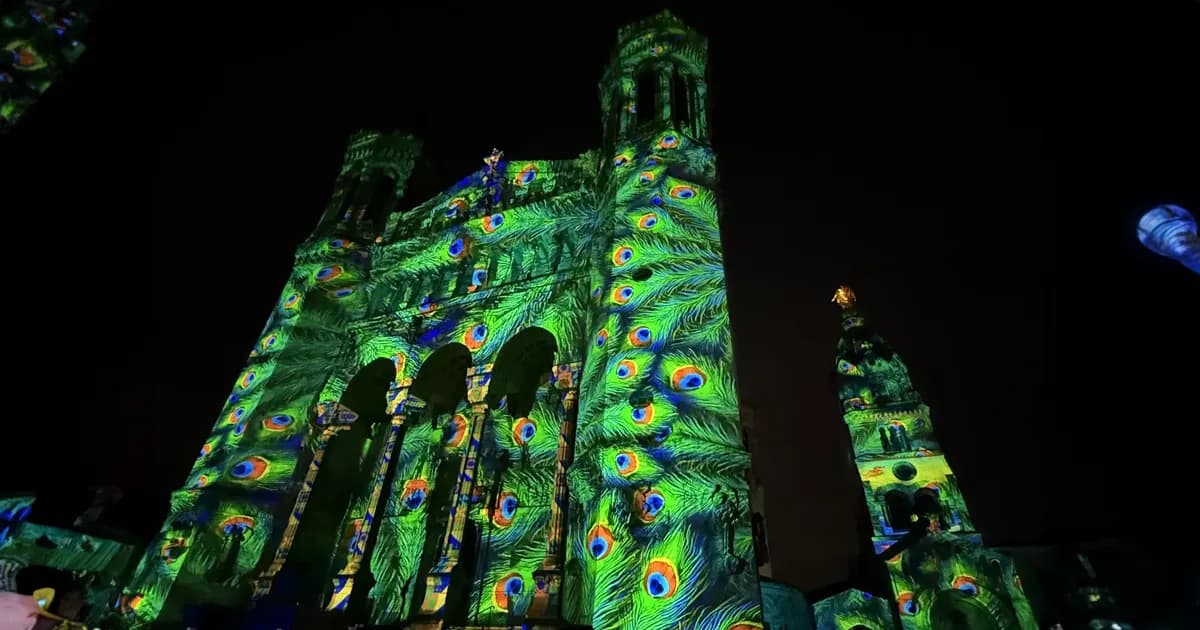
Projection mapping is the technique of projecting video precisely onto a physical surface that is not a flat screen, so the image lines up with the shape of the object. A facade, a car, a stage set. The projector becomes a paintbrush for a building.
That is it. No "imagine a world where". The definition fits in one sentence, and the rest of this article explains how it works in practice. For the exhaustive view of the discipline, there is the complete video mapping guide. Here, we answer one precise question: how does projection mapping actually work.
Projection Mapping in One Sentence
A regular projector throws a rectangle onto a white screen. A mapping setup bends the image so it follows the corners, curves and edges of a real surface. The surface becomes the screen.
That is the distinction that decides everything. On a screen, the surface is neutral, it receives. In video mapping, the surface has a shape, and the image has to fit that shape.
Mapping vs a Regular Projector Setup
Pointing a projector at a white screen is not mapping. It is projection.
Mapping starts when the surface is not flat, and you align the image on it edge by edge. A sculpted wall, an object, a set with relief. As long as the image ignores the geometry, you are not doing mapping. You are just lighting a wall with a video.
How Does Projection Mapping Work, Step by Step
The question comes up in every form: how does projection mapping work, how to do projection mapping, where do you start. The answer is a five-step process. The order is not negotiable.
Step 1: You Start From the Surface, Not the Video
Classic first mistake: start with the content. You start with the surface.
You survey it. You measure it, or you get its 3D model. Dimensions, edges, relief, blind angles. Without that survey, the rest of the process rests on nothing. A facade you have not measured is content you will have to redo on site.
Step 2: The Content Is Built to Match That Exact Shape
Content is designed for the surveyed geometry. Not the other way around.
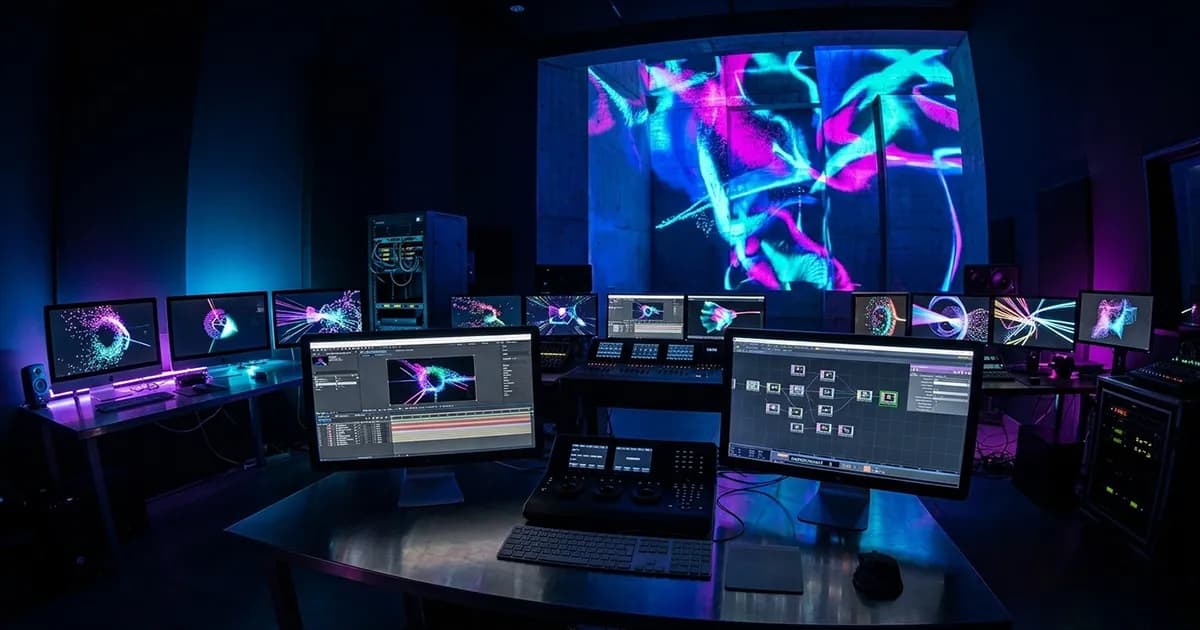
Every animation, every texture, every move is built for precise edges and precise surfaces. If the content is generic and you hope to "fit it in" afterwards, the result gives away the patch job. That is the whole point of content creation for video mapping: you draw for a surface, not for a frame.
Step 3: The Projector Is Placed and the Throw Ratio Is Checked
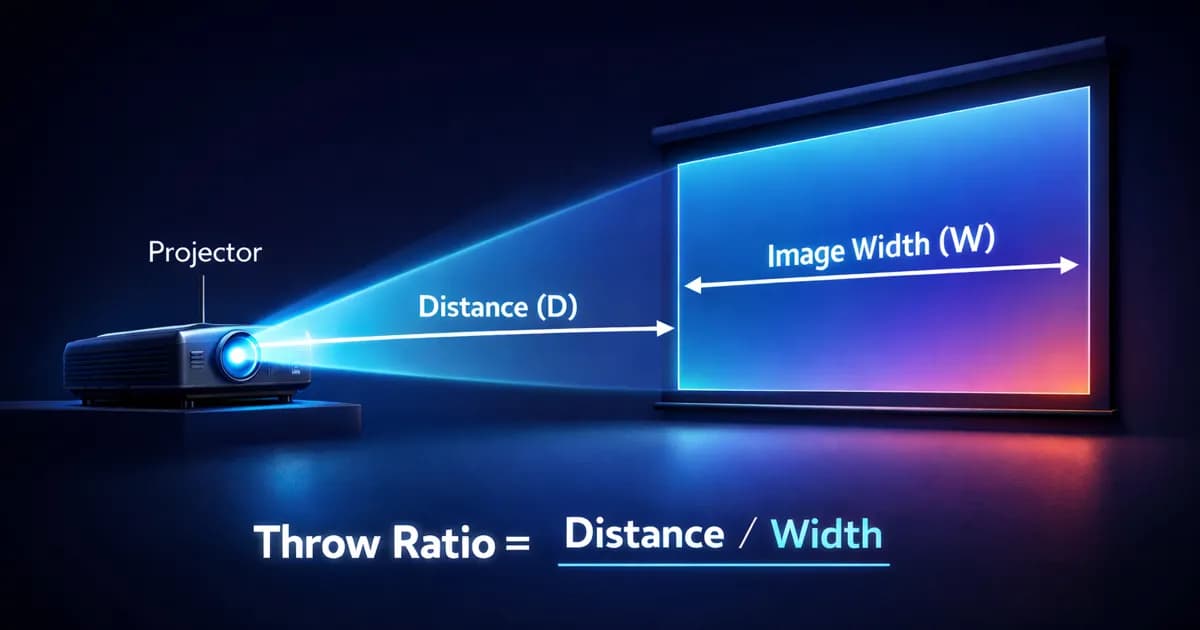
The projector goes where its physics allows. The deciding parameter is the throw ratio: the projection distance divided by the image width.
A throw ratio of 1.0 on a 4-metre image puts the projector at 4 metres. If the distance does not exist, the projector does not fit, full stop. Indoor video mapping usually works between 0.8 and 1.5. Large-format outdoor, more like 1.5 to 2.5. To avoid getting it wrong, a throw ratio and projection distance calculator runs the math in thirty seconds, and how to read and calculate a throw ratio explains the detail.
Step 4: Warping and Blending Align the Image on Site
Warping is the deformation of the image so it sits exactly on the edges of the surface. It is the core of the alignment.
If the project uses several projectors, you add the blend: the overlap zone between two beams, which you fade so no line shows. The alignment happens on site, not at the desk. A small, well-studied mapping aligns in an evening. A complex facade with multi-projector blending takes two to three nights. Most of that time is testing. Exactly the part tight budgets try to cut.
Step 5: A Media Server Drives the Show
Once the image is aligned, it has to be played back. That is the media server's job: it plays the content, syncs it, triggers the sequences, all with low latency.
On a Modulo Pi, latency runs around one frame at 50 Hz, roughly 20 ms. That is what lets you hold a clean control room, sync several outputs and trigger effects with no visible lag. To know which one to pick, there is how to choose a media server.
Can You Do Projection Mapping With Any Projector
Technically yes. In practice no.
Three conditions have to be met. Enough light for the surface and the ambient light, an optic at the right throw ratio for the available distance, and a way to warp the image, software or media server. A cheap projector, with the wrong lens and no warping, throws a rectangle that ignores the surface entirely. That is no longer mapping.
Lumens or Lux: the Number That Actually Matters
Lumens measure the flux emitted by the projector. Lux measure the illuminance received by the surface. They are two different things, and it is the second one that decides the result.
A 20,000-lumen projector does not light the same depending on distance, angle and ambient light. You reason in lux on the surface, not in lumens on the spec sheet. In outdoor mapping at night, with no strong stray light, 200 to 300 lux are enough for a clean result. Indoors, with controlled ambient light, 70 to 100 lux are reasonable.
The Throw Ratio Decides Where the Projector Goes
Choosing the projector for a projection mapping always starts with the available distance. Measure the distance you have, measure the target image width, and the throw ratio you need falls out on its own.
If the projector spec sheet does not cover that throw ratio with the lens fitted, it is not the right projector. No point looking at lumens or resolution before you have validated that.
Where Projection Mapping Is Used
Video mapping shows up on building facades, in museum scenography, on attractions, on concert stages and brand events.
A concrete example of interactive projected scenography: the Atelier des Enfants at the Atelier des Lumières in Paris, where a child colours in an animal, scans it, and sees it appear animated on the walls. A 39-metre-wide projection surface, driven by Modulo Kinetic media servers. The principle is the same as on a facade: a real surface, content built for it, careful alignment.
When Projection Mapping Is the Wrong Call
Mapping is not the answer to everything. Three cases where it is the wrong choice.
When the surface is wrong. A very reflective, very dark, or uncontrolled moving surface kills the result before you even talk about content. You check the surface before you order the projector, never the other way around.
When the budget will not carry the prep. Mapping costs mostly in hours of preparation and alignment. A budget that only pays for the hardware buys you a rushed alignment, and it shows on the final image. You price the prep, not just the gear.
When a flat screen does the job. If the message gets across on a screen, mapping adds cost and risk for nothing. The shape has to serve the idea. When a brief opens with "immersive experience" without specifying a surface, lumens or ambient light, 80 percent of the technical constraints are missing. And until they are there, "immersive" means nothing.
Direct Answers
What is projection mapping in simple terms? Projection mapping is the technique of projecting video onto a real physical surface, like a building or a stage set, so the image fits the exact shape of that surface. A regular projector throws a rectangle onto a flat screen. A mapping setup bends the image to follow corners, curves and edges. The surface becomes the screen.
How does projection mapping work? In five steps. You measure the surface, you build content matched to its shape, you place the projector at the right throw ratio, you warp and blend the image on site so it lines up, and a media server plays it back. The order matters: surface first, video second.
Can you do projection mapping with any projector? Technically yes, in practice no. The projector needs enough light for the surface and the ambient conditions, an optic with the right throw ratio for the available distance, and a way to warp the image. A cheap projector with the wrong lens and no warping projects a rectangle that ignores the surface.
What software do you need for projection mapping? Software that can warp and mask the image. On small jobs, tools like MadMapper or Resolume handle it. On heavier shows, with synchronisation and interactivity, a media server like Modulo Pi runs the job. The choice depends on show size, sync needs and budget, not on which name sounds best.
How is projection mapping different from a video wall? A video wall is made of LED panels that emit their own light: it works in daylight and on a flat surface. Projection mapping uses a projector and the existing surface: it depends on darkness, surface quality and throw distance. A video wall replaces the surface. Mapping uses it.
Is projection mapping expensive? The projector is rarely the biggest cost item. The real budget goes into content creation, the prep, and the hours of calibration on site. Cutting the calibration to save money is the most common mistake, and it shows on the final image. Price the prep, not just the hardware.
What surfaces work best for projection mapping? Light, matte, static surfaces give the cleanest result. A white facade, a plain stage set, a museum wall. Dark, glossy or moving surfaces lose a lot of the projected light and make the alignment unstable. Check the surface before you commit to the projector.
How long does a projection mapping setup take? A small, well-studied mapping aligns in an evening. A complex multi-projector facade with blending takes two to three nights. Most of that time is calibration and testing: exactly the part rushed budgets try to cut.
Projection mapping is not a story about the projector. It is a story about the surface. The projector executes, the surface dictates. If you have a mapping brief in mind and a doubt about feasibility, a second opinion on a projection mapping brief costs less than content you find out is unalignable on installation day. And if you want to dig deeper, the complete guide is right up the page.

Video mapping consultant and trainer
Fifteen years of monumental and museum-grade installations: Arc de Triomphe (7 editions), Museum of Art and Light Kansas (108 projectors), Atelier des Lumières. Design, multi-projector calibration, audit, Modulo Kinetic training.
Need technical expertise?
Let's discuss your video projection or mapping project. Reply within 48h business hours.
Discuss your projectDid you enjoy this article?
Receive my upcoming tips, field experience and best practices straight to your inbox.
By subscribing, you agree to receive our emails. You can unsubscribe at any time.
1 email per week maximum, unsubscribe in 1 click