A tool for preparing your video mapping install, not for playing it back
Lumeo builds your placement study in the browser: projectors positioned in 3D, lux computed on the actual surfaces, a PDF pack for the rental house. All of it before you commit to a single day of rental.
Start the 30-day trial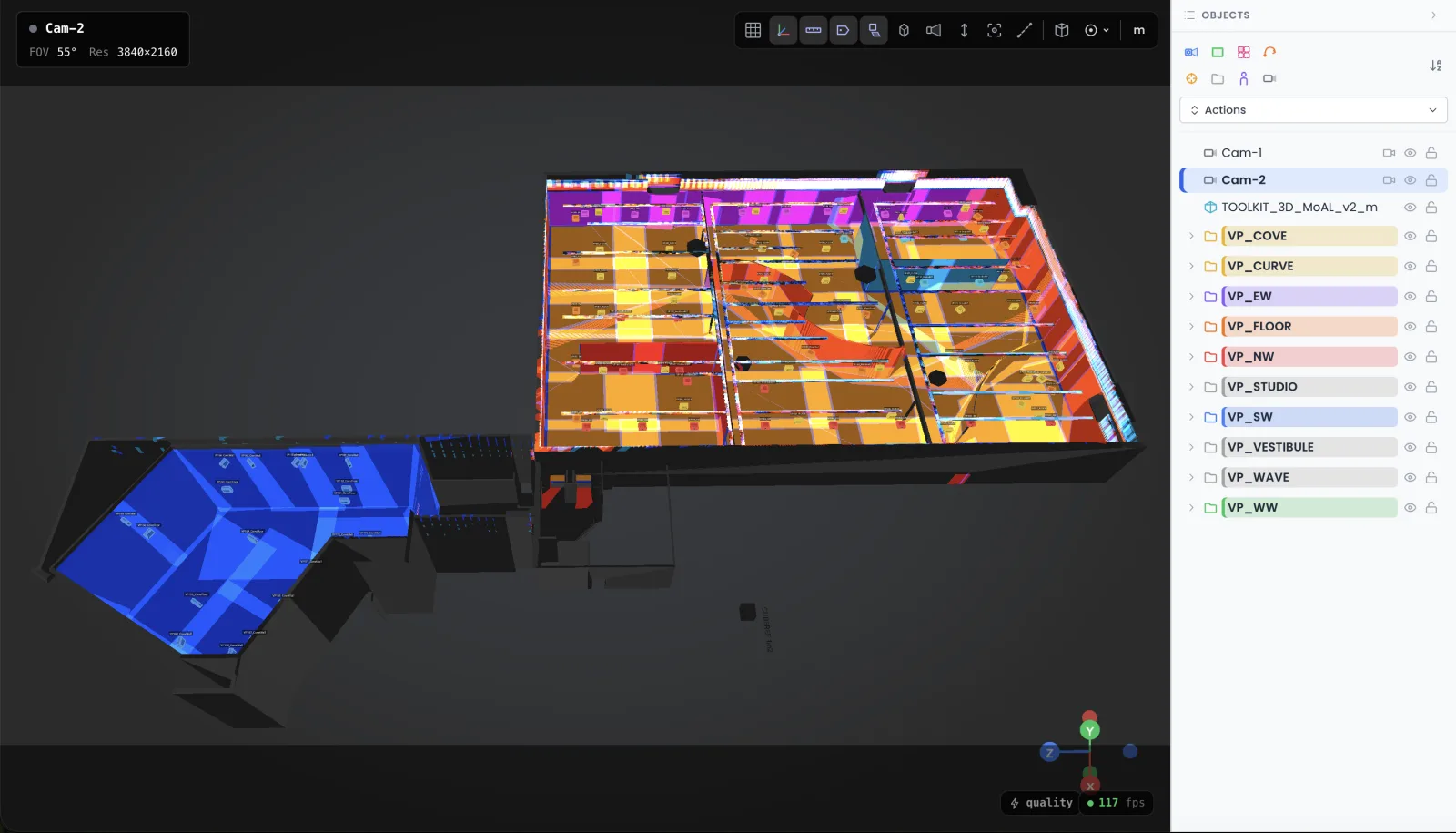
Video mapping tools mean two different jobs
Search for video mapping tools and you land on playback: HeavyM, MadMapper, Resolume. They run the content during the show, they warp, they blend. Fine tools for that job. My own shows run on Modulo Player and Modulo Kinetic: over 250 servers deployed, and I have trained people on them since 2017.
But the show is won or lost earlier. Which projector, which lens, placed where, with how much stray light on the wall. That phase, the preparation, no playback tool covers. That is Lumeo's slot: a 3D scene in your browser where you place the gear, the lux compute themselves, and you validate the placement before signing anything with the rental house.
One thing before we go further. If you want a free tool to learn mapping or run a first projection, this page is the wrong one: my guide to free video mapping tools was written for that. This page is about a working tool for people who quote and deliver installs.
For the playback itself: Modulo Player and Modulo Kinetic at Modulo Pi, MadMapper for simple installs.
Photometry first: lux, not promises
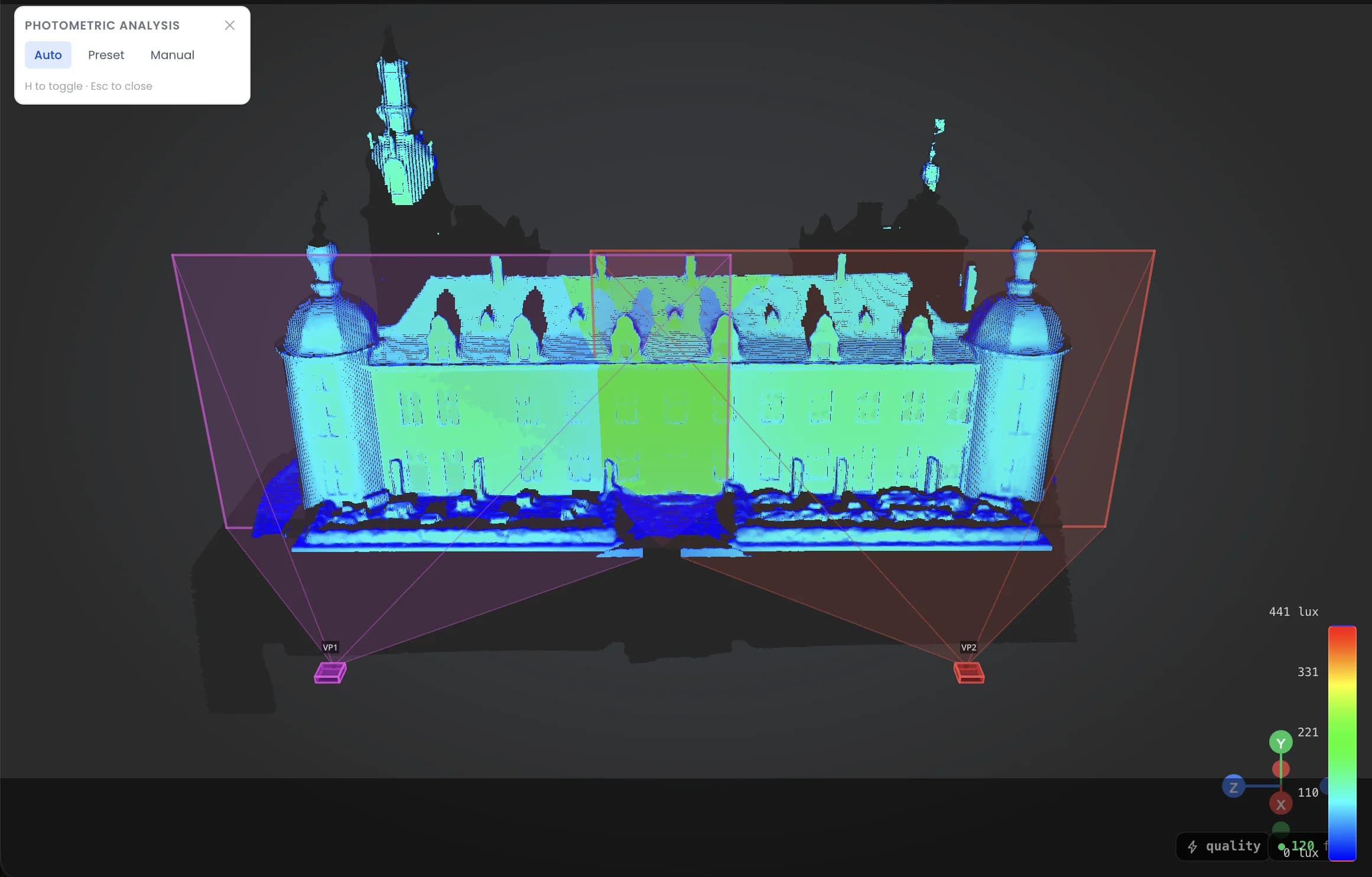
Lumeo computes the illuminance of every surface from the flux of the projector you picked and its exact position in the scene. The result reads in lux, surface by surface, blend zones included.
A concrete case: the client wants a 15-meter wall in a glass-fronted lobby. You drop two 10K units in 3D and the map reads 42 lux where you need 80. You know it a month before load-in, so you renegotiate the gear or the projection schedule instead of discovering a washed-out image on the night. (Ambient light never negotiates. I checked.)
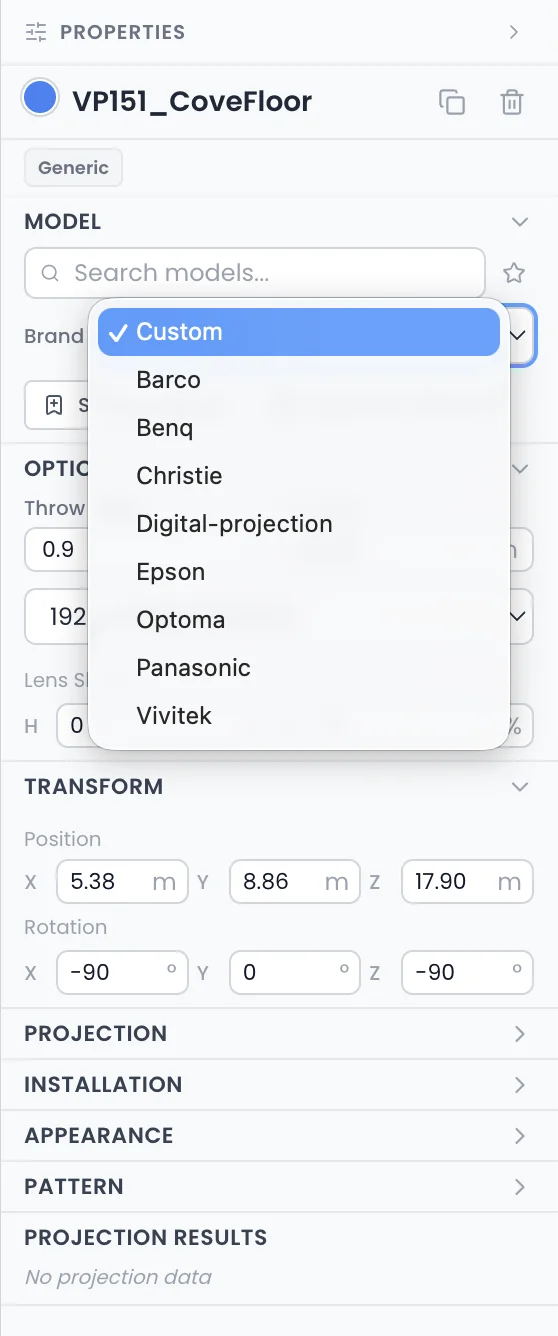
293 projectors and 763 lenses, with manufacturer figures
Lumeo's database holds 293 projector models and 763 lenses, with the manufacturer data: lumens, throw ratios, lens shift ranges. Pick a projector-lens pair and the image sizes and lands according to those values, not an average.
The day your rental house swaps the specified model for what they have in stock, you swap the unit in the scene and re-check the whole study in minutes. Without a reliable database, that kind of last-minute substitution gets paid for in surprises on site.
Projection prep that fits in a browser tab
Nothing to install. Lumeo runs in the browser, on the laptop you already quote with. No gaming graphics card, no license tied to one machine.
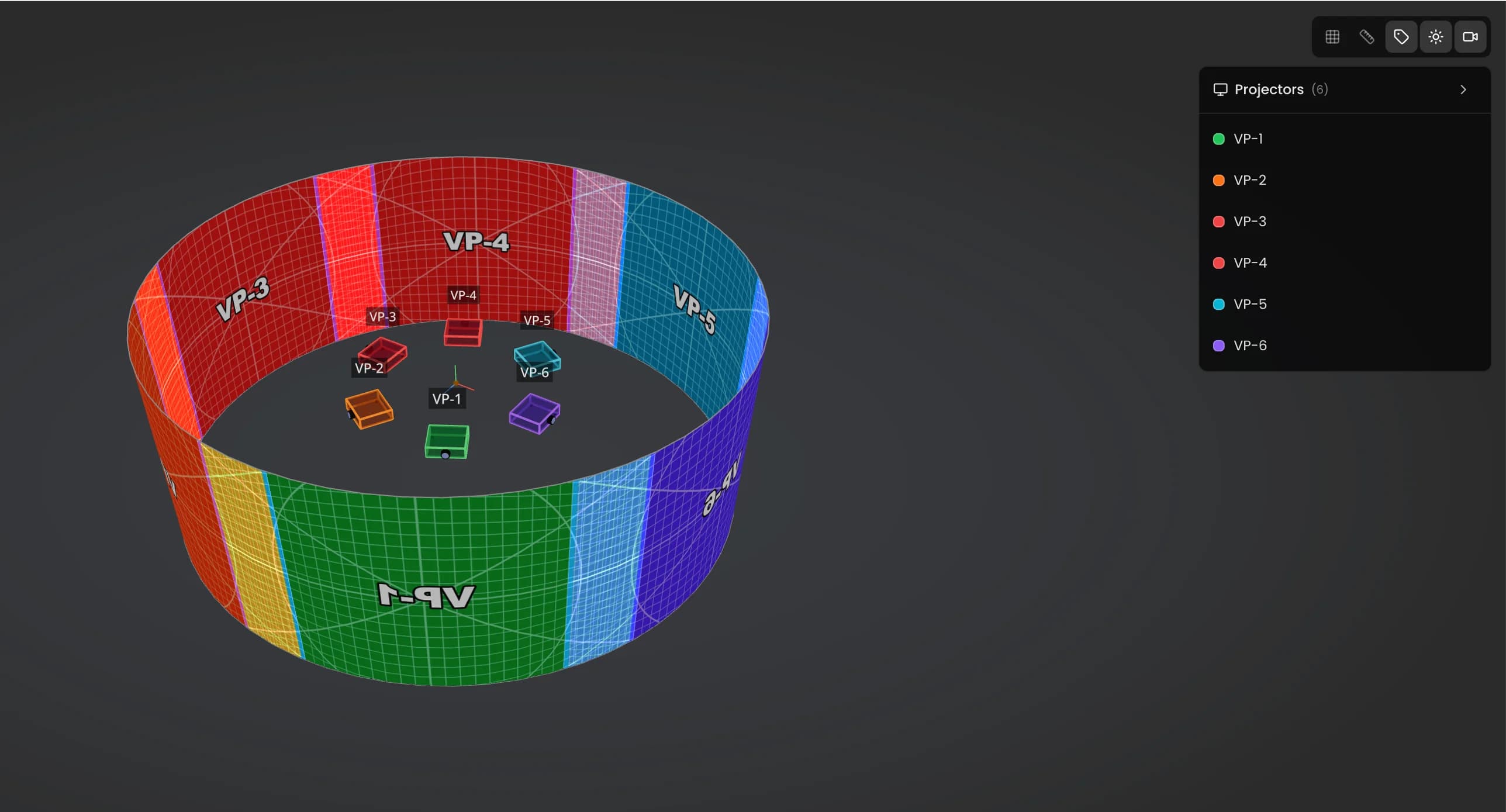
You do not need to model either. Surfaces go down as simple shapes, the heavy 3D stays under the hood. An operator who has never opened Blender builds a first scene within the hour.
And to sell the study: you send the client a viewer link, they open the scene in their browser and orbit the install themselves. Then you export the placement PDF, with position, model, lens, distance and image size for every unit. That is the document your rental house and your rigger ask for anyway.
Open the demo, it answers faster
There is a demo scene open to everyone, no account. Move a projector, change a lens, watch the lux follow. Five minutes there beat every paragraph on this page.
Open the Lumeo demoThe 108-projector study that made Lumeo exist
The Museum of Art and Light in Manhattan, Kansas: 108 projectors, 3,400 square meters of permanently projected surfaces. I did the photometric study for that building. Back then, every revision cost me around 3 full days between the spreadsheet and 3DS Max.
I rebuilt the same file in Lumeo: 3 hours. That delta is what convinced me to turn it into a product instead of a script I kept to myself.
Read the MoAL case in detailThe price, no asterisk
50 euros per month, or 500 euros per year. One plan, every feature. The trial runs 30 days and cancellation is one click inside the app, not an email to a support queue.
For scale: on my quotes, one day of rework on site because of a badly chosen lens costs well over the yearly subscription. Boom lift not included.
See Lumeo pricing in detailThe cases where I would talk you out of Lumeo
You need to push content to a projector this weekend: walk on. Lumeo does not output a single pixel. Take MadMapper or Resolume for a simple install, a media server like Modulo Player when the show calls for it, and come back here to prepare the next project.
Your daily work is lighting previz for concerts, moving heads and beams: dedicated lighting visualizers do that better. Lumeo's photometry is built for projection and LED walls.
Last honest point: the app is English only, and made for a desktop screen. No mobile version.
And if you run one projection a year on a flat wall, a 3D simulator is overkill: my free throw ratio calculator settles it in two minutes.
Questions I actually get
Which tool should I pick for video mapping?
Split the job in two. To play content during the show: MadMapper, Resolume or HeavyM cover most simple installs, and big projects run on media servers, in my case Modulo Player or Modulo Kinetic. To prepare the project, pick projectors and lenses and check the lux before renting: that is Lumeo's slot, with Mapping Matter as its only direct neighbor. No tool does both well.
Does Lumeo replace MadMapper, Resolume or a media server?
No. Those tools drive projectors that are already installed. Lumeo works upstream: it tells you which projectors to install, where to put them and what lux you will get. On a real project the two follow each other: Lumeo for the study, a playback tool for the show.
Is there a free tool for video mapping?
Yes, on the playback side: several free or freemium tools handle warping and playback for small setups. I have tested a pile of them and keep the list in my free video mapping tools guide on the blog. On the prep side, free means a spreadsheet and manufacturer PDFs. It works, I did it for years. It is just slow.
Do I need 3D skills to use Lumeo?
No. You place surfaces and projectors with simple tools, and the image sizes come from the database, not from your math. If you can place a rectangle, you can build a scene. Blender is never required.
What machine does Lumeo need?
A recent browser on a normal laptop. Nothing to install, no dongle, no gaming rig. It is the same computer you write your quotes on.
How does the 30-day trial work?
Everything is included for 30 days. If you cancel, it takes one click inside the app, and your projects stay readable so you can export what you need. No exit survey, no retention call.
Prepare the next install before the quote goes out
30 days to try Lumeo on a real project of yours. If it does not save you at least one gear mistake, cancel in one click and we drop the subject.
Start the 30-day trialRather look around before creating an account? Open the demo
Cookies and privacy Learn more
Cookies and privacy
This site uses cookies to measure audience and improve your experience. You can accept, reject or customize your preferences at any time. Learn more