Creating Video Content for Mapping: Tools and Workflows
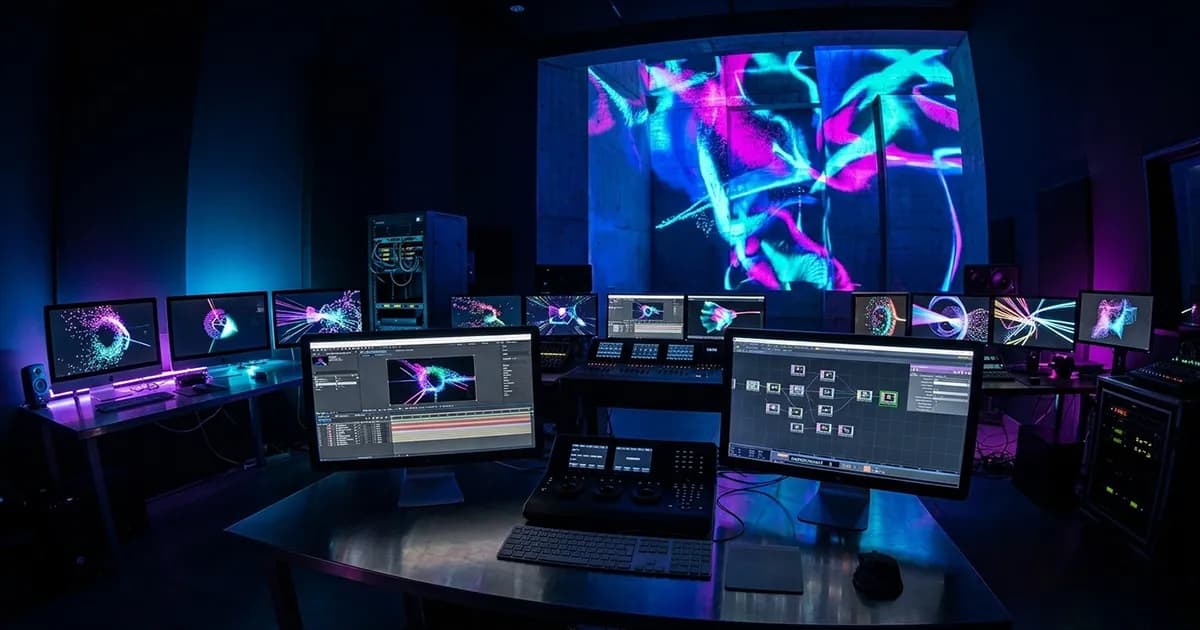

Creating Video Content for Mapping: Tools and Workflows
In short. Four tool families dominate video mapping content creation. After Effects remains the reference for 2D motion design and timeline-based pre-produced content, compatible with the camera-plan workflow. Notch is the reference tool for real-time generative content (particles, simulations, nodal-based effects), exported as Notch Blocks readable by Modulo, Disguise and Pixera media servers. TouchDesigner covers interactivity and live visual coding (sensors, audio-reactive, prototyping), with a powerful nodal workflow but a demanding learning curve. Unreal Engine has established itself for high-end real-time 3D content (mapping on complex scenographies, virtual production), with cinema-grade rendering but significant hardware requirements. The choice depends on content type (pre-produced vs generative), production budget, creative team skills, and target media server constraints (Notch Blocks compatibility or classic video export).
Introduction
Content is what the audience sees. You can have the best projection system in the world: if the content is bad, the result is bad. And conversely, well-designed and well-produced content can turn a technically modest mapping into a memorable show.
Yet content creation for mapping is often the least mastered area for video technicians. We know how to calibrate projectors, configure a media server, adjust edge blending. But when it comes to producing the images that will be projected, many professionals delegate entirely to a creative studio without understanding the technical constraints.
This article reviews the creation tools, production workflows, and best practices for producing content suited to mapping.
Creation Tools
After Effects: The Swiss Army Knife
Adobe After Effects remains the most widely used tool for mapping content creation. It combines compositing, 2D/3D animation, visual effects, and a vast plugin library.
Strengths:
- Massive plugin ecosystem (Element 3D, Trapcode, Red Giant)
- Proven motion design workflows
- Large community, plenty of resources and tutorials
- Native integration with Photoshop, Illustrator, Premiere
- Broadcast-quality rendering
Limitations:
- Not real-time: content is rendered frame by frame, then exported as video
- Not interactive: impossible to modify content live during the show
- Non-standard resolutions: comps at 7680 x 2160 or in unusual formats are heavy to manage
- Scalability: projects with 20+ layers and heavy effects become painful to work with
Ideal for: Event mapping shows with linear content (fixed timeline), narrative architectural mapping, graphic and typographic content.
Notch: Powerful Real-Time
Notch is a real-time creation tool designed for live performance and events. Its node-based approach allows creating generative, interactive, and reactive content in real time.
Strengths:
- Real-time: content is generated and modified live
- Media server integration: Notch integrates natively into Disguise and works with other servers via NDI/Spout
- Reactivity: MIDI, OSC, audio, sensor, and real-time data inputs
- Particles and 3D: powerful particle engine, 3D model import, physics simulation
- High-quality rendering in real time (ray marching, volumetric)
Limitations:
- Steep learning curve (node-based interface)
- Requires a powerful GPU (NVIDIA RTX recommended)
- Smaller community than After Effects
- Expensive Pro license
Ideal for: Live shows with generative content, interactive installations, sound-reactive or sensor-reactive projects, large-scale shows.
TouchDesigner: The Toolbox
TouchDesigner (Derivative) is a visual programming environment for interactive installations, mapping, and digital art.
Strengths:
- Versatility: combines video, 3D, audio, network, sensors, DMX, MIDI in a single environment
- Native interactivity: designed to react to real-time inputs
- Free for non-commercial use (resolution limited to 1280 x 1280)
- Active community and plenty of learning resources
- Network integration: OSC, MIDI, Serial, NDI, WebSocket, TCP/UDP
Limitations:
- Node-based interface that can become complex (networks of hundreds of nodes)
- Variable performance depending on node network optimization
- 3D rendering less polished than Notch or Unreal Engine
- No classic timeline (event-driven logic rather than sequential)
Ideal for: Permanent interactive installations, generative mapping, art projects, rapid prototyping, multi-sensor systems.
Unreal Engine: Cinematic 3D
Unreal Engine (Epic Games) is a game engine increasingly used for high-end mapping content creation.
Strengths:
- Visual quality: the best real-time 3D rendering on the market (Lumen, Nanite, ray tracing)
- Photogrammetry: native integration of 3D scans and Megascans (asset library)
- nDisplay: native multi-screen and multi-projection system
- Free up to $1M in revenue
- Massive community and exhaustive documentation
Limitations:
- Significant learning curve (it is a full game engine)
- Requires programming skills (Blueprints or C++)
- Less direct media server integration than Notch
- Overkill for simple 2D content
Ideal for: Photorealistic 3D content, prestige architectural mapping, high-end immersive experiences, projects combining interactivity and cinematic quality.
Comparison Table
| Criterion | After Effects | Notch | TouchDesigner | Unreal Engine |
|---|---|---|---|---|
| Render type | Offline | Real-time | Real-time | Real-time |
| Learning curve | Medium | Steep | Steep | Very steep |
| Linear content | Excellent | Good | Average | Good |
| Generative content | Limited | Excellent | Excellent | Good |
| Interactivity | No | Yes | Yes | Yes |
| 3D quality | Good (plugins) | Very good | Good | Excellent |
| Mapping integration | Video export | Direct (Disguise) | NDI/Spout | nDisplay |
| Cost | CC subscription | Expensive (Pro) | Free / paid | Free |
| Community | Massive | Medium | Large | Massive |
The Production Workflow
Phase 1: Brief and Template
Before creating anything, you need:
1. The projection template: This is the source file that defines the exact projection area. It contains:
- The total canvas resolution (e.g., 3840 x 2160 per projector, 7680 x 2160 for 2 projectors in panoramic)
- The overlap zones (edge blending): where two projectors' images overlap
- The masked zones: parts of the canvas that will not be projected (windows, obstacles)
- The UV mapping: the correspondence between the 2D canvas and the actual 3D surface
2. The creative brief:
- Content duration (5-minute show? 30-second loop?)
- Mood and art direction (visual references)
- Narrative constraints (text, logo, mandatory sequences)
- Expected level of interactivity
Phase 2: Animatic and Validation
Before launching final production, create an animatic: a low-resolution version of the content, with timings, transitions, and broad visual intentions.
The animatic allows you to:
- Validate the narrative structure with the client
- Identify timing or pacing issues
- Avoid producing content that will be rejected or extensively modified
Rule: never move to final production without animatic sign-off. This is the stage where modifications are easy and inexpensive. After that, every change is costly.
Phase 3: Production
Production depends on the chosen tool, but some principles are universal:
Working resolution: always produce at the native canvas resolution of the projection (not below). Upscaling content produced in HD for 4K is immediately visible in projection.
Framerate: 25 fps minimum (PAL/broadcast), 30 fps standard, 50-60 fps for very smooth content or permanent installations viewed up close.
Output codec: the codec depends on the target media server. The most common are HAP (HAP Q, HAP Alpha), NotchLC, ProRes 422 HQ or ProRes 4444. Check your server specs before rendering.
Layer management: structure your project in separate layers (background, mid-ground, foreground, masks). This makes modifications easier and allows combining layers in the media server.
Phase 4: Testing and Alignment
Once the content is rendered, test it under real conditions:
In studio: if you have access to a projector and a surface, test the content at scale. Colors, contrast, and details are perceived very differently in projection compared to a screen.
On site: final alignment happens on site, with the actual projectors, the real surface, and actual lighting conditions. Plan time for:
- Color adjustments (the projection surface is never pure white)
- Brightness corrections (dark areas and bright areas do not project the same way)
- Fine-tuning timings with sound and lighting
Best Practices
Adapt Content to the Surface
Mapping is not projection on a flat screen. The surface has texture, color, volumes, shadows. The content must adapt:
- Dark surfaces: increase brightness levels. Content that looks good on screen will be too dark projected on a gray stone facade
- Textured surfaces: avoid solid color fills. The surface texture shows through the projection. Prefer content with detail and movement
- Architectural volumes: exploit the relief. Projected shadows that match the building's actual volumes create a powerful illusion effect. Shadows that contradict the volumes create visual discomfort
- Angles and perspectives: content viewed from the audience's point of view must be consistent with the actual geometry. A 3D effect that works from one viewpoint does not work from another
Managing Overlap Zones
In multi-projector setups, edge blending zones require special attention in the content:
- No pure white in overlap zones: added white produces overexposed white
- Avoid horizontal lines crossing the blending zone: the slightest calibration offset becomes visible
- Favor continuous content (gradients, fluid motion) rather than hard cuts in transition zones
Think About Speed
Content that is too fast tires the audience. Content that is too slow bores them. The right speed depends on context:
- Monumental mapping viewed from 50 m: slow, sweeping movements. Quick details are invisible at that distance
- Immersive installation viewed from 2 m: moderate movements, fine details. The audience is close and perceives everything
- Event show: variable rhythm, synchronized with music. Alternating calm moments and climaxes
Anticipate Technical Constraints
File sizes: 4K content in HAP Q runs at 200-400 MB/second. A 10-minute show weighs 120-240 GB. Verify that your SSDs and network can handle it.
Number of real-time layers: each simultaneous video layer consumes disk bandwidth and GPU. 4-6 simultaneous 4K layers is a realistic maximum on a standard server.
Multiple outputs: if your canvas exceeds a single GPU output resolution (4K), it will be split across multiple outputs. Make sure the splits do not fall in the middle of an important visual element.
FAQ
Do I need to master all these tools?
No. Most studios specialize in one or two tools. After Effects for linear content, TouchDesigner or Notch for interactive. Choose the tool suited to your project type.
How much does content creation for mapping cost?
Content typically represents 20 to 30% of a mapping project's total budget. For a 5-10 minute event show, expect a significant budget. For a 30-second loop intended for a permanent installation, the budget is more contained but the required quality is often higher (the content loops continuously, every flaw is amplified).
Can I use stock content (Shutterstock, Adobe Stock) for mapping?
As a supplement, yes. As the main source, rarely. Stock content is produced for flat screens in 16:9. It is not suited to non-standard mapping resolutions, nor to projection surface constraints. You can use it as a base to rework, not as final content.
How should content be delivered to the mapping technician?
Always deliver:
- The rendered video file in the specified codec (HAP, ProRes, NotchLC)
- The source project file (AEP, .toe, .dfx) for last-minute modifications
- The template used for production
- A readme with technical specs (resolution, fps, codec, duration, alpha channels)
Can generative AI create mapping content?
It can accelerate certain phases (visual research, textures, variations). But it cannot yet produce complete, coherent mapping content from start to finish. Art direction, alignment to the surface, and narrative coherence remain human work.
Need Support with Content Creation?
Mapping content production is a profession in its own right. If you are a video technician and the creative side is not your specialty, it is normal to bring in a studio.
Let's talk about your project to define the creative brief for your project and identify the right partners.
Additional resources:
- Preparing a mapping project: 2D vs 3D workflow: structuring production upstream
- Video mapping trends 2026: the impact of AI on content creation
- Complete video mapping guide: the fundamentals of mapping

Video mapping consultant and trainer
Fifteen years of monumental and museum-grade installations: Arc de Triomphe (7 editions), Museum of Art and Light Kansas (108 projectors), Atelier des Lumières. Design, multi-projector calibration, audit, Modulo Kinetic training.
Need technical expertise?
Let's discuss your video projection or mapping project. Reply within 48h business hours.
Discuss your projectDid you enjoy this article?
Receive my upcoming tips, field experience and best practices straight to your inbox.
By subscribing, you agree to receive our emails. You can unsubscribe at any time.
1 email per week maximum, unsubscribe in 1 click