Throw Ratio: Calculate and Choose the Right Lens

Throw Ratio: Understanding, Calculating and Choosing the Right Lens
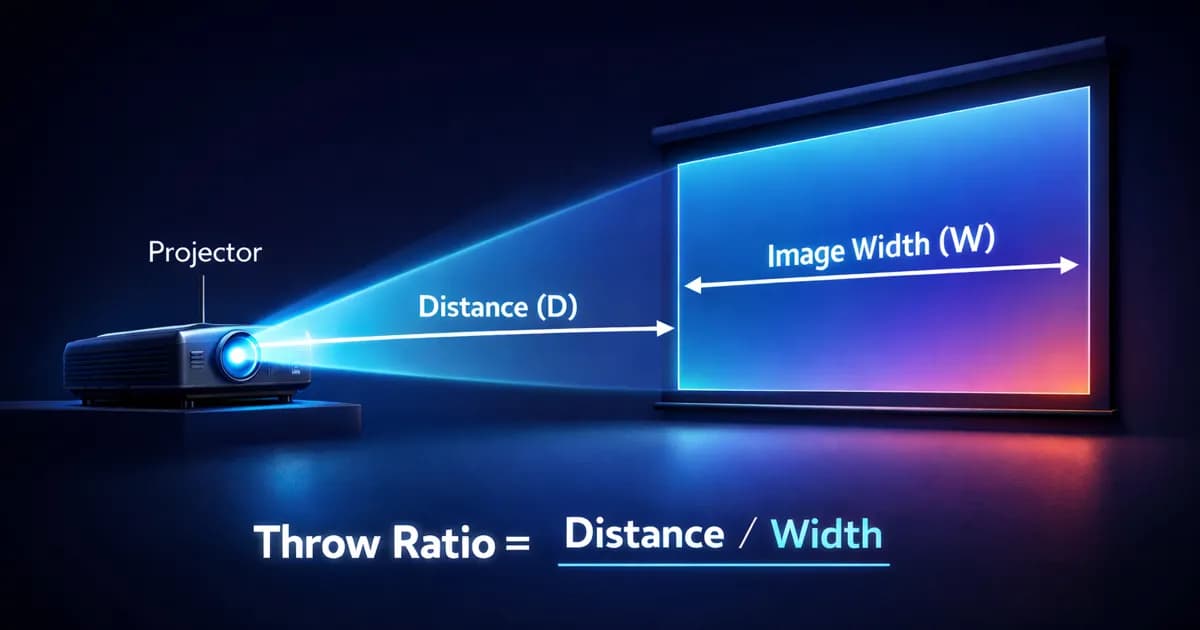
In short. The throw ratio is the distance between the projector and the surface divided by the width of the projected image. Formula: throw ratio equals distance divided by width. A throw ratio of 1.5 means you need 1.5 meters of pullback to project a 1-meter-wide image, so 7.5 meters of pullback for a 5-meter image. Lenses fall into categories: ultra-short throw (0.3 to 0.8, projection at very short distance), short throw (0.8 to 1.3), standard throw (1.3 to 2), long throw (2 to 4), super long throw (above 4, for projections at more than 50 meters of pullback). Once the target throw ratio is identified, verify that a compatible lens exists for the chosen projector model and that it covers the zoom range useful to the project.
Introduction
The throw ratio is the parameter that links projection distance to image size. It determines whether your projector can cover your surface from the available position, or whether you need to change the lens, move the projector, or completely rethink your plan.
It is also one of the most misunderstood parameters. Many professionals confuse throw ratio and focal length, or forget that the same projector can cover very different setups depending on the lens mounted.
In 15 years of installations, I have seen projects derailed because the ordered lens could not cover the surface from the available distance. This kind of mistake is discovered on site, the day before the event. And it is expensive.
This article explains throw ratio in simple terms, provides the calculation formula, and guides you through choosing the right lens for your project.
What is the throw ratio?
Definition
The throw ratio (TR) is the ratio between the projection distance and the width of the projected image.
Formula:
Throw ratio = Projection distance / Image width
A throw ratio of 1.5 means that at 1.5 meters away, you get an image 1 meter wide. At 15 meters, the image is 10 meters wide. The ratio is constant.
Practical examples:
- TR = 0.3: at 3 meters, the image is 10 meters wide (ultra short throw)
- TR = 1.0: at 10 meters, the image is 10 meters wide (short throw)
- TR = 1.5: at 15 meters, the image is 10 meters wide (standard)
- TR = 3.0: at 30 meters, the image is 10 meters wide (long throw)
The lower the throw ratio, the wider the lens angle and the larger the image at short distance. The higher it is, the more throw distance you need to achieve the same image size.
Throw ratio vs focal length
These two are often confused. Focal length (expressed in mm) is a physical characteristic of the lens. The throw ratio is the practical result: the distance/width ratio.
Two lenses with different focal lengths on two different projectors can produce the same throw ratio. For sizing purposes, what matters is the throw ratio, not the focal length.
Simple rule: Forget about focal length. Think in throw ratio. It is the only number you need to know whether your lens fits your setup.
Fixed throw ratio vs zoom
Fixed throw ratio lenses have a single ratio (e.g. TR = 1.5). Image size depends only on distance.
Zoom lenses have a throw ratio range (e.g. TR = 1.2 - 1.8). You can adjust image size without moving the projector. This is much more flexible on site.
My recommendation: Always go with zoom lenses when possible. On-site flexibility is well worth the extra cost. You never know if the planned position will be exactly the one you end up using on install day.
Lens categories
Ultra short throw (TR < 0.5)
The image is very large at very short distance. The projector is nearly touching the surface.
Use case: Immersive spaces, rear projection, narrow rooms, installations where throw distance is impossible.
Advantages:
- Works in constrained spaces
- Lower risk of shadows (people walking in front of the beam)
Disadvantages:
- Significant edge distortion (keystone effect)
- Any surface imperfection is amplified
- Often expensive
- Sensitive to positioning (a few millimeters of offset = major impact on the image)
Short throw (TR 0.5 - 1.0)
A good compromise for medium-sized rooms.
Use case: Event venues, indoor mapping, permanent installations in enclosed spaces.
Advantages:
- Reasonable throw distance
- Good coverage for medium spaces
- Moderate distortion
Disadvantages:
- Still sensitive to exact projector position
- Slightly reduced brightness compared to standard lenses (optical efficiency is slightly lower)
Standard (TR 1.0 - 2.0)
The most common and versatile range.
Use case: Events, medium facade mapping, conference rooms, the majority of installations.
Advantages:
- Best light uniformity
- Minimal distortion
- Widest selection of available lenses
- Optimal value for money
Disadvantages:
- Requires significant throw distance (10m of throw for a 10m wide image at TR 1.0)
Long throw (TR 2.0 - 5.0+)
For long projection distances.
Use case: Monumental mapping, long-distance projection, setups where the projector is very far from the surface.
Advantages:
- Enables projection at 50, 100, 200+ meters
- Very uniform image
- Concentrated beam (less lateral light loss)
Disadvantages:
- Smaller image relative to distance (more projectors needed to cover a large surface)
- Very sensitive to vibrations (a micro-movement of the projector = a large shift on the surface)
- Sensitive to atmospheric turbulence outdoors (shimmer effect)
Summary table
| Category | Throw ratio | Distance for 10m wide | Primary use |
|---|---|---|---|
| Ultra short throw | < 0.5 | < 5 m | Immersive, rear projection |
| Short throw | 0.5 - 1.0 | 5 - 10 m | Indoor, constrained space |
| Standard | 1.0 - 2.0 | 10 - 20 m | Events, medium facade |
| Long throw | 2.0 - 5.0+ | 20 - 50+ m | Monumental, long distance |
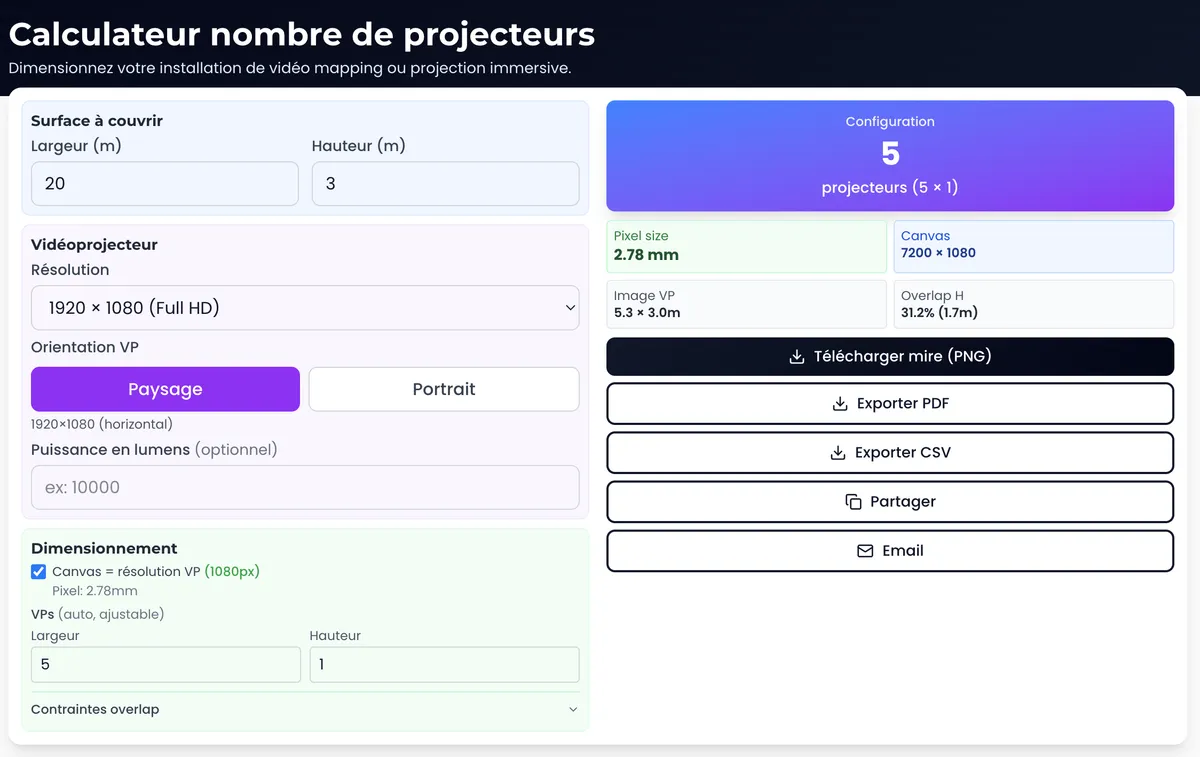
Calculate your setup: The projection calculator automatically determines the required throw ratio from your distance and surface width.
How to calculate the throw ratio you need
The 3-step method
Step 1: Measure the width of the projection surface
This is the horizontal dimension of the area you want to cover. In meters.
Step 2: Measure the available projection distance
This is the distance between the projector position and the surface. Be careful: measure the actual distance, not the "as the crow flies" distance. If the projector is elevated (on a truss or a tower), the oblique distance is what counts, not the horizontal distance at ground level.
Step 3: Divide
Required TR = Distance / Width
Example: You want to cover a 12-meter wide facade from a position 18 meters away. TR = 18 / 12 = 1.5
You need a lens whose throw ratio range includes 1.5. A 1.2-1.8 lens would be perfect.
Derived formulas
Finding the required distance:
Distance = TR x Width
"I have a TR 2.0 lens and I want an 8m wide image. I need 16m of throw distance."
Finding the resulting width:
Width = Distance / TR
"My projector is 20m from the surface with a TR 1.5 lens. My image will be 13.3m wide."
Easier option: The projection calculator performs these calculations automatically, plus lumens/lux conversion and pixel size.
Lens shift: a complementary parameter
The throw ratio determines image size. Lens shift allows you to offset the image vertically or horizontally without distortion.
Why it matters: In architectural mapping, the projector is rarely positioned directly in front of the center of the surface. It is often elevated, offset to the side, or angled upward. Without lens shift, the image would suffer from keystone distortion. Lens shift corrects this optically, with no quality loss.
Typical values:
- Vertical lens shift: +/- 50 to 120% (on pro models)
- Horizontal lens shift: +/- 10 to 35%
Watch the shift limits: The more shift you use, the more image quality degrades. At extreme values, you may see vignetting (darkening of the corners), loss of sharpness on the edges, and reduced light uniformity. Use shift sparingly: aim for the minimum needed, not the maximum available. If you need a lot of shift, it is usually a sign that the projector position needs rethinking.
Sensor resolution: an often overlooked parameter
The throw ratio determines image width. But the height depends on the projector's sensor (the "imager") resolution. Two projectors with the same throw ratio but different resolutions will not produce the same image.
The formula is straightforward:
Image height = Width x (vertical pixels / horizontal pixels)
In practice, for a 10-meter width:
| Resolution | Pixels | Ratio | Height for 10m wide |
|---|---|---|---|
| Full HD | 1920 x 1080 | 1.78:1 | 10 x 1080/1920 = 5.63 m |
| WUXGA | 1920 x 1200 | 1.60:1 | 10 x 1200/1920 = 6.25 m |
| DCI 2K | 2048 x 1080 | 1.90:1 | 10 x 1080/2048 = 5.27 m |
| 4K UHD | 3840 x 2160 | 1.78:1 | 10 x 2160/3840 = 5.63 m |
| DCI 4K | 4096 x 2160 | 1.90:1 | 10 x 2160/4096 = 5.27 m |
A DCI 4K (4096 x 2160) and a 4K UHD (3840 x 2160) do not share the same aspect ratio. For a 10-meter width, that is a 36 cm difference in height. On a building facade, that means a visible black band at the top or bottom of the projection.
Another common pitfall: a WUXGA (1920 x 1200) projects an image 62 cm taller than a Full HD (1920 x 1080) for the same width. If your surface is 10m wide by 8m tall, neither projector will cover it with a single unit. You will need to stack two rows of projectors.
Field rule: Before validating a lens, check three things: the throw ratio, the available lens shift, and the exact sensor resolution. All three together determine whether your image actually covers your surface.
Common mistakes
1. Forgetting the lens in the budget
This is the most frequent mistake. You choose a projector, validate the budget, and then discover that the appropriate lens costs a significant additional amount. Worse: the lens you need does not exist for that model.
Solution: Check the available lens range BEFORE choosing the projector. And always include the lens in the initial budget.
Related article: Which projector to choose for mapping? integrates lens selection into the decision criteria.
2. Confusing throw ratio and vertical coverage
The throw ratio applies to width. Image height depends on the sensor resolution. A WUXGA (1920 x 1200), a Full HD (1920 x 1080), and a DCI 4K (4096 x 2160) do not cover the same height for the same width. See the sensor resolution section above for formulas and the comparison table.
3. Forgetting about lens shift
You have the right throw ratio, but your projector is 3 meters above the center of the surface. Without sufficient lens shift, the image will be keystoned and software warping alone will not be enough to correct it.
4. Not planning for margin
You calculate a TR of 1.48 and pick a 1.2-1.5 lens. On paper, it works. On site, the projector is 50cm further back than planned (thickness of the support structure) and you are out of range.
Rule: Aim for the middle of the zoom range, not the limits. If your calculation gives TR 1.5, go with a 1.2-1.8 lens, not a 1.4-1.6.
5. Ignoring oblique distance
The projector is rarely perfectly perpendicular to the surface. Whether elevated, at an angle, or tilted downward, the actual (oblique) distance is greater than the horizontal distance. Use the oblique distance in your calculation, or your image will be smaller than expected.
FAQ
Can you change a projector's throw ratio?
Yes, if the projector accepts interchangeable lenses. Most professional projectors (Barco, Panasonic, Christie, Epson Pro) offer a range of 4 to 8 different lenses. Consumer projectors generally have a fixed lens, so the throw ratio cannot be changed.
What throw ratio for projecting in a living room or small venue?
For a room 4 to 8 meters deep with an image 3 to 5 meters wide, a throw ratio of 1.0 to 1.5 works well. If the depth is very limited (< 3m), you will need a short throw lens (TR < 0.8).
Does the throw ratio change with resolution?
No. The throw ratio is a property of the lens, not the sensor. The same lens mounted on a Full HD or 4K projector will produce the same throw ratio. What changes is the projected pixel size (smaller in 4K, for the same image size).
How do I find out my projector's throw ratio?
It is listed in the projector or lens spec sheet. Look for "throw ratio" or "projection ratio." If only the focal length is specified, divide the projection distance by the image width from the specs.
What is a "good" throw ratio?
There is no universally "good" value. The right throw ratio is the one that matches your distance and surface. A TR of 0.3 is perfect for an immersive space, and useless for monumental mapping. Context dictates the choice.
Should I use a zoom or fixed lens?
Zoom, unless budget is very tight. On-site flexibility almost always justifies the extra cost. Fixed lenses are reserved for cases where the budget is extremely constrained or the setup is perfectly known and stable.
Need help sizing your installation?
Choosing the right lens determines the entire chain: projector positions, number of projectors needed, surface coverage. Getting it wrong at this stage means rethinking the entire technical plan.
Let's talk about your project to validate your setup and choose the right lens.
Calculate it yourself with our free tools:
- Projection calculator: throw ratio, lumens, lux, pixel size
- Multi-projector calculator: optimal multi-projector configuration
- 3D Simulator Lumeo: visualize your installation in 3D
To go further: The complete guide to video mapping covers the entire process, from concept to show.

Video mapping consultant and trainer
Fifteen years of monumental and museum-grade installations: Arc de Triomphe (7 editions), Museum of Art and Light Kansas (108 projectors), Atelier des Lumières. Design, multi-projector calibration, audit, Modulo Kinetic training.
Need technical expertise?
Let's discuss your video projection or mapping project. Reply within 48h business hours.
Discuss your projectDid you enjoy this article?
Receive my upcoming tips, field experience and best practices straight to your inbox.
By subscribing, you agree to receive our emails. You can unsubscribe at any time.
1 email per week maximum, unsubscribe in 1 click