Sound, Light and Video Synchronization: Timecode and Techniques


Sound, Light and Video Synchronization: Timecode and Techniques
In short. Synchronization between video, sound, lighting and other show media relies on a timecode protocol shared by all equipment. SMPTE LTC (Linear Time Code, analog audio signal) is the industrial reference: robust, distributable via XLR, readable by all media servers and consoles. MTC (MIDI Time Code) is used on short MIDI chains. Modern protocols like OSC (Open Sound Control) and Art-Net extend synchronization to generative content and DMX lighting, while Genlock synchronizes video outputs frame-accurately between several servers. The golden rule: a single timecode master for the entire show (typically the sound console or a dedicated unit like Rosendahl), all other equipment slaved. A 100 ms drift between video and sound is enough to break the illusion, plan a full sync test in dress rehearsal, never on show day.
Introduction
A monumental mapping show is rarely video alone. It involves video, spatialized sound, architectural lighting, sometimes pyrotechnics, stage machinery, lasers. All of these media must trigger at the right moment, at the right frame, at the right millisecond.
When everything is synchronized, the audience perceives a fluid, immersive, powerful show. When it is not, they perceive a lag. And a 100-millisecond offset between sound and video is enough to break the illusion.
In 15 years of multimedia shows, from the Arc de Triomphe to Culturespaces immersive centers, I have learned one thing: synchronization cannot be improvised. It is a system that must be designed, tested, and secured. And it relies on one central tool: timecode.
This article explains why and how to synchronize the different media of a show, which protocols to use, and how to avoid the classic mistakes that derail a performance.
Why Synchronize?
The Problem with Independent Media
Imagine a show with 4 separate systems:
- A media server playing video on 12 projectors
- A lighting console controlling 80 LED fixtures
- A sound desk managing 24 spatialized audio channels
- A pyrotechnics system with 200 programmed cues
If each system runs independently with its own "play" button, drift is inevitable. The internal clocks of the machines drift relative to each other. After 5 minutes of show, you can have 200 ms of offset. After 30 minutes, several seconds.
Real-world consequences:
- The pyrotechnic explosion triggers 500 ms after the corresponding video flash
- The lighting mood change arrives late compared to the video transition
- The sound appears out of sync with the image
What Synchronization Provides
A synchronization system imposes a common clock on all equipment. Each machine knows at every moment where it is in the show, and can adjust its position in real time.
Result:
- Frame-accurate precision (1/25th or 1/30th of a second depending on the standard)
- All media advance together, even after hours of playback
- Ability to pause, rewind, or jump to a specific point
- Synchronized restart in case of a problem
When Synchronization Is Essential
| Situation | Required sync level |
|---|---|
| Video only, looping playback | None (the media server handles it) |
| Video + stereo audio on the same server | Internal (the server handles it) |
| Video + audio on separate machines | Timecode required |
| Video + programmed lighting | Timecode recommended |
| Video + audio + lighting + pyro | Timecode + backup required |
| Multi-server synchronized video | Genlock + timecode |
Simple rule: As soon as two or more machines need to play together, you need a synchronization system.
Timecode: The Fundamental Principle
What Is Timecode?
Timecode is a shared clock that indicates a precise temporal position within a show. It is expressed in hours, minutes, seconds, and frames:
Format: HH:MM:SS:FF
Example: 01:23:45:12 means 1 hour, 23 minutes, 45 seconds, frame 12.
The number of frames per second depends on the standard:
- 24 fps: cinema
- 25 fps: PAL broadcast / Europe
- 29.97 fps: NTSC broadcast / North America (drop-frame or non-drop)
- 30 fps: simplified for live performance
How It Works
A "master" device generates the timecode and distributes it to all other devices ("slaves"). Each slave continuously receives the master's temporal position and locks its playback to it.
The master sends: "We are at 00:05:23:15" Each slave: "OK, I lock to 00:05:23:15 on my timeline"
If a slave falls behind (network lag, CPU overload), it automatically catches up to the master's position on the next reception.
Precision and Frame Accuracy
A timecode at 25 fps provides a temporal resolution of 40 ms (1/25th of a second). In practice, this is sufficient for the vast majority of shows. The human eye does not perceive an offset below 40-50 ms between video and lighting.
For audio, the tolerance is tighter: an audio/video offset of more than 20 ms is perceptible. This is why audio and video should ideally be on the same machine or use an extremely low-latency synchronization protocol.
Synchronization Protocols
SMPTE / LTC (Linear Time Code)
Principle: The timecode is encoded as an analog audio signal, transmitted over a standard XLR cable (like a microphone cable).
Specifications:
| Parameter | Value |
|---|---|
| Physical medium | XLR / jack audio cable |
| Signal type | Analog audio |
| Max distance | 100 m (balanced XLR) |
| Latency | Near zero (< 1 ms) |
| Reliability | Excellent |
| Cost | Very low |
Advantages:
- Robust: works over any audio cable, mixing desk, audio splitter
- No network to configure
- Works even if the IP network is down
- Can be recorded onto an audio track (backup on USB stick, recorder)
- Broadcast standard since the 1970s, universally supported
Disadvantages:
- Analog signal: sensitive to electrical noise if cabling is poor
- Unidirectional (master sends, slaves receive, no feedback)
- Cannot carry additional metadata
Typical use: The reference standard for show synchronization. The majority of large-scale shows use LTC as their primary timecode. It is simple, reliable, and proven.
My advice: If you only remember one protocol, make it this one. LTC always works. Even when the network crashes, even when machines are from different manufacturers. It is the backbone of synchronization.
MTC (MIDI Time Code)
Principle: The timecode is transmitted via the MIDI protocol, digitally. It can travel over a classic MIDI DIN cable or via MIDI over USB / MIDI over IP.
Specifications:
| Parameter | Value |
|---|---|
| Physical medium | MIDI DIN 5-pin cable / USB / IP |
| Signal type | Digital (MIDI messages) |
| Max distance | 15 m (DIN), unlimited (IP) |
| Latency | 1-5 ms (DIN), variable (IP) |
| Reliability | Good (DIN), variable (IP) |
| Cost | Low |
Advantages:
- Digital: no signal degradation
- Can travel over IP network (rtpMIDI, MIDI over Ethernet)
- Compatible with all DAWs (Digital Audio Workstation) and most media servers
Disadvantages:
- Limited MIDI bandwidth (31.25 kbaud on DIN)
- Limited distance with DIN cable
- Less robust than LTC in live show environments (sensitive to transmission errors)
Typical use: Synchronization between DAW and media server when both are nearby (in the control room). Often used as a complement to LTC, not as the primary protocol.
ArtNet / sACN (DMX over IP)
Principle: These are not timecode protocols per se, but lighting control protocols over IP networks. They carry DMX values (0-255 per channel) and allow synchronizing lighting with other media.
ArtNet:
- Open proprietary protocol (Artistic Licence)
- UDP broadcast on the network
- Up to 32,768 DMX universes (each = 512 channels)
- Widely supported by all consoles and media servers
sACN (Streaming ACN / E1.31):
- ANSI/ESTA standard
- UDP multicast (more efficient than ArtNet broadcast)
- Better priority management between sources
- Preferred for permanent installations
In the synchronization workflow: The media server or lighting console receives the timecode (LTC or MTC) and generates the corresponding ArtNet/sACN commands to control LED fixtures, color changers, fog machines, etc.
Network specifications:
| Parameter | ArtNet | sACN |
|---|---|---|
| Transport | UDP broadcast | UDP multicast |
| Max universes | 32,768 | 63,999 |
| Priority | Not native | Yes (0-200) |
| Discovery | ArtPoll | Via multicast |
| Typical latency | 2-5 ms | 2-5 ms |
OSC (Open Sound Control)
Principle: A flexible network communication protocol designed for real-time control of musical instruments and multimedia systems. Transmits structured messages over UDP or TCP/IP.
Specifications:
| Parameter | Value |
|---|---|
| Physical medium | IP network (Ethernet / WiFi) |
| Signal type | Structured messages (address + arguments) |
| Max distance | Unlimited (network) |
| Latency | 1-10 ms (LAN), variable (WAN) |
| Reliability | Good (wired LAN) |
| Flexibility | Excellent |
Message format: /path/address [arguments]
Examples:
- /video/play 1 (play video 1)
- /light/scene 5 (load lighting scene 5)
- /pyro/fire 12 (trigger pyro cue 12)
- /timecode/position 0 5 23 15 (send timecode position)
Advantages:
- Extremely flexible: you define your own messages
- Bidirectional
- Can carry complex data (floats, strings, blobs)
- Supported by most modern media servers, TouchDesigner, Max/MSP, QLab, etc.
Disadvantages:
- No strict standard (each software defines its own addresses)
- Depends on the network: if the network goes down, so does OSC
- UDP = no delivery guarantee (a message can be lost)
Typical use: Inter-software communication, cue triggering, interactive control. Often used alongside LTC for high-level commands (start a scene, change mode, trigger an effect).
Protocol Comparison Table
| Criterion | LTC/SMPTE | MTC | ArtNet/sACN | OSC |
|---|---|---|---|---|
| Primary use | Master timecode | Timecode (studio) | Lighting control | General control |
| Medium | XLR audio | MIDI / IP | Ethernet | Ethernet |
| Latency | < 1 ms | 1-5 ms | 2-5 ms | 1-10 ms |
| Reliability | Excellent | Good | Good | Variable |
| Bidirectional | No | No | No | Yes |
| Complexity | Low | Low | Medium | Medium |
| Network required | No | No (DIN) | Yes | Yes |
Step-by-Step Synchronization Workflow
Step 1: Define the Master Clock
The master clock is the device that generates the reference timecode. All others lock to it.
Common options for the master:
- The video media server: the most frequent choice, as it is often the most demanding system in terms of timing
- The sound desk (DAW): common in shows where audio is the backbone
- A dedicated timecode generator: the most robust solution for large shows
- The lighting console: possible but rarely recommended
My advice: For mapping shows, the media server is often the best choice as master. It drives the most complex content (multi-projector video). Sound and lighting sync to it.
For very large shows (5+ slave systems), use a dedicated timecode generator. That is all it does, it does it well, and it will not crash because some software froze.
Step 2: Choose the Distribution
The master's timecode must reach all slaves. Several architectures are possible:
LTC distribution (the simplest and most reliable):
Master (LTC audio output) --> Audio splitter --> Slave 1 (media server) --> Slave 2 (lighting console) --> Slave 3 (sound desk) --> Slave 4 (pyrotechnics)
A simple active audio splitter (such as Radial or Behringer) is all you need. Minimal investment. Maximum reliability.
Network distribution (LTC + OSC):
For complex installations, LTC (for raw timecode) and OSC (for high-level commands) are often combined:
- LTC over XLR: basic temporal synchronization
- OSC over Ethernet: scene commands, triggers, feedback
Step 3: Configure the Slaves
Each slave must be configured to:
- Receive the timecode: LTC audio input or MTC/OSC reception
- Lock its timeline: the software must know which position on its timeline corresponds to which timecode
- Manage chase mode: "chase" (or "slave") mode follows playback continuously. In "trigger" mode, the timecode only triggers the start
- Handle errors: what does the slave do if it loses timecode? Continue at the last known position? Stop? Return to the beginning?
Typical configuration by slave type:
| Slave | TC input | Mode | Behavior on TC loss |
|---|---|---|---|
| Video media server | LTC audio in | Continuous chase | Continues on internal clock |
| Lighting console | LTC audio in | Continuous chase | Holds last scene |
| Sound desk (DAW) | LTC or MTC | Continuous chase | Continues on internal clock |
| Pyro system | LTC audio in | Trigger per cue | Blocks firing (safety) |
| Stage machinery | OSC / sACN | Trigger per cue | Holds position |
Step 4: Test the Complete Chain
Synchronization testing is critical. Recommended procedure:
- Unit test: verify that each slave correctly receives and interprets the timecode
- Drift test: run the full show and check alignment after 10 min, 30 min, 1 hour
- Recovery test: stop the master, restart it, verify all slaves resume correctly
- Jump test: jump to a specific point in the show, verify all slaves reposition
- Failure test: unplug an LTC cable, verify each slave's behavior
Tolerance thresholds:
- Video/lighting: < 40 ms (1 frame at 25 fps)
- Video/audio: < 20 ms (auditory perception threshold)
- Pyrotechnics: < 100 ms (visual persistence compensates)
Typical Architecture of a Synchronized Show
Monumental Mapping Show (example: 30-minute facade show)
Systems involved:
- 2 Modulo Player media servers (12 video outputs, 20 projectors)
- 1 GrandMA3 lighting console (80 LED fixtures)
- 1 Reaper/QLab sound desk (24-channel line array system)
- 1 Xena pyro system (200 cues)
- 1 laser system (4 units)
Synchronization architecture:
Dedicated TC generator (master) | |--> [LTC / XLR] --> 8-way audio splitter | |-> Media server 1 | |-> Media server 2 | |-> Lighting console (LTC in) | |-> Sound desk (LTC in) | |-> Pyro system (LTC in) | |-> Backup recorder (audio track) | |--> [Ethernet] --> Dedicated network switch |-> OSC: inter-system commands |-> ArtNet: lighting backup |-> Monitoring: real-time supervision
Key points:
- The dedicated TC generator is independent of all systems. If a server crashes, the timecode continues
- The audio splitter sends an identical LTC signal to each slave
- The backup recorder allows replaying the timecode in case the generator fails
- The Ethernet network is dedicated to the show (no DHCP, no internet, static IP addresses)
- Monitoring displays in real time whether all systems are locked
Permanent Immersive Installation (example: museum)
For a permanent installation such as Culturespaces, the architecture is simplified but redundancy is strengthened:
Systems:
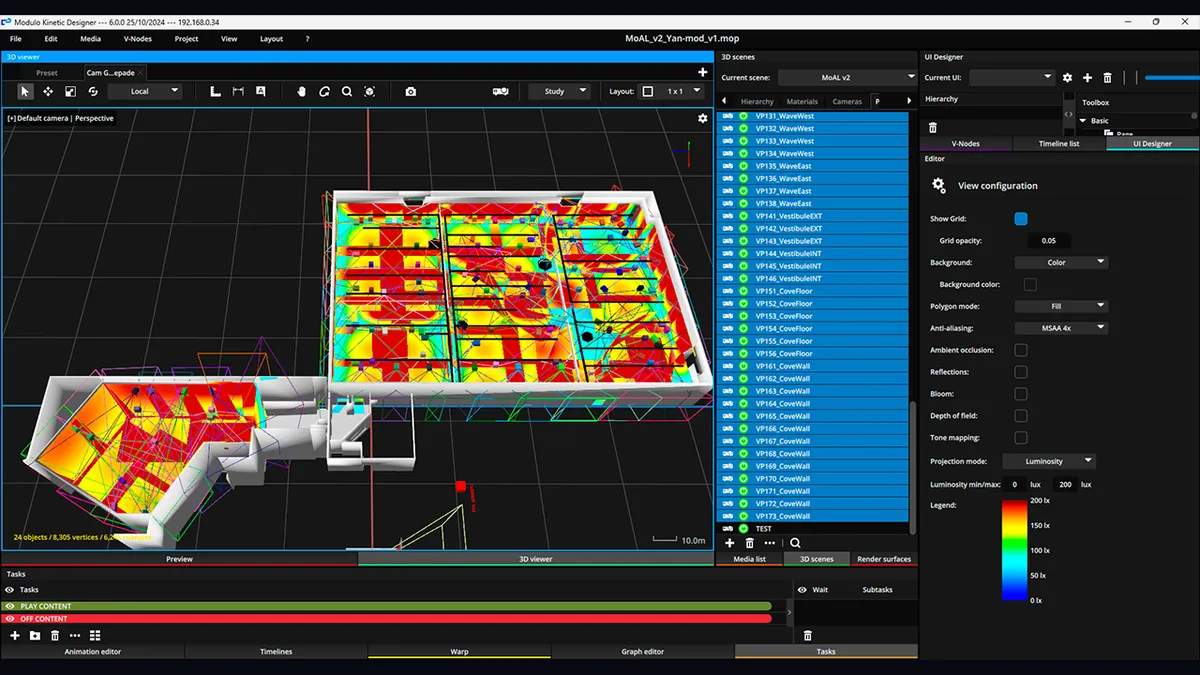
- 4 to 8 Modulo Kinetic media servers (30 to 108 projectors)
- Integrated spatialized audio (often managed by the same media server)
- Ambient lighting (ArtNet from the media server)
Synchronization: In this case, Modulo Kinetic handles everything internally. The servers are synchronized with each other over the network (software genlock + internal timecode). No external LTC is needed because everything runs within the same ecosystem.
This is a major advantage of integrated systems: less cabling, fewer failure points, centralized configuration.
Field Case: The Arc de Triomphe
The July 14th show on the Arc de Triomphe is an excellent example of complex multimedia synchronization.
What needs to be synchronized:
- Video: mapping on the facade (several dozen high-power projectors)
- Sound: audio system for the audience (line array)
- Pyrotechnics: cues coordinated with music and video
- Lighting: architectural lighting for ambiance
The challenge: The show lasts approximately 30 minutes, live, in front of hundreds of thousands of spectators and on TV broadcast. Zero room for error. Every pyro cue must land exactly on the corresponding musical beat. Every video transition must match the music.
The solution: A master LTC timecode, distributed to all systems via audio splitter. Each department (video, sound, lighting, pyro) is locked to the same clock. The show director has a monitoring screen displaying each system's real-time position, with alerts if an offset exceeds the threshold.
Precautions taken:
- Dual timecode generator (master + backup)
- Dual LTC cabling (path A and path B physically separated)
- Each system has a "free run" mode in case of total TC loss
- Full rehearsal the day before with simulated failure test
Field lesson: On a show of this scale, synchronization is not a technical detail. It is an infrastructure in its own right, with its own redundancy, its own monitoring, and its own recovery procedures.
Required Equipment
Timecode Generators
| Equipment | Cost level | Use |
|---|---|---|
| ESE ES-362 / ES-466 | Professional investment | Dedicated broadcast TC generator |
| Tentacle Sync E | Affordable | Small, portable, ideal for shoots + shows |
| MOTU MicroLite | Moderate | MIDI + LTC interface |
| Software built into the media server | Included | Modulo, Watchout, QLab |
My advice: For small shows (< 5 systems), the timecode generated by the media server is sufficient. For large shows, invest in a dedicated generator. It is a modest investment that can save a show whose budget is a hundred times greater.
Splitters and Distributors
| Equipment | Cost level | Use |
|---|---|---|
| Radial SW8 | Moderate | 8-way passive audio splitter |
| Behringer ADA8200 | Affordable | Active converter + splitter |
| Custom LTC distribution | Very affordable | Buffer + custom splitter |
Interfaces and Converters
| Need | Solution | Cost level |
|---|---|---|
| LTC to MTC | MIDI interface (MOTU, iConnectivity) | Moderate |
| LTC to OSC | Software (QLab, custom Node.js) | Free to low |
| Video genlock | Blackmagic Sync Generator | Low |
| ArtNet node | Enttec ODE | Moderate |
Cabling
- LTC: Balanced XLR audio cable, same quality as a microphone cable. Avoid extensions and dubious connectors
- Network: Dedicated managed switch, Cat6 minimum, no WiFi for critical data
- MIDI: DIN 5-pin cable, 15 m max. Beyond that, switch to MIDI over IP
Common Mistakes and How to Avoid Them
1. No Dedicated Master Clock
The problem: The media server acts as master, but it crashes. No more timecode, no more show.
The solution: For critical shows, use an independent timecode generator. If the server crashes, the TC continues, lighting and sound continue, and you have time to restart the server.
2. Undetected Drift
The problem: Systems gradually fall out of sync, but nobody notices during short rehearsals (5 minutes). On show day (30 minutes), the offset is visible.
The solution: Always test for the full duration of the show. And set up monitoring that displays the offset in real time.
3. Uncompensated Network Latency
The problem: The network adds 5-10 ms of latency on OSC commands. It does not seem like much, but it is perceptible between video and audio.
The solution: Use LTC (near-zero latency) for critical timecode, and reserve OSC for non-time-critical commands (scene changes, triggers).
4. No Timecode Backup
The problem: The timecode generator fails. No backup. The show stops.
The solution: Always record the LTC onto a backup audio recorder (a simple portable WAV recorder will do). If the generator fails, you switch to playing back the recorded LTC audio track.
5. Mixed Frame Rates
The problem: The media server is set to 25 fps, the lighting console to 30 fps. The timecode positions do not match.
The solution: Define the frame rate at the start of the project and make sure ALL systems use the same one. 25 fps is the standard in Europe for live performance.
6. Network Shared with Other Uses
The problem: The show network runs on the same switch as the public WiFi, security cameras, or office computers. A download saturates the network, and OSC/ArtNet commands arrive late.
The solution: Dedicated network for the show. Separate switch, dedicated VLAN, no internet access. Static IP addresses, no DHCP.
FAQ
What is the difference between LTC and MTC?
LTC (Linear Time Code) is an analog audio signal transmitted over XLR cable. MTC (MIDI Time Code) is a digital signal transmitted via MIDI. LTC is more robust and suited for long distances. MTC is more practical for short connections between a DAW and a media server. For live performance, LTC is the standard.
Can you synchronize without timecode?
For two simple systems (video + audio on the same machine), yes. For everything else, no. Systems without timecode inevitably drift relative to each other. There are proprietary "sync" solutions (Watchout network sync, Modulo internal genlock), but they only work within a single ecosystem.
Which frame rate should you choose?
In Europe, 25 fps is the standard for live performance and PAL broadcast. In North America, 29.97 fps (drop-frame) is the broadcast standard, but 30 fps is often used in live shows for simplicity. The important thing is that all systems use the same frame rate.
Is WiFi usable for OSC?
In the studio or for testing, yes. In show conditions, no. WiFi is too unstable and too sensitive to interference (audience smartphones, other networks). Always use wired Ethernet for critical communications.
How much does a synchronization system cost?
For a small show (LTC from the media server + splitter + cables), the investment is modest. For a large show (dedicated generator + distribution + monitoring + backup), the budget is more substantial but remains a fraction of the total show budget. It is the safety net of the entire production.
How do you verify that synchronization is working?
Use visual monitoring that displays each system's timecode position in real time. Some software (QLab, Modulo) includes this feature. Otherwise, a simple LTC display on each system allows you to visually compare positions.
Need Help Synchronizing Your Show?
Synchronization is the technical foundation of a successful multimedia show. Poorly designed, it turns a show into a technical nightmare. Well designed, it is invisible and reliable.
Let's talk about your project to discuss the synchronization architecture of your project.
Additional resources:
- Complete Video Mapping Guide: the full workflow from A to Z
- How to Choose Your Media Server: the heart of the playback system
- Free calculation tools: size your installation

Video mapping consultant and trainer
Fifteen years of monumental and museum-grade installations: Arc de Triomphe (7 editions), Museum of Art and Light Kansas (108 projectors), Atelier des Lumières. Design, multi-projector calibration, audit, Modulo Kinetic training.
Need technical expertise?
Let's discuss your video projection or mapping project. Reply within 48h business hours.
Discuss your projectDid you enjoy this article?
Receive my upcoming tips, field experience and best practices straight to your inbox.
By subscribing, you agree to receive our emails. You can unsubscribe at any time.
1 email per week maximum, unsubscribe in 1 click