LED Wall vs Projection: Technical Comparison and Budget


LED Wall vs Projection: Technical Comparison and Budget
In short. LED walls and projection often address the same needs but with opposite logic. The LED wall emits its own light (each pixel is a source), is insensitive to ambient light, reaches 1,000 to 5,000 nits luminance, requires no optical calibration but costs 1,500 to 4,000 EUR per square meter depending on pitch. Projection casts a light image on a reflective surface, depends on ambient light (effective mainly in dark environments), reaches 200 to 2,000 lux on the surface depending on projector and distance, typically costs 30 to 50 percent less in CAPEX for a large surface but requires precise calibration. LED wins on daytime brightness, lifespan (50,000 to 100,000 hours) and stability; projection wins on cost per square meter, format flexibility (facade, 3D object, sculpture) and immersive effect. Hybrid configurations combine both on a single project.
Introduction
You sometimes hear about "mapping on LED walls." This is a misnomer. Video mapping means video projection onto surfaces: facades, objects, sets. It is the projected light that creates the image. An LED wall, on the other hand, is a screen: each pixel emits its own light. These are two fundamentally different technologies.
That does not mean they cannot be compared. On the contrary: projection and LED often address the same needs (large-format display, event scenography, immersive installations) but with radically different approaches, constraints, and budgets.
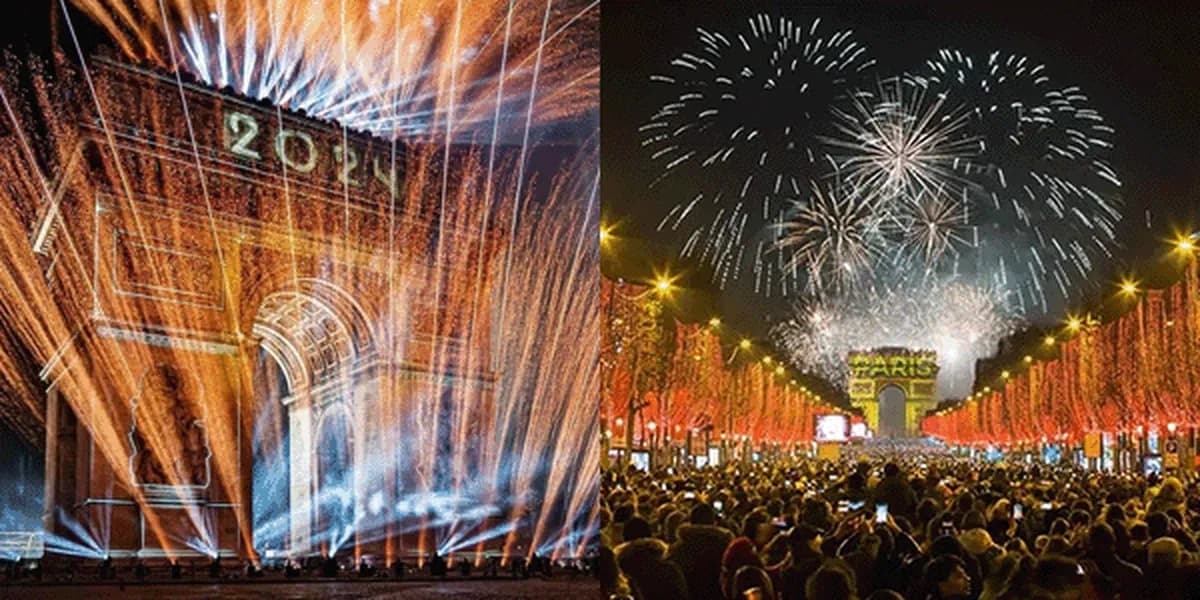
Over 15 years of projects, I have worked on purely projection-based installations (Arc de Triomphe, Culturespaces), on LED projects, and on hybrid setups combining both. Each technology has its strengths, weaknesses, and ideal domain.
This article compares both approaches, details the technical challenges of LED walls, and helps you choose the right technology for your project.
Traditional Projection vs LED Wall: The Fundamental Differences
The Physical Principle
Projection: a projector sends light onto a surface. The image is visible because the surface reflects that light toward the viewer. It is a reflective system.
LED wall: each pixel is an independent light source (a single LED or a group of LEDs). The image is emitted directly. It is an emissive system.
This fundamental difference has major consequences on everything else.
Technical Comparison
| Criterion | Projection | LED wall |
|---|---|---|
| Principle | Reflective | Emissive |
| Typical brightness | 2,000 - 40,000 lumens/projector | 800 - 10,000 nits |
| Contrast | 2,000:1 to 20,000:1 | 5,000:1 to 100,000:1 |
| Daylight visibility | Very difficult | Excellent |
| Resolution | Depends on projector + distance | Depends on pitch |
| Size | Unlimited (multi-projector) | Limited by budget |
| Installation | Remote projectors | Panels on structure |
| Projection surface | Required | The wall IS the surface |
| Maintenance | Lamps / filters | Replacement tiles |
| Footprint | Small (remote projector) | Large (panels + structure) |
| Weight | Light (projector only) | Heavy (panels + cabling) |
Brightness and Contrast
This is LED's most obvious advantage. A 5,000-nit LED wall is readable in full sunlight. A 30,000-lumen projector is invisible in daylight on a large surface.
In dark interiors: projection delivers excellent results. Perceived contrast depends as much on room darkness as on the technology. This is why immersive centers (Culturespaces, teamLab) predominantly use projection.
Outdoors during the day: LED is unbeatable. No projector can compete with the direct brightness of an LED wall in full sunlight.
Outdoors at night: both technologies work. Projection has the advantage of covering very large surfaces at lower cost. LED has the advantage of contrast and reliability (no dependence on a clean projection surface).
Resolution
In projection, resolution depends on the projector (Full HD, WUXGA, 4K, etc.) and the image size. The larger the image, the bigger the projected pixel.
In LED, resolution depends on the pitch: the distance in millimeters between the centers of two adjacent pixels.
| Pitch | Pixels per m2 | Typical use |
|---|---|---|
| P1.2 | 694,444 | TV studio, high-end showroom |
| P2.6 | 147,929 | Indoor events, retail |
| P3.9 | 65,746 | Concert, stage, events |
| P5.9 | 28,724 | Close outdoor |
| P10 | 10,000 | Long-distance outdoor signage |
Viewing rule: The minimum comfortable viewing distance is approximately the pitch multiplied by 1,000. A P2.6 is readable from 2.6 meters onward. A P10 requires at least 10 meters of viewing distance.
For the same 10 m x 5 m surface, a P2.6 LED wall offers 3,846 x 1,923 pixels (7.4 million pixels). A single 4K projector on the same surface offers 3,840 x 2,160 pixels (8.3 million pixels), but with a single device and at a far lower cost than the LED wall.
When LED Walls Get Complex
Non-Rectangular Structures
As soon as the LED wall is not a simple flat rectangle, the content must be adapted to the shape:
- Curved walls: concert sets, circular scenography
- LED columns: totems, clad pillars
- 3D structures: cubes, pyramids, organic shapes
- Complex assemblies: multiple screens at different angles
In all these cases, the content cannot be a simple rectangular video file. It must be warped, cut, and adapted to the wall's exact geometry via the media server and video processor.
Creative Scenography
LED walls are no longer confined to flat screens behind a stage. Set designers integrate them as architectural elements: LED floor, LED ceiling, side walls, suspended shapes. This creativity demands a more complex content adaptation workflow than simple video playout.
Daylight Visibility
For outdoor daytime events (festivals, inaugurations, trade shows), LED is the only viable option. It enables impressive visual effects even under the sun, where video projection is invisible.
Real-Time Pixel Mapping
In concerts and live events, LED walls are often driven via pixel mapping: each pixel is individually controlled from a media server or VJ software. Note that "pixel mapping" here refers to pixel-by-pixel control of an LED screen, not video mapping in the projection sense.
Technical Challenges of LED Walls
Pitch and Viewing Distance
Pitch determines pixel density. A pitch that is too large for the viewing distance makes individual pixels visible ("screen door effect"). A pitch that is too small for the distance is a waste of budget.
Common mistake: Ordering P1.9 for a concert with an audience 20 meters away. P3.9 would have been sufficient, at one-third the cost.
Sizing rule: Start with the minimum viewing distance, divide by 1,000, and you get the maximum acceptable pitch. Add a 20% margin for content with text or fine details.
Moire
Moire is a visual artifact that appears when filming an LED wall: interference patterns between the LED pixel grid and the camera sensor's pixel grid.
Real-world problem: Your LED wall looks stunning in person, but it looks terrible on the video stream or in photos.
Solutions:
- Adjust the pitch relative to the camera distance
- Use an anti-moire filter on the camera lens
- Increase the wall's refresh rate (3,840 Hz minimum for broadcast)
- Adjust the camera's shutter speed to avoid banding (horizontal black lines)
Color Calibration
Each LED tile leaves the factory with slightly different colorimetric characteristics. Without calibration, you can see hue differences between tiles, especially on whites and light grays.
Parameters to calibrate:
- Gamut: the color space (often wider than sRGB, sometimes oversaturated)
- Gamma curve: the relationship between digital value and perceived brightness
- White balance: identical white point across all tiles
- Uniformity: equal brightness across the entire surface
Video processors used:
- Brompton Tessera (high-end, broadcast reference)
- Novastar (good value for money, dominant in Asia and events)
- Colorlight (entry-level, trade shows and retail)
Seams Between Tiles
An LED wall is an assembly of dozens or hundreds of tiles. At each seam, there is a risk of mechanical misalignment (slightly displaced pixel) or luminance discontinuity (edge LEDs brighter or dimmer than the rest).
Solutions:
- Magnetic assembly tiles (mechanical precision < 0.1 mm)
- Tile-by-tile calibration (at the factory and on site)
- Software masking of problematic edge pixels
Refresh Rate
The LED wall's refresh rate (in Hz) determines image smoothness and camera compatibility.
| Refresh rate | Usage |
|---|---|
| 960 Hz | Minimum acceptable (banding visible on video) |
| 1,920 Hz | Standard for events |
| 3,840 Hz | Recommended for broadcast / TV |
| 7,680 Hz | High-end (slow motion compatible) |
Key point: An insufficient refresh rate may not be visible to the naked eye, but it is disastrous on video. If your event is being filmed, require 3,840 Hz minimum.
LED-Specific Workflow
Resolution in Actual Pixels
Unlike projection (where resolution depends on the projector), an LED wall's resolution is fixed and determined by its size and pitch.
Calculation:
- Width in pixels = wall width (m) / pitch (m)
- Height in pixels = wall height (m) / pitch (m)
Example: 8 m x 4 m wall in P2.6
- Width = 8 / 0.0026 = 3,077 pixels
- Height = 4 / 0.0026 = 1,538 pixels
- Total resolution: 3,077 x 1,538
Consequence: Content must be produced at exactly this resolution. No upscaling, no downscaling. Each content pixel corresponds to a physical pixel on the wall. This is both a constraint (non-standard resolutions) and an advantage (no quality loss).
No Overlap
In multi-projector projection, overlap zones between projectors are planned for blending. With LED, there is no overlap. Each pixel is unique. Content is cut pixel-perfect for each processor / each output.
Video Processing
The video signal does not go directly from the media server to the LED wall. It passes through a video processor (Novastar, Brompton) that:
- Receives video signals (HDMI, DisplayPort, SDI)
- Cuts and distributes the signal to the various tiles
- Applies color calibration
- Manages refresh rate and scan
- Corrects geometry if necessary
Typical architecture:
Media server --> [HDMI/DP] --> Video processor (Novastar/Brompton) --> [Ethernet] --> Tile 1 --> [Ethernet] --> Tile 2 --> [Ethernet] --> ... --> [Ethernet] --> Tile N
Budget Comparison: LED vs Projection
Initial Investment
For an identical surface (for example 10 m x 5 m, or 50 m2), an LED wall costs significantly more than projection at purchase. Here is how the cost items break down.
| Item | Projection | LED wall |
|---|---|---|
| Display | Moderate: 2 high-brightness projectors | High: the per-m2 price of LED tiles is the primary cost, heavily dependent on pitch |
| Optics / Processor | Low: interchangeable lenses | High: dedicated video processor (Brompton, Novastar) |
| Media server | Equivalent | Equivalent |
| Structure / rigging | Low: projectors are lightweight | High: LED tiles are heavy, the supporting structure must be sized accordingly |
| Cabling | Low | Moderate: power and data for each tile |
As an order of magnitude, for 50 m2, an LED wall costs 2 to 4 times more than projection in initial investment. The gap widens with fine pitches (P1.9, P1.2) and narrows with wider pitches (P3.9, P5.9).
Annual Operating Costs
| Item | Projection | LED wall |
|---|---|---|
| Source replacement | Recurring cost: discharge lamps are replaced regularly | Near zero: LEDs are rated for 100,000 hours |
| Electricity | Moderate: projector power consumption | Higher: a 50 m2 LED wall consumes significantly more |
| Maintenance | Moderate: filters, lamps, optical cleaning | Moderate to high: calibration, replacement of defective tiles |
In operation, annual costs are comparable. LED eliminates lamp replacement but consumes more electricity. Laser projection (without discharge lamps) significantly reduces maintenance costs and brings the two technologies even closer.
Total Cost of Ownership (TCO)
Over 5 years, projection remains significantly less expensive in TCO for an equivalent surface. The initial investment gap is too large to be recovered by LED's maintenance savings.
That said, the calculation depends on many factors:
- The chosen pitch: P3.9 or P5.9 LED costs far less than P2.6 or P1.9
- Projection technology: a laser projector eliminates the "lamp replacement" line item
- Operating duration: the longer the installation runs, the more LED amortizes its investment
- Usage conditions: for outdoor daytime use, LED is the only viable option, making the budget comparison secondary
- Acquisition model: purchase, lease, rental. In events, per-m2/day LED rental completely changes the equation
Every project is a unique case. The orders of magnitude above indicate a trend, not a quote.
When to Choose LED vs Projection
Choose projection when:
- Limited budget for a large surface
- Controlled dark interior (museum, immersive room, nighttime event)
- Existing architectural surfaces (facade, monument, set)
- 3D mapping on complex volumes (objects, sculptures, architecture)
- Very large surface (> 100 m2) without daylight brightness constraints
- Temporary installation (projector rental vs LED purchase)
Choose LED when:
- Daylight visibility is essential
- High contrast required (perfect black)
- No projection surface available (no wall, no screen)
- 24/7 reliability without frequent maintenance
- Broadcast / camera: LED renders better on video
- Integrated scenography (the wall IS the set)
Choose hybrid when:
- Complex show with varied needs (LED stage + facade projection mapping)
- Day-to-night transition within the same event
- Immersive + focal: immersive projection on walls + high-resolution central LED screen
FAQ
Can an LED wall completely replace projection?
No. Projection remains unbeatable for very large surfaces at a reasonable cost, for mapping onto existing architecture, and for controlled dark environments. LED is a complement, not a universal replacement.
What is the lifespan of an LED wall?
LEDs are rated for 100,000 hours (approximately 11 years running 24/7). In practice, brightness degrades gradually. After 50,000 hours, expect 70-80% of initial brightness. Tiles are individually replaceable.
Is an LED wall simpler to set up than projection?
Not necessarily. LED simplifies certain aspects (no geometric calibration, no blending) but complicates others (color calibration, non-standard resolutions, video processing, weight and structure).
Can you rent an LED wall for an event?
Yes. It is actually the most common approach in events. Providers rent the complete wall (tiles + processor + structure + technician). Rental costs vary widely depending on pitch, tile quality, and event duration. The finer the pitch, the higher the per-m2/day rate.
How do you manage content for non-rectangular LED shapes?
The media server (Modulo, Resolume, Disguise) lets you map content onto the wall's exact geometry. You create a virtual canvas that reproduces the wall's physical shape, then place content on it. The video processor then distributes the correct pixels to the correct tiles.
Need Support for Your Project?
Projection, LED, or hybrid: the right choice depends on your context. Audience distance, ambient light, budget, duration, maintenance. Every parameter influences the decision.
Let's talk about your project to analyze your project and choose the right technology.
Additional resources:
- Complete Video Mapping Guide: understand everything about projection
- Event vs. Permanent Mapping: which model for your project
- Free calculation tools: size your projection installation

Video mapping consultant and trainer
Fifteen years of monumental and museum-grade installations: Arc de Triomphe (7 editions), Museum of Art and Light Kansas (108 projectors), Atelier des Lumières. Design, multi-projector calibration, audit, Modulo Kinetic training.
Need technical expertise?
Let's discuss your video projection or mapping project. Reply within 48h business hours.
Discuss your projectDid you enjoy this article?
Receive my upcoming tips, field experience and best practices straight to your inbox.
By subscribing, you agree to receive our emails. You can unsubscribe at any time.
1 email per week maximum, unsubscribe in 1 click