Facade Projection Budget: Benchmarks by Building Size


Facade Projection Budget: Pricing by Building Size
In short. The budget of a facade projection mainly depends on the size of the building and the duration of the show. Small facade (5 to 10 m wide, shop, village town hall): 8,000 to 25,000 EUR for a one-off show, 2 to 4 projectors, rental and content included. Medium facade (10 to 25 m, mansion, urban facade): 25,000 to 80,000 EUR, 4 to 8 projectors, custom content, installation crew over 2 to 3 days. Large facade (25 to 50 m, historic monument, town hall): 80,000 to 250,000 EUR, 8 to 16 projectors, premium creative content, scenic structure, safety crew. Monumental mapping (above 50 m, like the Arc de Triomphe): 300,000 to over a million euros, 20+ projectors, deep survey, specific permits. On top of these budgets are the outdoor-specifics: rain protection, electrical supply, light pollution management, administrative permits, reinforced insurance.
Introduction
"How much does a facade projection cost?" That is the question I get asked the most. And the honest answer is: it depends. But "it depends" does not help anyone build a budget.
After 15 years of projects, from small event facades to monumental projections on the Arc de Triomphe, I have accumulated enough experience to provide concrete benchmarks.
This article details the cost items by facade size, along with the outdoor-specific factors that impact pricing. The goal: to help a producer, a technical director or a decision-maker understand how a budget is structured and anticipate the right order of magnitude from the pre-sales phase.
Budget Benchmarks by Facade Size
Small facade: 5 to 10 m wide
This is the entry-level format for architectural mapping. A shop front, a small town hall, a building entrance, a festival stage.
The main cost items are the rental of 1 to 2 projectors (10,000 to 15,000 lumens), a media server (or personal software), cabling, a lightweight support structure, content creation and technical crew. Cabling and the structure are the lowest-cost items, while content creation and projector rental together account for the majority of the budget.
This is the most accessible format. The overall budget remains modest, with a ratio of 1 to 3 between a minimalist project and a polished one.
Characteristics:
- 1 to 2 projectors are enough
- Little to no blending required
- Relatively simple content (1 to 3 minutes)
- Setup in half a day
- Generator rarely needed (mains power available)
Medium facade: 10 to 20 m wide
The most common format for professional events. A public building, a church, a shopping centre facade, a medium-sized castle.
The budget is typically 3 to 4 times that of a small facade. The cost items multiply: 3 to 6 projectors (15,000 to 20,000 lumens) with appropriate lenses, a dedicated media server, signal cabling and distribution, a more substantial rigging structure, custom content, a larger technical crew and logistics (transport, accommodation).
Content and projection equipment are the two largest items, each representing roughly one third of the budget.
Characteristics:
- Multi-projection with edge blending
- On-site calibration required (warping + blending)
- Custom content tailored to the architecture (5 to 10 minutes)
- Setup over 1 to 2 days
- Sound system often included
Large facade: 20 to 50 m wide
Large public buildings, cathedrals, major castles, festival facades.
This is a step up in complexity and budget, typically 3 to 4 times that of a medium facade. All cost items increase: 6 to 15 projectors (20,000 to 30,000 lumens) with high-performance lenses, a server cluster or a powerful single server, signal cabling and fibre optics, scaffolding, full content production, a technical crew of 3 to 6 people, a generator, sound system, full logistics, and permits and insurance.
Structure and infrastructure (scaffolding, power) become significant cost items that barely existed on smaller projects.
Characteristics:
- Complex multi-projection (2 to 3 rows of projectors)
- Multi-zone edge blending
- 3D survey of the facade (scan or photogrammetry)
- High-quality content with architectural effects (10 to 20 minutes)
- Setup over 2 to 4 days
- Technical crew of 3 to 6 people
- Generator required in most cases
Monumental facade: 50 m+ wide
National monuments, great cathedrals, stadiums, prestige projects. This is the league of the Arc de Triomphe.
This is an entirely different scale. The budget can easily represent 3 to 5 times that of a large facade, or even more for the most ambitious projects. Cost items are numerous: 15 to 30+ projectors (30,000 to 40,000 lumens) with long-throw lenses, a multi-machine cluster, fibre optic signal infrastructure, heavy-duty towers and scaffolding, cinema-quality content production, a technical crew of 8 to 15+ people, generators, sound and lighting, heavy logistics, security and permits, and a dedicated technical director.
Content and technical direction/coordination become major cost items. The share of content in the budget increases compared to smaller categories, as the artistic production is more ambitious.
Characteristics:
- High-power projector fleet (30,000 lumens and above)
- Heavy projection infrastructure (towers, containers, technical tents)
- High-precision 3D survey
- Cinema-quality content with artistic direction
- Setup over 3 to 7 days (or more)
- Technical crew of 8 to 15+ people
- Coordination with authorities (prefecture, heritage agencies, historic monuments)
- Public safety, barriers, signage
Sample Budget Breakdown
To illustrate the structure of a budget concretely, let us take the example of a typical outsourced event production project: a projection on a 20 m wide by 10 m tall facade, a typical public building, for a 2-evening event. Equipment is rented from a specialized provider and the technical crew is outsourced.
Projection equipment (approximately 40% of the budget)
This is the heaviest cost item. It includes the rental of 4 projectors such as the Barco UDX-4K32 (31,000 lumens) over 5 days, 4 appropriate lenses (here 1.2-1.8:1), a Modulo Kinetic media server, fibre optic cables and signal distribution with converters. The projectors alone represent the largest share of this item, while accessories (lenses, cabling, distribution) are proportionally much lighter.
Structure and infrastructure (approximately 15% of the budget)
This item covers 2 scaffolding towers at 6 m (rental and assembly), rain protection tarps, a 100 kVA generator over 5 days and power cabling. The generator and the towers are the two dominant lines, the rest being secondary costs.
Content and creation (approximately 25% of the budget)
The 3D survey of the facade by photogrammetry, the creation of 8 minutes of motion design and compositing content, and the sound design. Content creation is by far the largest line in this item, with the 3D survey and sound design together representing less than a quarter of the sub-total.
Labour and logistics (approximately 20% of the budget)
A technical director over 5 days (preparation, setup, operation), 2 projection technicians over 3 days (setup, calibration, operation), round-trip equipment transport and crew accommodation (3 nights). Technical crew days (TD + technicians) represent three quarters of this item.
Typical breakdown
| Cost item | Share of budget |
|---|---|
| Projection equipment | ~40% |
| Structure and infrastructure | ~15% |
| Content and creation | ~25% |
| Labour and logistics | ~20% |
Key observation: Projection equipment represents approximately 40% of the budget. Content accounts for 25%. This is a typical breakdown for a medium facade using an outsourced event production model. On very large projects, the content share increases (up to 30-40%), as the artistic production is more ambitious.
These proportions vary depending on the project owner's profile. An independent technician or mapper working with their own equipment (10,000 to 15,000 lumen projectors, software like MadMapper or Resolume on a laptop) and handling setup themselves will have a very different cost structure: equipment can drop to 15-20% of the budget, leaving a much larger share for content creation (40-50%). Similarly, a community or cultural project funded with public money will often rely on shared or in-house equipment, which significantly reduces the technical line items. The example above is a reference case, not a universal rule.
Rental vs Purchase for Facades
This question comes up systematically, especially for recurring events.
When to rent
- One-off or annual event: Rental is almost always more cost-effective
- Fewer than 30 days of use per year: The annual rental cost is lower than the TCO of an owned fleet
- No storage available: Facade projectors are heavy (20 to 50 kg each) and bulky
- Need for technical flexibility: Every facade has different requirements (power, lens). Rental lets you match equipment to the project
When to buy
- More than 60 days of use per year: The tipping point is generally between 40 and 60 days
- Recurring events at the same venue: Summer son et lumiere, annual Christmas show
- Cultural venue with regular programming: Museum, heritage site, performance space
The reasoning
For a 30,000-lumen projector, the purchase price is equivalent to roughly 50 days of rental (excluding lenses). But this raw calculation is misleading: when you factor in annual maintenance, storage and obsolescence (replacement after 5-7 years), the real break-even point is closer to 60-70 days of use per year.
Outdoor Specifics: The Extra Costs
Projecting outdoors is not the same as projecting indoors with the windows open. The specific constraints generate significant additional costs. The article outdoor mapping: weather constraints and solutions covers these points in depth.
Higher lumen requirements
Outdoors, even at night, light pollution is stronger than in a blacked-out room. You need more lumens to achieve the same contrast level.
Budget impact: +20 to 50% on the projector cost compared to an equivalent indoor project.
Weather protection
Projectors must be protected from rain, humidity and wind. This requires protective housings (IP66 minimum) or technical tents/tarps.
Budget impact: A significant additional cost that increases with the size of the installation and the number of projectors to protect.
Power supply
Outdoors, the electrical grid is rarely available nearby or with sufficient capacity. A generator is almost always required.
Budget impact: A cost item that can become substantial depending on the power required and the duration of the event, especially on large installations.
Reinforced logistics
Heavier equipment transport (housings, generators), more robust support structures (wind resistance), longer cable runs, larger crew for setup.
Budget impact: +20 to 40% on logistics and labour costs.
Summary of outdoor extra costs
| Cost item | Outdoor surcharge vs indoor |
|---|---|
| Projectors (higher power) | +20 to 50% |
| Weather protection | Significant additional item |
| Power supply | Significant additional item |
| Structure (wind resistance) | +30 to 50% |
| Logistics and labour | +20 to 40% |
| Average total surcharge | +30 to 60% vs indoor |
Factors That Affect the Price
Number of shows
Paradoxically, the cost per evening drops sharply with the number of shows. The bulk of the budget (setup, calibration, outbound logistics) is fixed. Equipment rental is the main variable cost.
| Number of evenings | Marginal cost per additional evening |
|---|---|
| 1 evening | Reference (total cost) |
| 2 evenings | +15 to 20% of total |
| 5 evenings | +5 to 10% per evening |
| 10 evenings | +3 to 5% per evening |
Tip: If you are choosing between 2 and 4 evenings, add the extra 2. The additional cost is marginal and the impact in terms of audience reach is significant.
Content complexity
Content is the most variable cost item. A simple animation (textures, colours, geometric effects) is 5 to 10 times cheaper than a cinematic production (photorealistic 3D, storytelling, special effects).
| Content level | Relative cost |
|---|---|
| Basic (simple motion design, 3-5 min) | Reference (x1) |
| Intermediate (elaborate motion design, 5-8 min) | x2 to x3 |
| Premium (3D, compositing, 8-15 min) | x5 to x7 |
| Cinematic (VFX, storytelling, 15+ min) | x10 and above |
Projection distance
The greater the distance, the taller and more expensive the support structure.
Rule of thumb: With the same lens, every time you double the projection distance, the image doubles in width and height: the surface area quadruples, so the lux are divided by four (inverse square law). Go from 20 m to 40 m distance with the same lens and you will need 4 times more lumens for the same result.
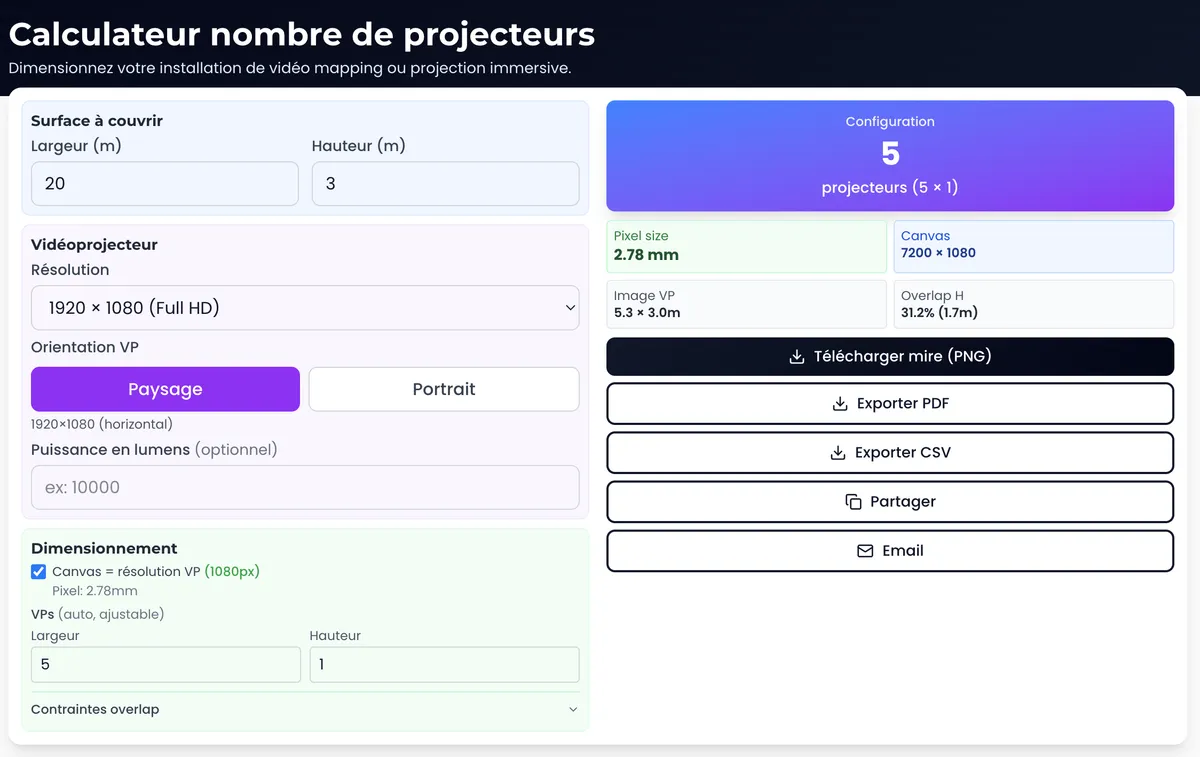
The projection calculator performs this lux calculation precisely. The multi-projector calculator optimises the number of projectors based on the surface area.
Optimising the Facade Budget
Adjust the covered area
You do not always project on the entire facade. Concentrating the projection on the most impactful area (the central zone, the notable architectural features) reduces the number of projectors and therefore the budget.
Example: On a 40 m wide facade, projecting on the central 25 m (leaving the wings in darkness) can cut the projector budget in half, often with an equally strong visual impact.
Choose the right projectors
Do not over-spec. A precise lux calculation avoids renting 30,000-lumen projectors when 20,000 will do. The rental price difference is significant.
Reuse content
If you project on the same building every year (Christmas son et lumiere, recurring festival), investing in quality content the first year and reusing it in subsequent years brings down the cost per show.
Take advantage of off-peak periods
Projector rental companies have off-peak periods (January-March, summer outside festivals). Scheduling your event during off-peak periods can reduce rental rates by 15 to 30%.
FAQ
What is the minimum budget to project on a facade?
For a small facade (50-80 m2) with 1 to 2 projectors and simple content, the budget remains modest, but there is a threshold below which quality compromises are too significant for a professional result. Contact a provider for a quote tailored to your configuration.
Does 3D mapping on a facade cost more than "flat" projection?
Yes, mainly because of the content. The 3D survey of the facade and the creation of content adapted to architectural volumes (30 to 50% more expensive than flat motion design) increase the budget. The projection side itself is similar.
Can you project on a dark stone or red brick facade?
Yes, but a dark surface absorbs more light. Plan for 30 to 50% more lumens compared to a light-coloured facade. On red brick, cool colours (blues, greens) will be altered. Plan for colour correction in the content.
Do you need a permit to project on a building?
Yes, in most cases. If the building is a listed historic monument: heritage authority approval. If the projection is visible from the public road: municipal approval. If the event is open to the public: prefectural approval. Allow 1 to 3 months for the process.
Can wind prevent a facade projection?
Wind does not directly affect the projection, but it can cause the projector support structures to vibrate. Above 50-60 km/h, image stability becomes problematic on lightweight structures. Plan for weighted or guyed structures.
How long does it take to prepare a facade mapping?
From 3 weeks (small facade, simple content) to 4-6 months (monumental facade, cinematic content). Content creation is the longest item. The article mapping preparation workflow details the typical timeline.
Need a quote for your facade project?
Every facade is unique, every context is different. The benchmarks in this article provide a framework, but an accurate quote requires a study of your specific configuration.
Let's talk about your project toget a tailored estimate.
Size your installation with our free tools:
- Projection calculator: throw ratio, lumens, lux, pixel size
- Multi-projector calculator: optimal multi-projector configuration
- 3D Simulator Lumeo: visualise your installation in 3D
To go further: Complete guide to video mapping to understand the entire process from A to Z.

Video mapping consultant and trainer
Fifteen years of monumental and museum-grade installations: Arc de Triomphe (7 editions), Museum of Art and Light Kansas (108 projectors), Atelier des Lumières. Design, multi-projector calibration, audit, Modulo Kinetic training.
Need technical expertise?
Let's discuss your video projection or mapping project. Reply within 48h business hours.
Discuss your projectDid you enjoy this article?
Receive my upcoming tips, field experience and best practices straight to your inbox.
By subscribing, you agree to receive our emails. You can unsubscribe at any time.
1 email per week maximum, unsubscribe in 1 click