Modulo Pi vs Dataton WATCHOUT: which media server to choose?
Modulo Pi vs Dataton WATCHOUT: which media server to choose?
Introduction
Choosing a media server is a defining decision for any projection project. This choice determines your creative possibilities, your production workflow, and your budget for years to come. Two platforms consistently appear on shortlists: Modulo Pi (French) and Dataton WATCHOUT (Swedish).
Modulo Pi has established itself in recent years as one of the most powerful, stable, and scalable platforms on the market. With two complementary products, Player and Kinetic, the platform covers a very wide range of projects, from simple multi-screen setups to large-scale immersive installations. WATCHOUT remains a well-established reference, solid on its home turf.
After 15 years of projects on both platforms, here is an honest, hands-on comparison based on field experience.
Overview
Modulo Pi
Founded in 2010 in Vitry-sur-Seine, Modulo Pi offers two complementary products:
- Modulo Player: a "ready-to-use" media server with a timeline interface, built-in warping, and multi-output management. Very easy to pick up, it is the natural choice for projects that do not require advanced compositing.
- Modulo Kinetic: a full-featured platform with a node-based compositing engine, timeline, real-time 3D engine, and scripting. It is the tool for complex projects: interactivity, 3D mapping, permanent installations.
Both products share the same software and hardware ecosystem. The choice between Player and Kinetic is primarily a matter of project scope.
Dataton WATCHOUT
Founded in 1993 in Linköping (Sweden), Dataton is a pioneer in multi-screen display. WATCHOUT is a multi-display production software based on a layer/timeline architecture, with a system of dedicated display servers.
WATCHOUT has been around for over 20 years and benefits from a large installed base worldwide, particularly in corporate, museum, and event settings.
Architecture and workflow
A fundamentally different approach
This is the most important difference between the two platforms, and the one that shapes everything else.
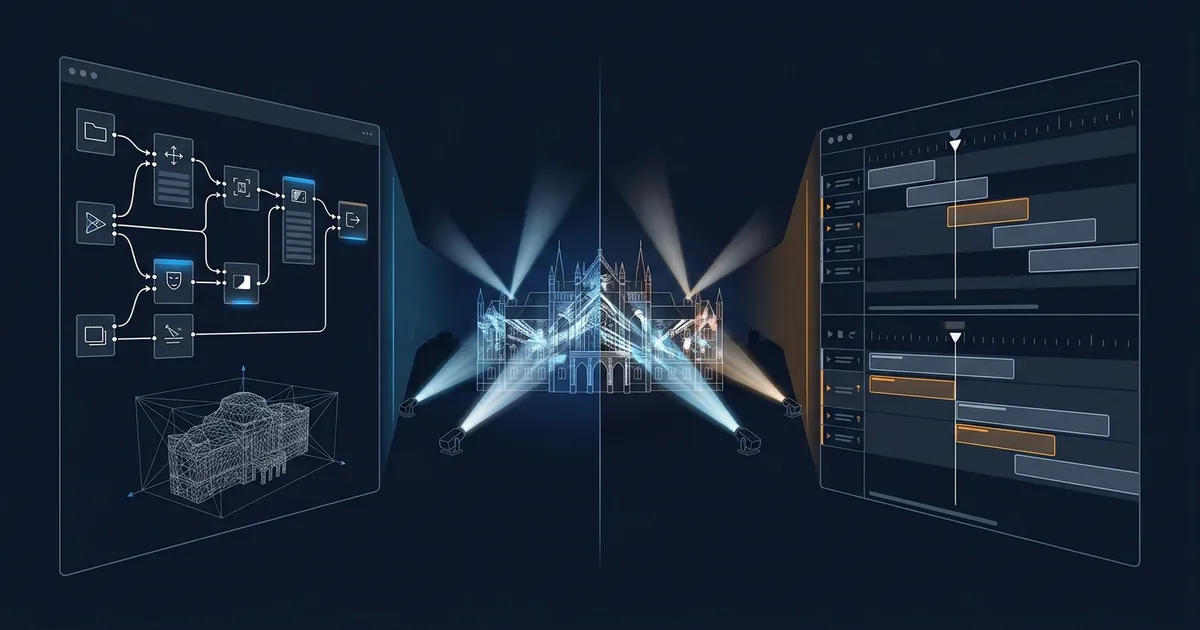
WATCHOUT operates on layers and a timeline. You stack media (video, images, live feeds) on layers, position them on a virtual canvas representing your screens, and animate everything on a timeline. The paradigm is close to After Effects or an advanced PowerPoint. It is intuitive and fast for linear playback projects.
Modulo Kinetic operates on a node graph + timeline. Each element (video source, transformation, effect, output) is a node connected to others. This allows complex processing chains: mixing sources, applying cascading effects, creating generative content, all in real time. Player, on the other hand, uses a more traditional timeline approach, comparable to WATCHOUT.
In practice: if your project involves multi-screen playback with pre-produced content, both platforms get the job done. If you need real-time compositing, generative content, or conditional logic, Modulo Kinetic has a structural advantage.
3D capabilities
WATCHOUT
WATCHOUT handles projection geometry (warping, edge blending, mapping onto surfaces) but does not have a true 3D engine. Media positioning is done in 2D/2.5D on the canvas. For complex 3D mapping, you need to pre-render your content in third-party software (After Effects, Notch, TouchDesigner) and then import it.
Modulo Kinetic
Kinetic includes a real-time 3D engine. You can import 3D models (OBJ, FBX), texture them, light them, and project onto them in real time. The 3D scan, modeling, and projection workflow is done entirely within Kinetic, with no back-and-forth with third-party software.
This is a considerable advantage for architectural or set-design mapping projects: content changes are immediate, with no rendering time.
Interactivity
WATCHOUT
WATCHOUT supports external triggers via DMX, OSC, serial, and TCP/IP. You can jump to timeline cue points, trigger media, or modify parameters. This is sufficient for simple interactive scenarios (buttons, presence sensors, scheduled triggers).
For complex interactions (real-time tracking, reactive content, multi-user), you need to pair WATCHOUT with an external system (TouchDesigner, Max/MSP, custom application).
Modulo Kinetic
Kinetic handles interactivity natively. The scripting engine lets you create complex logic directly within the project: motion detection (via LIDAR, camera), object tracking, multi-user interactions, reactive generative content. No need for middleware software.
For interactive museum installations, this is a strong argument: one single system to maintain instead of two or three.
Built-in show control
An often underestimated point: Modulo integrates show control tools directly into its servers. Projector management (power on/off, source selection), lighting control via DMX/ArtNet, audio triggering, scheduling, all from the same interface. For permanent installations, this means a single control point for the entire system, with no external automation or third-party software.
WATCHOUT does not offer a native equivalent: controlling peripheral equipment requires a separate show control system (Crestron, AMX, custom PLC).
Warping and edge blending
Both platforms are solid on this front.
WATCHOUT offers control-point warping with configurable edge blending. The system is proven and works well for flat or slightly curved surfaces.
Modulo offers advanced warping with support for complex surfaces, auto-calibration (via camera), and multi-band edge blending. The warping engine is one of the platform's historic strengths.
In practice: for edge blending on a flat wall or a standard stage setup, both get the job done. For complex architectural surfaces (columns, vaults, organic shapes), Modulo has the edge with its native 3D workflow.
Scalability and network architecture
WATCHOUT
WATCHOUT uses a production computer + display server architecture. The production computer is the control station (no video output), and the display servers are dedicated machines that each handle one or more screens. Communication runs over Ethernet.
This architecture is clear and proven. It scales well for projects from 4 to 100+ outputs. Each display server is autonomous and can be replaced independently.
Modulo
Modulo uses integrated media servers (Player or Kinetic Designer + render nodes). The architecture can be centralized (a single multi-output server) or distributed (multiple synchronized servers).
Synchronization between Modulo servers uses genlock and network. For very large-scale projects (50+ projectors), both platforms require a carefully designed network architecture.
Ease of learning
Modulo Player is very accessible. The interface is intuitive, and a video technician can be operational in 1 to 2 days. It is one of the fastest media servers on the market to learn. Team adoption is often immediate.
WATCHOUT is also accessible for beginners. The timeline/layers interface is familiar to anyone who has used editing or presentation software. Allow 2-3 days of training.
Modulo Kinetic has a more gradual learning curve. Node-based compositing and the 3D engine take time to master. Allow 5-7 days of training to be autonomous on complex projects. In return, the ceiling of what you can achieve is significantly higher.
An important point: Modulo Pi provides excellent training resources (video tutorials, comprehensive documentation, regular training sessions). Support is a real strength of the ecosystem.
Pricing
WATCHOUT
Per-output license model. Each display server requires a license. Cost increases with the number of outputs. For a 20-projector project, the software budget can be significant.
Modulo
Per-server model. The license is tied to the server, not the number of outputs. For multi-projector projects, this can represent substantial savings.
Note: both vendors regularly update their pricing. Request an up-to-date quote for your specific project.
Reliability and support
Both platforms are used in production on mission-critical projects (museums open 7 days a week, live shows, corporate events).
Modulo is recognized for its operational stability. Servers run 24/7 on permanent installations with very high uptime rates. Direct support is responsive (direct access to developers), and the network of certified partners continues to grow.
WATCHOUT benefits from a worldwide network of certified partners and a large installed base. Support is solid, with a proven deployment track record.
Summary table
| Criterion | WATCHOUT | Modulo Player | Modulo Kinetic |
|---|---|---|---|
| Architecture | Timeline/Layers | Timeline | Node-based + Timeline |
| Native 3D engine | No | No | Yes |
| Native interactivity | Basic | Basic | Advanced |
| Warping/Blending | Good | Very good | Very good |
| Ease of learning | Easy | Easy | Intermediate |
| Built-in show control | No | Yes | Yes |
| Scalability | Excellent | Very good | Excellent |
| Generative content | No | No | Yes |
| Scripting | Limited | Limited | Full |
| Training / onboarding | Good | Excellent | Good |
| Support | Worldwide network | Direct + partners | Direct + partners |
Which choice for which project?
Choose WATCHOUT if:
- Your project is primarily linear multi-screen playback (corporate, signage, passive museum displays)
- Your team already knows WATCHOUT and has no reason to switch
- You have a well-established local WATCHOUT support network
- The project does not require advanced interactivity or real-time 3D content
Choose Modulo Player if:
- You are looking for a simple, stable, and reliable media server for multi-projector setups
- You want fast onboarding with excellent training resources
- Warping and edge blending are central to your project
- You need built-in show control (projector management, lighting, scheduling)
- You want a competitively priced solution for multi-output setups
Choose Modulo Kinetic if:
- Your project requires advanced interactivity (sensors, tracking, multi-user)
- You do 3D mapping on complex surfaces
- You want real-time generative content (particles, shaders, live data)
- It is a permanent installation that needs to evolve over time (museum, cultural venue)
- You want a single tool to manage everything (3D, compositing, playback, interactivity)
My field opinion
After working with both platforms on dozens of projects, I recommend Modulo in the majority of cases. The platform is one of the most powerful and stable on the market, and the choice between Player and Kinetic lets you match the right tool to each project's scope.
Modulo Player is my first choice for small to medium-sized projects: multi-screen, edge blending, fixed installations. Onboarding is very fast, teams adopt it easily, and built-in show control avoids stacking systems. It is a tool that gets the job done without friction.
Modulo Kinetic takes over on large-scale projects: 30+ projectors, architectural 3D mapping, advanced interactivity, permanent museum installations. The ability to manage everything in a single environment (3D, compositing, interactivity, playback, show control) reduces system complexity and simplifies long-term maintenance.
WATCHOUT remains relevant if your team already knows it and the project involves standard multi-screen playback. It is a mature, well-supported tool. But for a new project with no prior history, the Modulo ecosystem offers more possibilities at every level of complexity.
The most common mistake: choosing a tool because you know it, without evaluating whether it is the right one for the project. A poor media server choice costs you for the entire lifespan of the installation.
Need help choosing?
Choosing a media server is a decision that commits you for several years. I can help you evaluate the right platform based on your specific project, your team, and your constraints.
Book a discovery call to discuss it.
Additional resources:
- Which media server for mapping?: general selection criteria
- Complete video mapping guide: the fundamentals
- Multi-projector edge blending: overlap techniques

About the author
Baptiste Jazé has been an expert video projection and mapping consultant for 15 years. He supports creative studios, technical providers and producers in their ambitious visual projects.
Contact meNeed technical expertise?
Book a free discovery call to discuss your video projection or mapping project.
Book a discovery callDid you enjoy this article?
Receive my upcoming tips, field experience and best practices straight to your inbox.
By subscribing, you agree to receive our emails. You can unsubscribe at any time.
1 email per week maximum, unsubscribe in 1 click