Modulo Kinetic vs WATCHOUT : comparatif pour les projets complexes

Modulo Kinetic vs WATCHOUT : le bon choix pour les projets complexes
Introduction
Quand un projet dépasse la simple diffusion multi-écran, le choix du média serveur devient un choix d'architecture. Interactivité, contenu génératif, mapping 3D sur surfaces complexes, installations permanentes évolutives : ces besoins demandent des outils qui vont au-delà du timeline/layers classique.
Cet article compare Modulo Kinetic à WATCHOUT spécifiquement sur ce terrain. Si votre projet est de la diffusion multi-écran sans interactivité ni 3D, consultez plutôt le comparatif Modulo Player vs WATCHOUT, qui couvre ce segment.
Après 15 ans de projets incluant des installations muséales immersives, du mapping architectural et des shows interactifs, voici ce que j'ai observé sur le terrain.
Deux outils, deux catégories
Il faut le dire clairement : Kinetic et WATCHOUT ne jouent pas dans la même catégorie. WATCHOUT est un excellent outil de diffusion multi-écran. Kinetic est une plateforme de création et diffusion temps réel.
Les comparer, c'est un peu comme comparer un projecteur de cinéma à un moteur de jeu vidéo : les deux affichent des images, mais les possibilités ne sont pas les mêmes.
Cela dit, les deux se retrouvent régulièrement en shortlist sur les mêmes appels d'offres, notamment dans le muséal et l'événementiel haut de gamme. La comparaison a donc du sens, à condition de comprendre ce que chaque outil fait et ne fait pas.
Compositing : nodal vs layers
WATCHOUT : l'empilement de couches
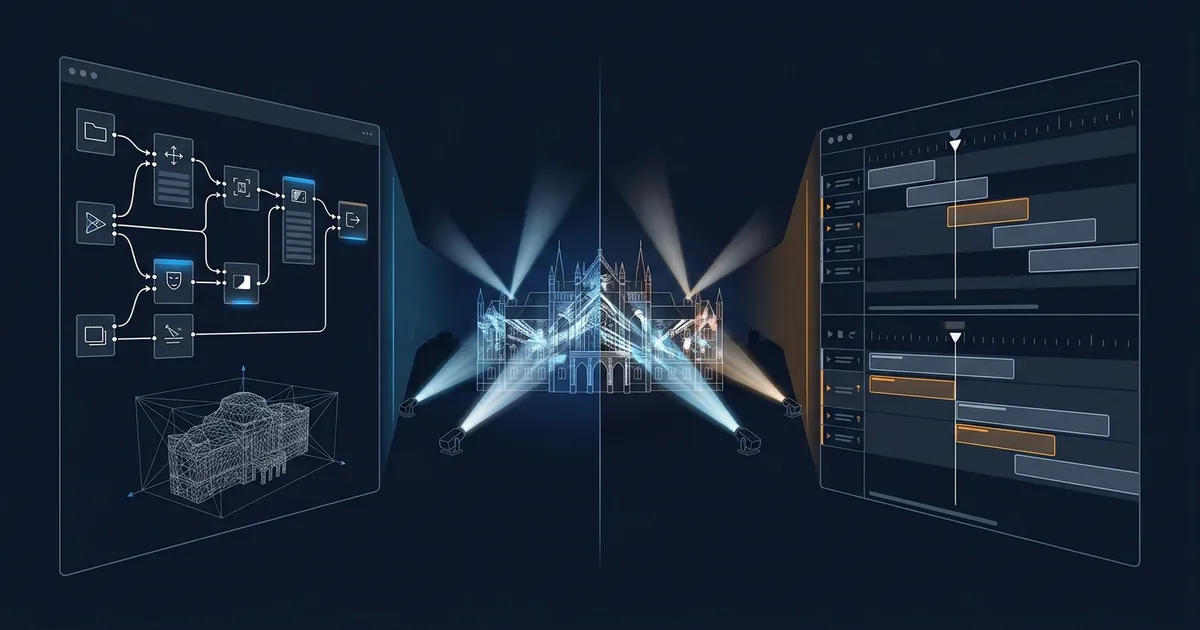
WATCHOUT empile des médias sur des couches, positionnées dans un canvas virtuel qui représente vos écrans. C'est le même paradigme que PowerPoint ou After Effects : source en bas, effets par-dessus, résultat visible en haut de la pile.
Ce modèle est parfait pour la diffusion linéaire :
- Pré-produire le contenu dans After Effects, Notch ou Cinema 4D
- Importer les fichiers dans WATCHOUT
- Positionner et timer sur la timeline
- Déclencher
Le contenu est "figé" au moment de l'import. Si vous voulez modifier un paramètre visuel (couleur, taille, position d'un élément), il faut retourner dans l'outil de création, re-rendre et re-importer.
Modulo Kinetic : le graphe de noeuds
Kinetic utilise un compositing nodal. Chaque élément (source vidéo, transformation, effet, sortie, capteur, logique) est un noeud connecté aux autres par des câbles virtuels.
Ce modèle permet :
- De mixer des sources en temps réel : vidéo + flux caméra + contenu génératif
- D'appliquer des effets en cascade : un capteur modifie un paramètre, qui modifie un shader, qui modifie la sortie
- De créer des chaînes de traitement complexes sans logiciel intermédiaire
- De modifier n'importe quel paramètre en live sans pré-rendu
En pratique : si vous avez déjà travaillé avec TouchDesigner, Max/MSP ou Isadora, le paradigme nodal de Kinetic vous sera familier. La différence, c'est que Kinetic gère aussi la diffusion, le warping et le show control. Pas besoin de pipeline multi-logiciel.
La puissance du nodal, c'est la modularité. Vous pouvez reconfigurer un projet en déplaçant des connexions, pas en reprogrammant de zéro.
Moteur 3D temps réel
WATCHOUT : pas de 3D native
WATCHOUT ne dispose pas d'un moteur 3D. Le positionnement des médias se fait en 2D sur le canvas. Pour du mapping 3D (projection sur des volumes, des façades ou des formes complexes), le workflow est :
- Scanner la surface cible (photogrammétrie, LiDAR)
- Modéliser en 3D dans un logiciel tiers (Cinema 4D, Blender)
- Créer le contenu mappé sur le modèle 3D
- Pré-rendre en vidéo
- Importer dans WATCHOUT et caler avec le warping 2D
Ce workflow fonctionne, mais il est long et rigide. Toute modification de la surface ou du contenu nécessite de reprendre le pipeline depuis l'étape concernée.
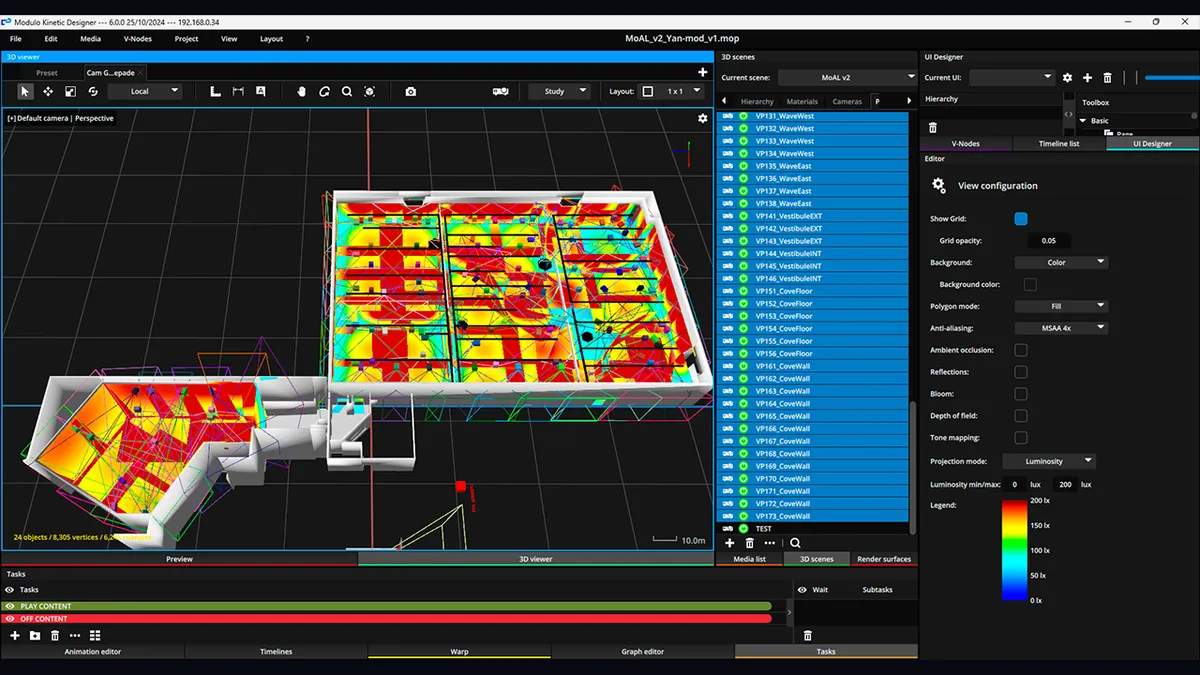
Modulo Kinetic : 3D intégrée
Kinetic intègre un moteur 3D temps réel. Le workflow devient :
- Scanner la surface cible
- Importer le modèle 3D directement dans Kinetic (OBJ, FBX, GLTF)
- Texturer et éclairer dans Kinetic
- Projeter directement sur le modèle
Les modifications sont immédiates. Changer la couleur d'un mapping architectural prend 30 secondes, pas 3 heures de rendu. Ajuster la projection après un recalage de projecteur se fait en direct, pas en post-production.
Impact concret sur les projets
| Scénario | WATCHOUT | Modulo Kinetic |
|---|---|---|
| Mapping façade simple | Possible (pré-rendu) | Natif |
| Mapping objet en rotation | Très difficile | Natif (tracking) |
| Modification contenu sur site | Retour au studio | Sur place, en temps réel |
| Adaptation à une nouvelle surface | Pipeline complet à refaire | Re-mapping en direct |
| Contenu réactif aux données | Non | Natif |
En pratique : pour du mapping architectural ou scénographique, le moteur 3D de Kinetic réduit le temps de mise en service de façon considérable. Sur un projet muséal avec des ajustements fréquents, c'est un avantage majeur.
📖 Article lié : Scan 3D pour le video mapping pour comprendre le workflow de numérisation.
Interactivité
C'est le domaine où l'écart entre les deux plateformes est le plus grand.
WATCHOUT : déclenchements externes
WATCHOUT supporte les triggers : DMX, OSC, série, TCP/IP, GPIO. Vous pouvez :
- Sauter à un point de la timeline
- Déclencher un média
- Modifier un paramètre exposé
C'est suffisant pour des interactions simples : boutons physiques, capteurs de présence, déclenchement par horaire. Pour aller plus loin, il faut coupler WATCHOUT à un système externe (TouchDesigner, Max/MSP, application custom).
Modulo Kinetic : interactivité native
Kinetic gère l'interactivité comme une fonctionnalité de premier plan :
- Capteurs : LiDAR, caméras, Kinect, capteurs IR, accéléromètres, tout type de donnée entrante peut être un noeud dans le graphe
- Tracking temps réel : suivi de personnes, d'objets, de véhicules, avec intégration directe dans le compositing
- Logique conditionnelle : scripting intégré pour des scénarios complexes (si personne dans zone A, déclencher séquence B, sinon boucler sur C)
- Contenu réactif : le contenu visuel se modifie en temps réel en fonction des entrées (données, capteurs, interactions)
- Multi-utilisateurs : gestion native de plusieurs zones d'interaction simultanées
Exemple concret : installation muséale interactive
Imaginez une salle de musée avec du mapping au sol qui réagit aux visiteurs.
Avec WATCHOUT + système externe :
- WATCHOUT pour la diffusion et le warping
- TouchDesigner ou application custom pour le tracking
- Un PC supplémentaire pour le traitement des données capteurs
- Communication OSC entre les systèmes
- 3 logiciels à maintenir, 2-3 machines supplémentaires
Avec Modulo Kinetic :
- Kinetic pour tout : capteurs, tracking, compositing réactif, diffusion, warping
- Un seul système à programmer et à maintenir
- Moins de points de défaillance
Pour les installations permanentes, chaque logiciel supplémentaire dans la chaîne est un risque de panne en plus et un interlocuteur en plus quand ça ne fonctionne pas.
📖 Article lié : Mapping interactif et capteurs pour les technologies d'interaction en détail.
Show control et automatisation
Modulo Kinetic
Comme Modulo Player, Kinetic intègre un show control complet :
- Pilotage des projecteurs (PJLink, RS-232, réseau)
- Contrôle lumière DMX/ArtNet
- Scheduling automatique (horaires, jours, saisons)
- Monitoring des équipements
- Scripting pour des scénarios d'automatisation avancés
La différence avec Player : le scripting de Kinetic permet des logiques d'automatisation bien plus complexes. Adapter le contenu en fonction de l'heure, de la météo (via API), du nombre de visiteurs (via compteur), tout cela se fait dans le même environnement.
WATCHOUT
Pas de show control natif. Le pilotage des équipements périphériques nécessite un système externe (Crestron, AMX, automate programmable).
En pratique : sur une installation permanente complexe (musée, lieu culturel, showroom premium), le show control intégré de Kinetic peut remplacer un automate Crestron/AMX à lui seul. C'est un argument fort en termes de coût total d'exploitation et de simplicité de maintenance.
Scalabilité et architecture réseau
WATCHOUT
Architecture distribuée : production computer + display servers. Scale bien de 4 à 100+ sorties. Chaque display server est autonome. L'architecture est éprouvée sur de très grands déploiements (stades, salons, pavillons d'exposition).
Modulo Kinetic
Architecture en noeuds de rendu : un Kinetic Designer (station de contrôle et composition) + des Kinetic Render Nodes (machines de diffusion). Les noeuds sont synchronisés par réseau et genlock.
L'architecture est conçue pour scaler : 50, 100, 200+ sorties sont des configurations documentées et déployées. La synchronisation est solide, et les projets de très grande envergure (pavillons, musées immersifs, façades monumentales) sont dans l'ADN du produit.
| Critère | WATCHOUT | Modulo Kinetic |
|---|---|---|
| Architecture | Production + Display servers | Designer + Render Nodes |
| Sorties max testées | 100+ | 200+ |
| Synchronisation | Réseau | Réseau + genlock |
| Redondance | Par display server | Par noeud de rendu |
| Compositing distribué | Non | Oui (rendu réparti) |
En pratique : les deux scalent bien. L'avantage de Kinetic sur les grands projets est le compositing distribué : les noeuds de rendu peuvent partager la charge de calcul, ce qui est crucial quand le contenu est génératif ou interactif (le pré-rendu n'est pas une option).
Facilité d'apprentissage
WATCHOUT : accessible, 2-3 jours pour être autonome. Le paradigme timeline/layers est familier.
Modulo Kinetic : courbe d'apprentissage plus progressive. Le compositing nodal, le moteur 3D et le scripting demandent du temps. Comptez 5 à 7 jours de formation pour être autonome sur des projets complexes, et plusieurs mois de pratique pour exploiter le plein potentiel.
C'est un investissement, mais le plafond de ce que vous pouvez faire est incomparablement plus haut. Et l'accompagnement de Modulo Pi (formation, documentation, support direct) facilite la montée en compétences.
Le bon critère n'est pas "quel outil est le plus facile à apprendre", mais "quel outil me permettra de faire ce dont j'ai besoin". Un outil simple qui ne couvre pas vos besoins vous coûtera plus cher à long terme.
Tarification
WATCHOUT : par sortie
Même modèle que pour la comparaison avec Player : une licence par display server, le coût est proportionnel au nombre de sorties.
Modulo Kinetic : par configuration
La tarification Kinetic est par serveur/noeud, comme Player. Mais les serveurs Kinetic sont plus puissants (et plus chers) que les serveurs Player, car ils intègrent le moteur 3D et le compositing.
Le vrai calcul
Pour comparer honnêtement, il ne faut pas comparer le coût logiciel seul. Il faut comparer le coût total du système :
| Poste | WATCHOUT | Modulo Kinetic |
|---|---|---|
| Licences logiciel | Par sortie | Par noeud |
| Système de show control | Crestron/AMX (séparé) | Intégré |
| Système d'interactivité | TouchDesigner/Custom (séparé) | Intégré |
| Maintenance logicielle | 2-3 systèmes | 1 système |
| Formation | Plusieurs outils | 1 outil |
En pratique : le coût d'entrée de Kinetic est plus élevé que WATCHOUT, mais le coût total d'un système équivalent (avec interactivité et show control) est souvent comparable, voire inférieur avec Kinetic, car il remplace plusieurs logiciels et systèmes.
Pérennité et évolutivité
C'est un critère souvent négligé, mais crucial pour les installations permanentes.
WATCHOUT
Plateforme mature avec un historique long. Les mises à jour sont régulières. La base installée est large, ce qui garantit un support à long terme. Le risque : WATCHOUT évolue dans un marché qui demande de plus en plus d'interactivité et de 3D, deux domaines où la plateforme a des limites structurelles.
Modulo Kinetic
Plateforme en évolution active, avec des mises à jour fréquentes qui ajoutent régulièrement de nouvelles fonctionnalités (nouveaux types de noeuds, améliorations 3D, support de nouveaux protocoles). L'architecture modulaire permet de faire évoluer un projet sans tout reprogrammer.
En pratique : pour une installation permanente prévue pour durer 5-10 ans, la capacité d'évolution de la plateforme est un critère important. Un musée qui installe aujourd'hui peut vouloir ajouter de l'interactivité dans 2 ans, du tracking dans 4 ans. Avec Kinetic, c'est une extension du projet existant. Avec WATCHOUT, c'est potentiellement un changement de plateforme.
Tableau récapitulatif
| Critère | WATCHOUT | Modulo Kinetic |
|---|---|---|
| Architecture | Timeline/Layers | Nodal + Timeline |
| Moteur 3D natif | Non | Oui |
| Compositing temps réel | Non | Oui |
| Interactivité native | Basique (triggers) | Avancée (capteurs, tracking, scripting) |
| Contenu génératif | Non | Oui |
| Show control embarqué | Non | Oui |
| Scripting | Limité | Complet |
| Warping/Blending | Bon | Très bon |
| Scalabilité | 100+ sorties | 200+ sorties |
| Facilité d'apprentissage | Facile (2-3 jours) | Intermédiaire (5-7 jours) |
| Support | Réseau mondial | Direct éditeur + partenaires |
| Coût d'entrée | Modéré | Élevé |
| Coût système complet | Élevé (multi-logiciel) | Modéré (tout intégré) |
Quel choix pour quel projet ?
Choisir Modulo Kinetic si :
- Le projet nécessite de l'interactivité avancée (capteurs, tracking, contenu réactif)
- Vous faites du mapping 3D sur surfaces complexes (façades, volumes, objets)
- Vous voulez du contenu génératif temps réel (particules, shaders, flux de données)
- C'est une installation permanente qui doit évoluer sur 5-10 ans
- Vous cherchez un seul outil pour remplacer WATCHOUT + TouchDesigner + Crestron
- Le projet dépasse 30-40 sorties avec du contenu non linéaire
- Vous voulez un support direct avec l'éditeur
Choisir WATCHOUT si :
- Le projet est de la diffusion multi-écran linéaire sans interactivité
- Votre équipe maîtrise déjà WATCHOUT et le projet est simple
- Vous n'avez pas besoin de 3D temps réel ni de compositing nodal
- Le budget initial est très contraint et le projet ne nécessite pas de show control
Envisager Modulo Player si :
- Votre projet est plus simple qu'un cas Kinetic : multi-écran, edge blending, show control, sans interactivité avancée ni 3D
📖 Article lié : Modulo Player vs WATCHOUT pour les projets de diffusion multi-écran.
Mon avis terrain
Pour les projets complexes (interactivité, 3D, installations permanentes évolutives), Modulo Kinetic est la plateforme que je recommande. La capacité à tout gérer dans un seul environnement, de la captation de données à la diffusion, en passant par le compositing 3D et le show control, est un avantage structurel que WATCHOUT ne peut pas égaler.
J'ai travaillé sur des installations muséales où le passage de WATCHOUT + TouchDesigner à Kinetic a divisé par deux le nombre de machines dans le rack et simplifié considérablement la maintenance. Quand le conservateur appelle pour dire que "ça ne marche plus", avoir un seul système à diagnostiquer fait une vraie différence.
La courbe d'apprentissage est réelle, mais c'est un investissement qui se rentabilise rapidement sur les projets de cette envergure. Et l'accompagnement de Modulo Pi (formation, support, réactivité) rend la montée en compétences beaucoup plus fluide qu'avec un pipeline multi-logiciel.
WATCHOUT reste un outil solide pour ce qu'il fait : de la diffusion multi-écran linéaire. Si c'est votre besoin, il le fait très bien. Mais si votre projet a la moindre dimension interactive ou 3D, Kinetic est dans une autre catégorie.
Besoin d'aide pour choisir ?
Le choix du média serveur conditionne l'architecture de votre installation pour plusieurs années. Je peux vous aider à évaluer la bonne plateforme en fonction de votre projet, de vos contraintes techniques et de votre budget.
Discutons de votre projet pour en discuter.
Ressources complémentaires :
- Modulo Player vs WATCHOUT : comparatif pour le multi-écran
- Mapping interactif et capteurs : technologies d'interaction en détail

Consultant et formateur vidéo mapping
Quinze ans d'installations monumentales et muséales : Arc de Triomphe (7 éditions), Museum of Art and Light Kansas (108 projecteurs), Atelier des Lumières. Conception, calibration multi-projecteurs, audit, formation Modulo Kinetic.
Besoin d'expertise technique ?
Discutons de votre projet de vidéoprojection ou mapping. Réponse sous 48h ouvrées.
Discuter de mon projetVous avez aimé cet article ?
Recevez mes prochains conseils, retours d'expérience et bonnes pratiques directement dans votre boîte mail.
En vous inscrivant, vous acceptez de recevoir nos emails. Vous pouvez vous désinscrire à tout moment.
1 email par semaine maximum, désinscription en 1 clic